
ON THIS PAGE
QFX5140 Chassis LEDs
This topic describes the status LEDs for the chassis and ports on the QFX5140.
The LEDs on the QFX5140 indicate the status of the device and its components. You can also use the LEDs for troubleshooting.
Chassis Status LEDs
Figure 1 shows the chassis status LEDs available in the QFX5140 switch.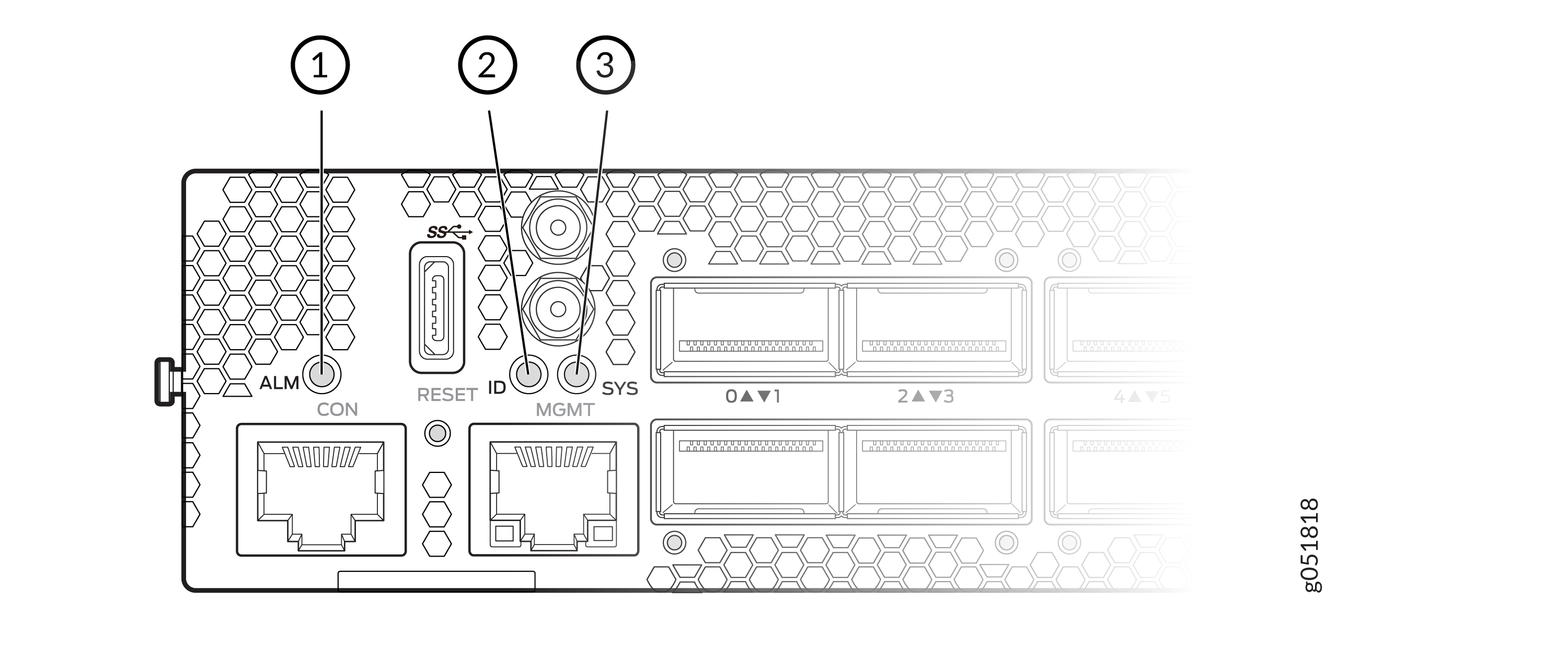
| Callout | Label | Descriptionr |
|---|---|---|
|
1 |
ALM |
Indicates alarm or fault conditions on the device. |
|
2 |
ID LED (Identification LED) |
Used to locate/identify the device physically (can be toggled during maintenance). |
|
3 |
SYS LED (System LED) |
Indicates the overall health and operating state of the switch. |
| LED | Color / State | Description |
|---|---|---|
|
ALM |
OFF |
No alarm condition |
|
ALM |
Red (Steady) |
Major alarm |
|
ALM |
Yellow (Steady) |
Minor alarm |
|
ALM |
Red + Yellow (Blinking) |
Both major and minor alarms present |
| LED | Color / State | Description |
|---|---|---|
|
SYS |
OFF |
System is powered off |
|
SYS |
Green (Slow Blink) |
Default state during power-up (hardware controlled) |
|
ALM |
Green (Blinking) |
System is loading software or shutting down |
|
ALM |
Green (Steady) |
System is online and operating normally |
| LED | Color / State | Description |
|---|---|---|
|
ID |
Blue (Blinking) |
Beacon enabled (device identification active) |
|
ID |
OFF |
Beacon disabled |
Management Port Status LEDs
Figure 2 shows the management port LEDs available in the QFX5140 switch.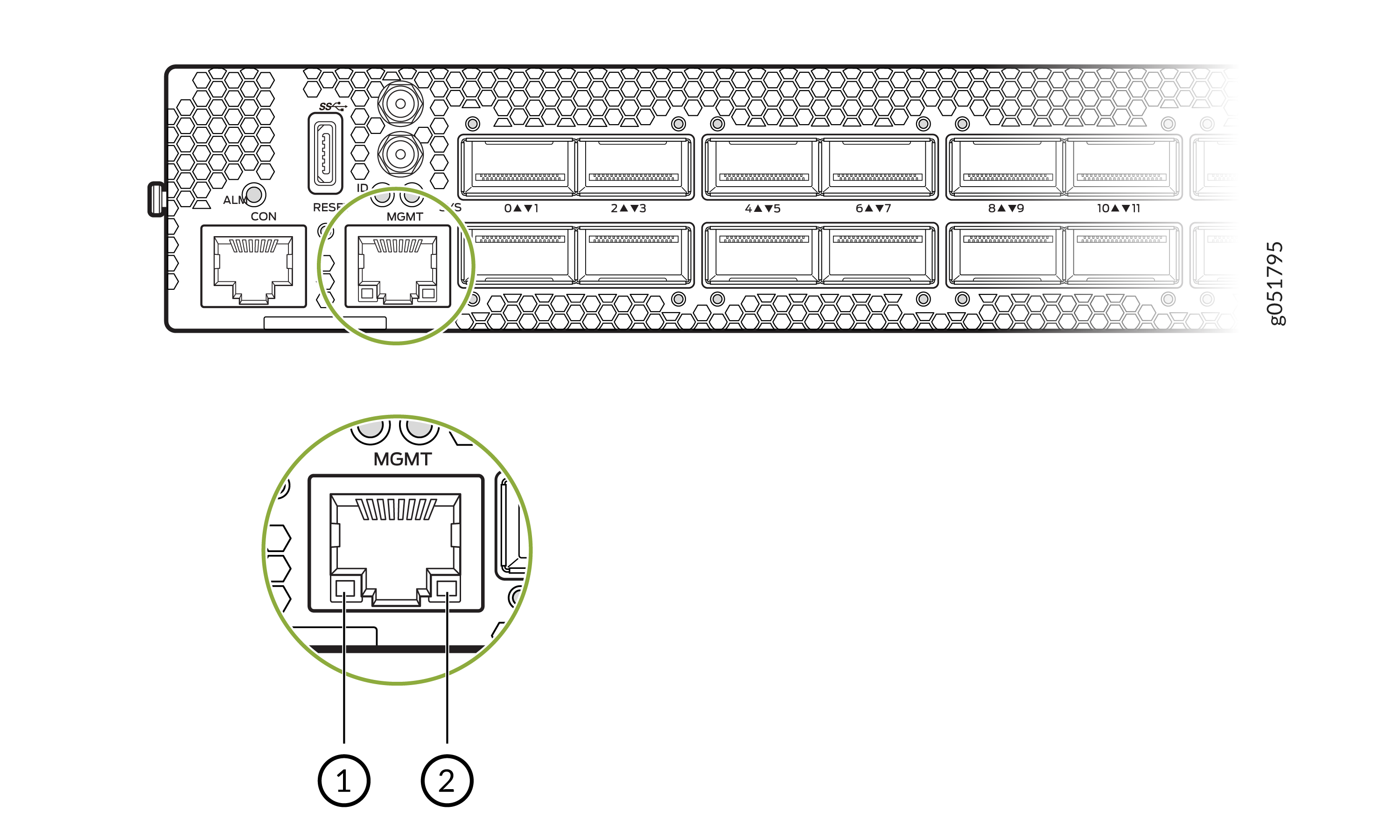
| Callout | Label | LED Color | LED State | Description |
|---|---|---|---|---|
|
1 |
Link LED (left side of the MGMT port) |
Off |
OFF |
No link detected; port is down. |
|
Green |
ON (Steady) |
Port is up at 1 Gbps |
||
|
Yellow |
ON (Steady) |
Port is up at 10 Mbps or 100 Mbps |
||
|
2 |
Activity LED (right side of MGMT port) |
Green |
Blinking |
A link is established and there is link activity. |
| Green | ON (Steady) |
A link is established and there is no link activity. |
||
|
Off |
OFF |
No activity; link is down. |