
Maintain the QFX5130 Cooling System
The fan modules in a QFX5130 switch are hot-removable and hot-insertable field-replaceable units (FRUs). You can remove and replace one of them without powering off the switch or disrupting the switching function.
To ensure proper airflow, keep a failed fan module in place until you have a replacement fan module at hand. Do not run the device with an open fan tray slot for an extended amount of time.
Remove a Fan Module from QFX5130 Switches
Before you remove a fan module from a QFX5130 switch, ensure that you have taken the necessary precautions to prevent electrostatic discharge (ESD) damage (see https://www.juniper.net/documentation/us/en/hardware/juniper-safety-guide/index.html).
Ensure that you have the following parts and tools available to remove a fan module from a QFX5130 switch:
ESD grounding strap
Antistatic bag or an antistatic mat
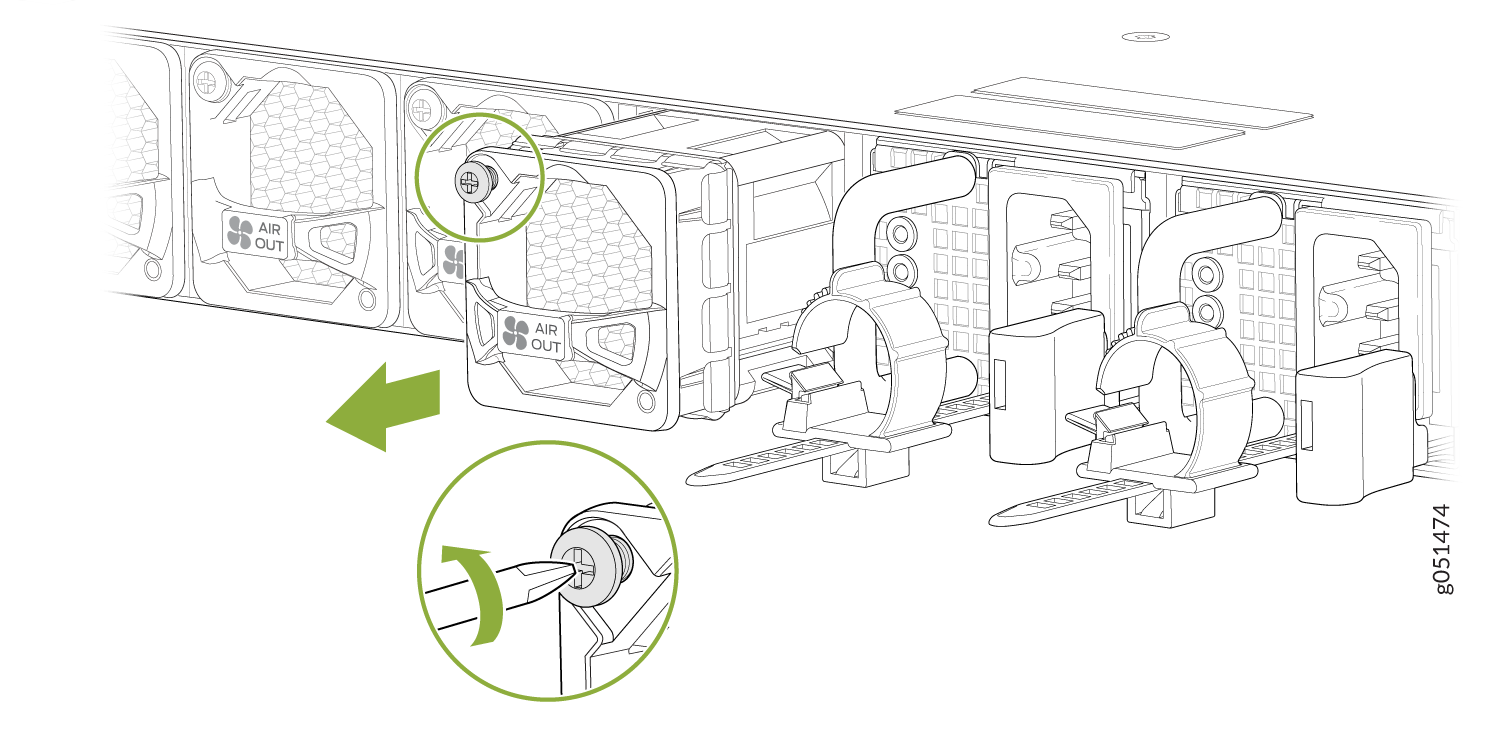
- Grasp the handle on the fan module and squeeze the outside of the handle to release the module. Figure 1shows how to remove a fan module from a QFX5130-32CD/QFX5130E-32CD switch. Figure 2 shows how to remove a fan module from a QFX5130-48C switch. Figure 1: Remove a Fan Module from a QFX5130-32CD/QFX5130E-32CD Switch
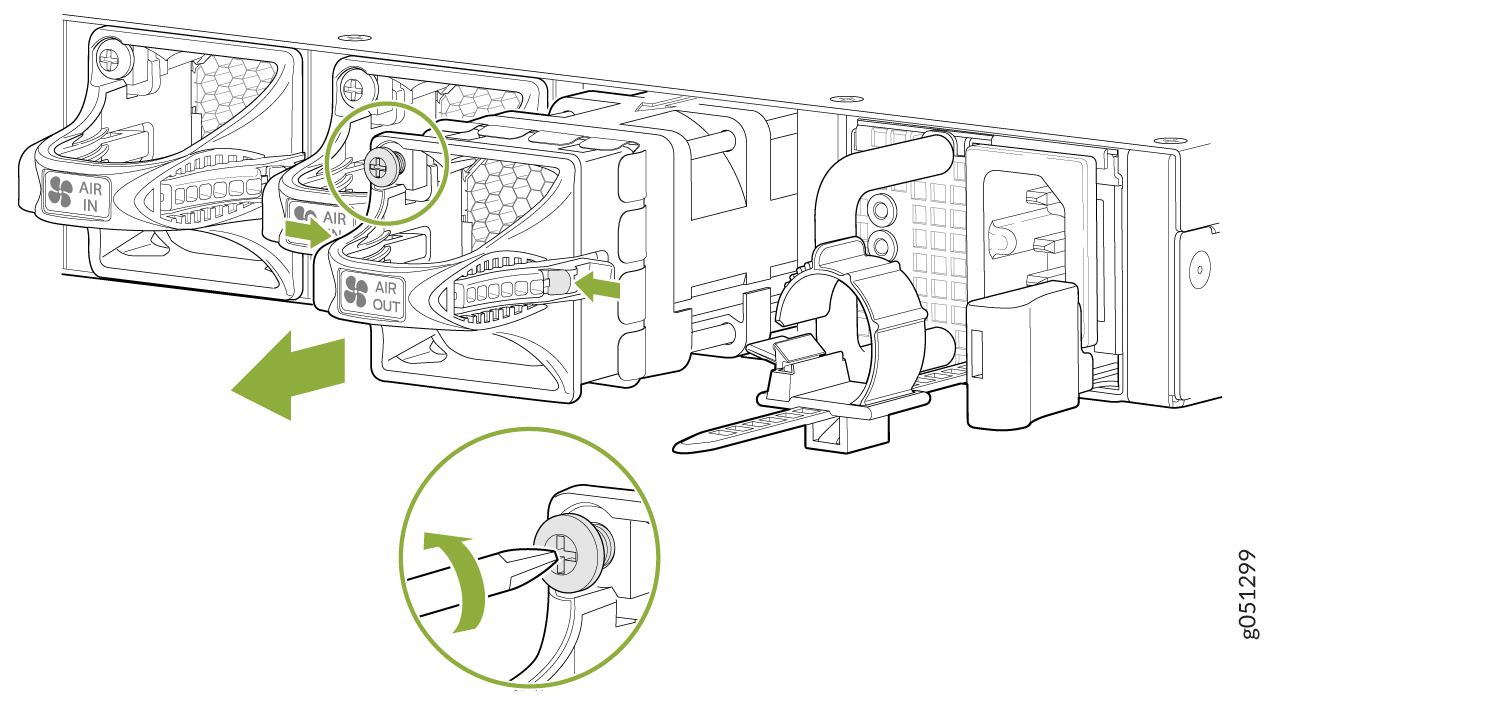 Figure 2: Remove a Fan Module from a QFX5130-48C/QFX5130-48CM Switch
 Warning:
To avoid injury, do not touch the fan with your hands or any tools as you slide the fan module out of the chassis—the fan might still be running.
Note:The fan modules on the QFX5130 are hot-swappable and hot-removable field-replaceable units (FRUs). During replacement of a fan module while the switch is online, you must replace one fan module at a time. This should be done within 240 seconds, after which the switch shuts down.
When a fan module is removed, the CLI message Fan/Blower is Absent is logged in the system log, and the system raises a minor alarm.
Install a Fan Module in QFX5130 Switches
Before you install a fan module in a QFX5130 switch, ensure that you have taken the necessary precautions to prevent electrostatic discharge (ESD) damage (see Prevention of Electrostatic Discharge Damage).
The fan modules in a QFX5130 switch are hot-removable and hot-insertable field-replaceable units (FRUs); you can remove and replace them without powering off the switch or disrupting the switch functions.
To ensure proper airflow, keep a failed fan module in place until you have a replacement fan module at hand. Do not run the device with an open fan tray slot for an extended amount of time.
The fan module provides FRU-to-port or port-to-FRU airflow depending on the switch product variant you purchase.
To install a fan module in a QFX5130-32CD/QFX5130E-32CD (see Figure 3.):
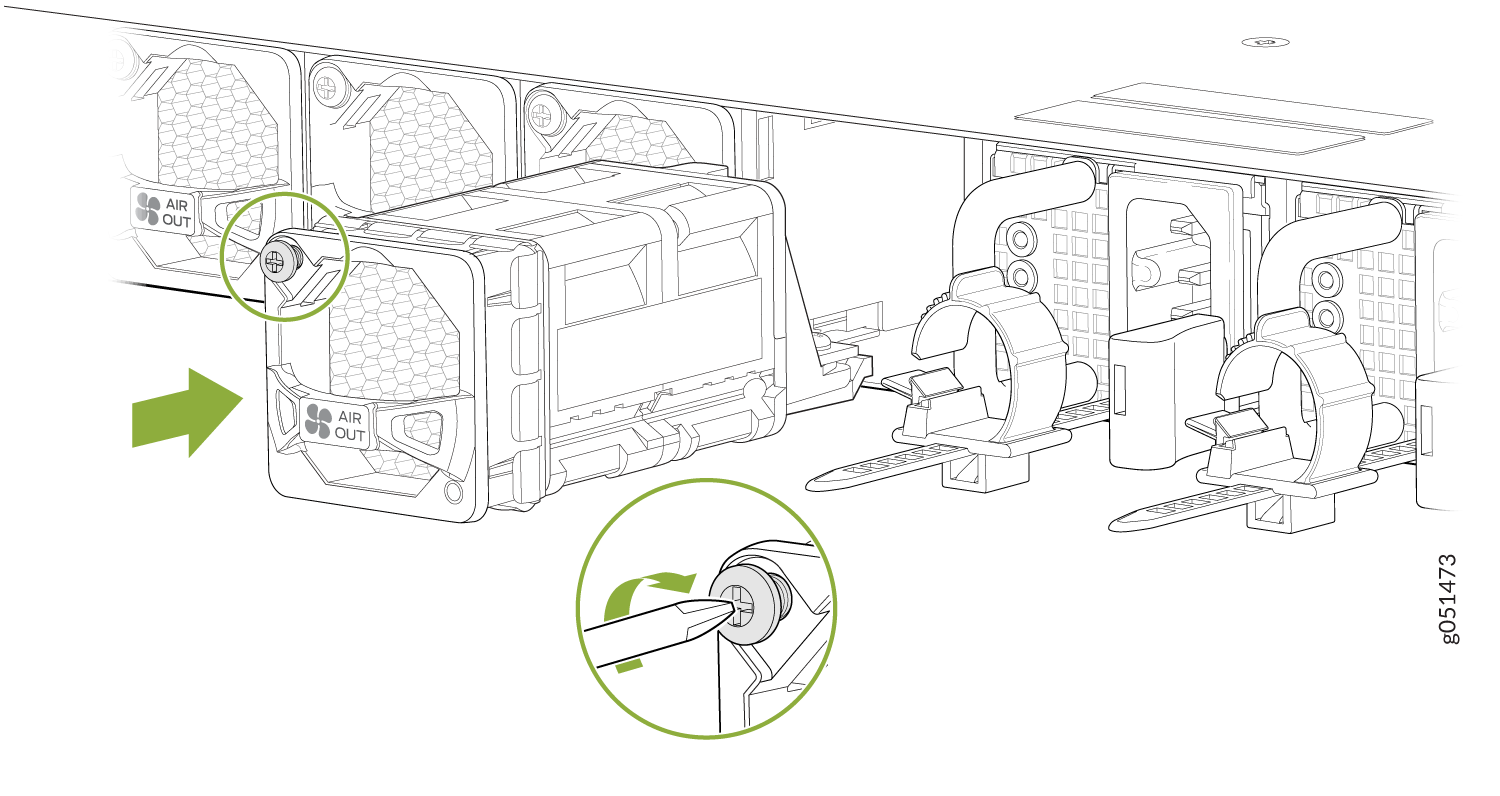
- Align the fan module with the open slot on the management panel of the chassis and slide it in until it is fully seated. Figure 3 shows how to install a fan module in a QFX5130-32CD switch. Figure 4 shows how to install a fan module in a QFX5130-48C switch. Figure 3: Install a Fan Module in a QFX5130-32CD/QFX5130E-32CD Switch
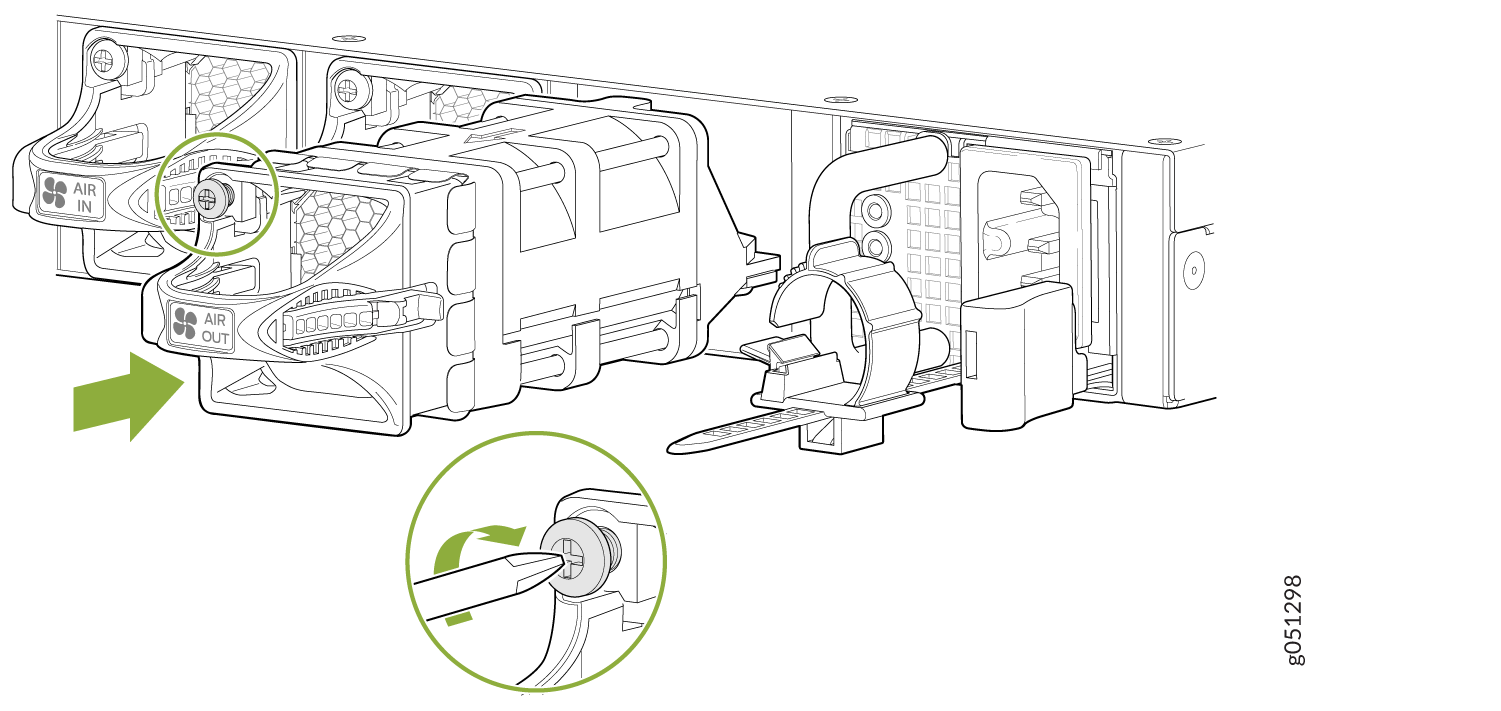 Figure 4: Install a Fan Module in a QFX5130-48C/QFX5130-48CM Switch
 CAUTION:
Damage can occur if you attempt to install a fan module into a chassis with a different airflow direction. Compare the switch product variant with the airflow marking on the handle to ensure that you are installing a fan module with the same airflow direction as the chassis. The fan modules are designed so that they can only be inserted into the QFX5130-32CD /QFX5130E-32CD/QFX5130-48C/QFX5130-48CM product variant that supports the same airflow type. SeeQFX5130 Power System for more information.