
Reseat the Memory Module
The memory modules on the ME-X6 are not field-replaceable components. If the memory module on your device needs to be replaced, follow the Return Material Authorization (RMA) procedure.
Remove the Memory Module
Before you begin, remove the cover panel as described in Remove the Cover Panel.
-
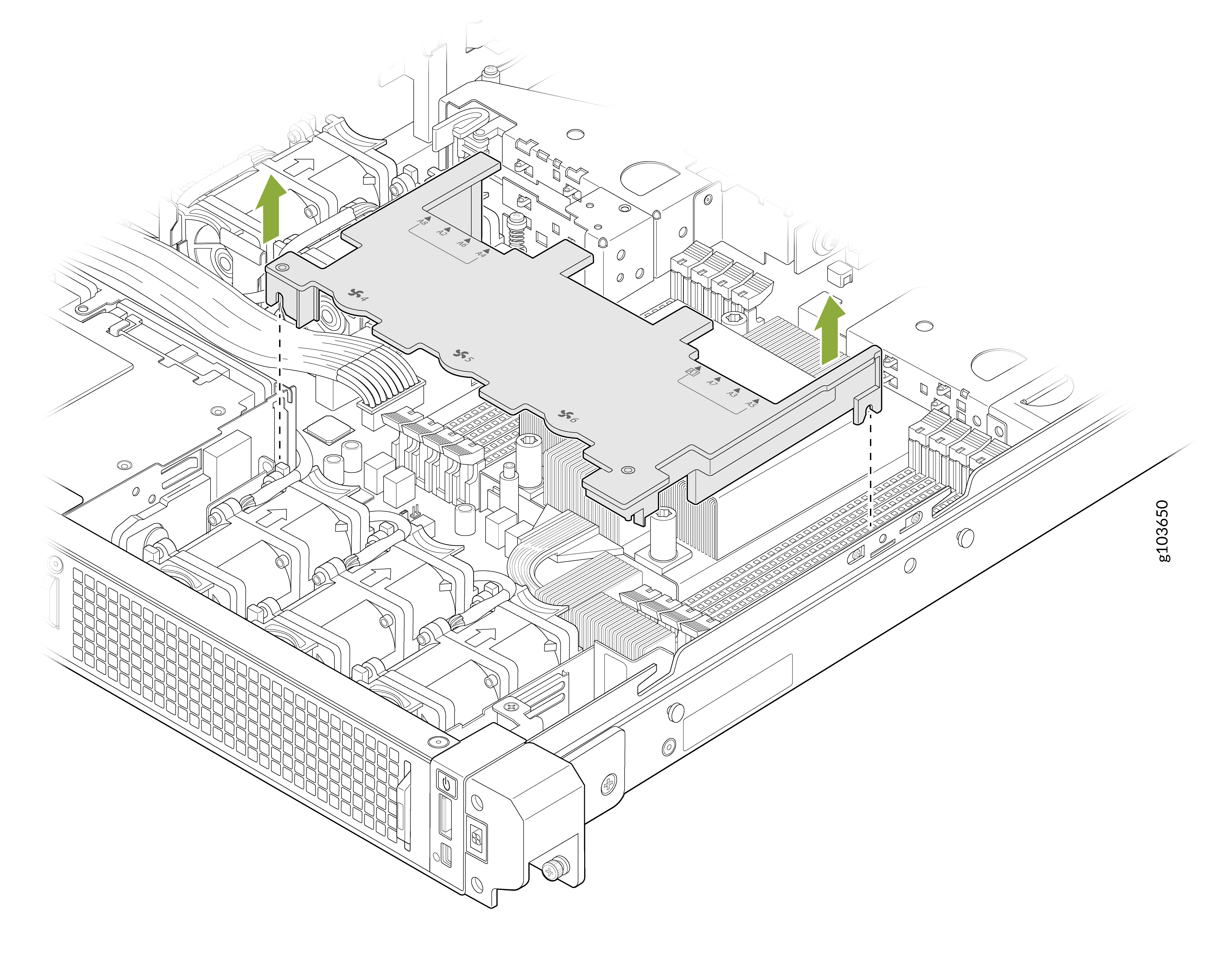
Remove the air shroud.
For Variant 1: Remove the processor air shroud. Hold the air shroud at both ends and carefully lift it out of the system.
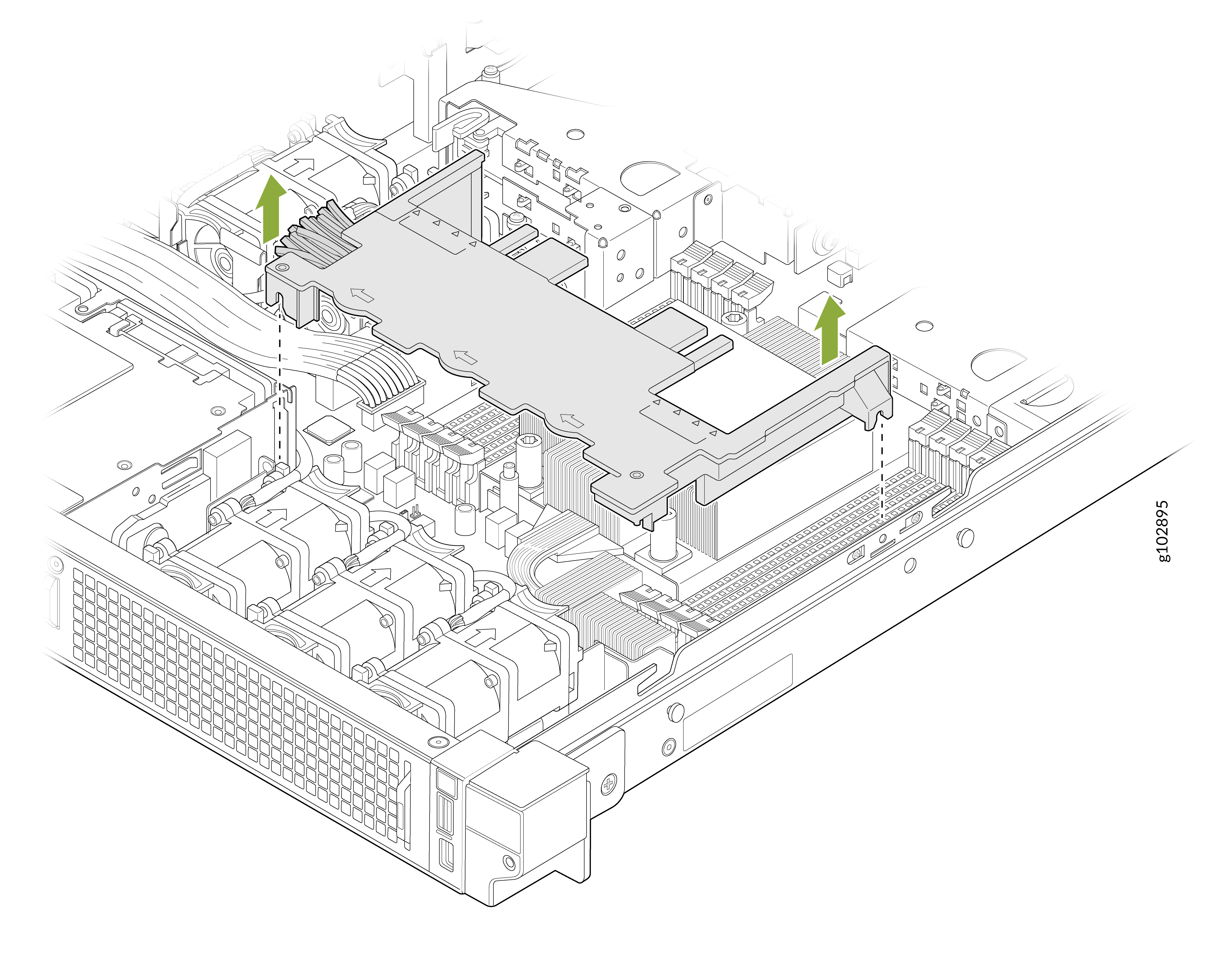
For Variant 2: Remove the common air shroud. Hold the air shroud at both ends and carefully lift it out of the system.
-
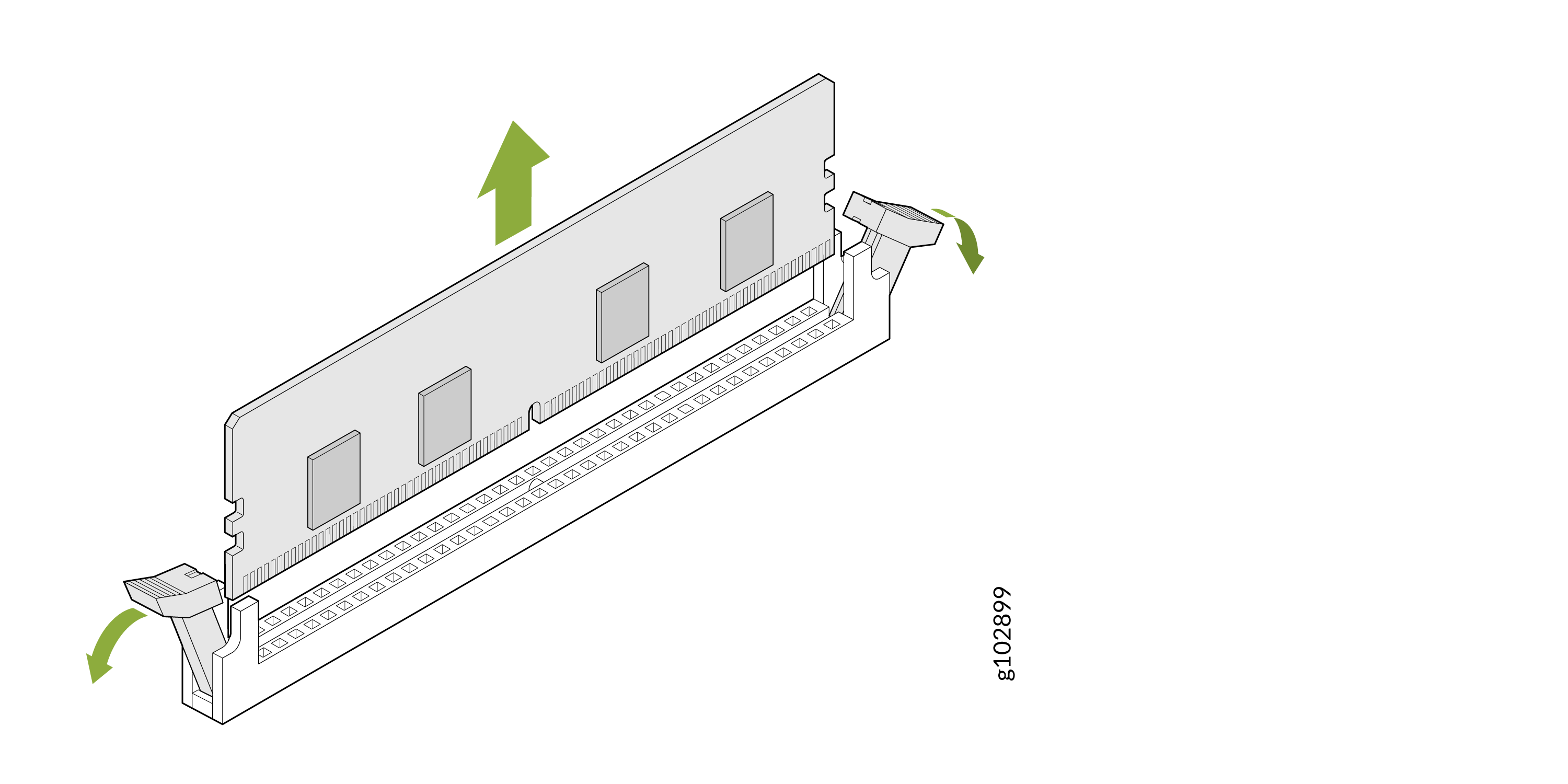
Lift the released memory module out of the socket.
Install the Memory Module
Before you begin, remove the cover panel as described in Remove the Cover Panel.
-
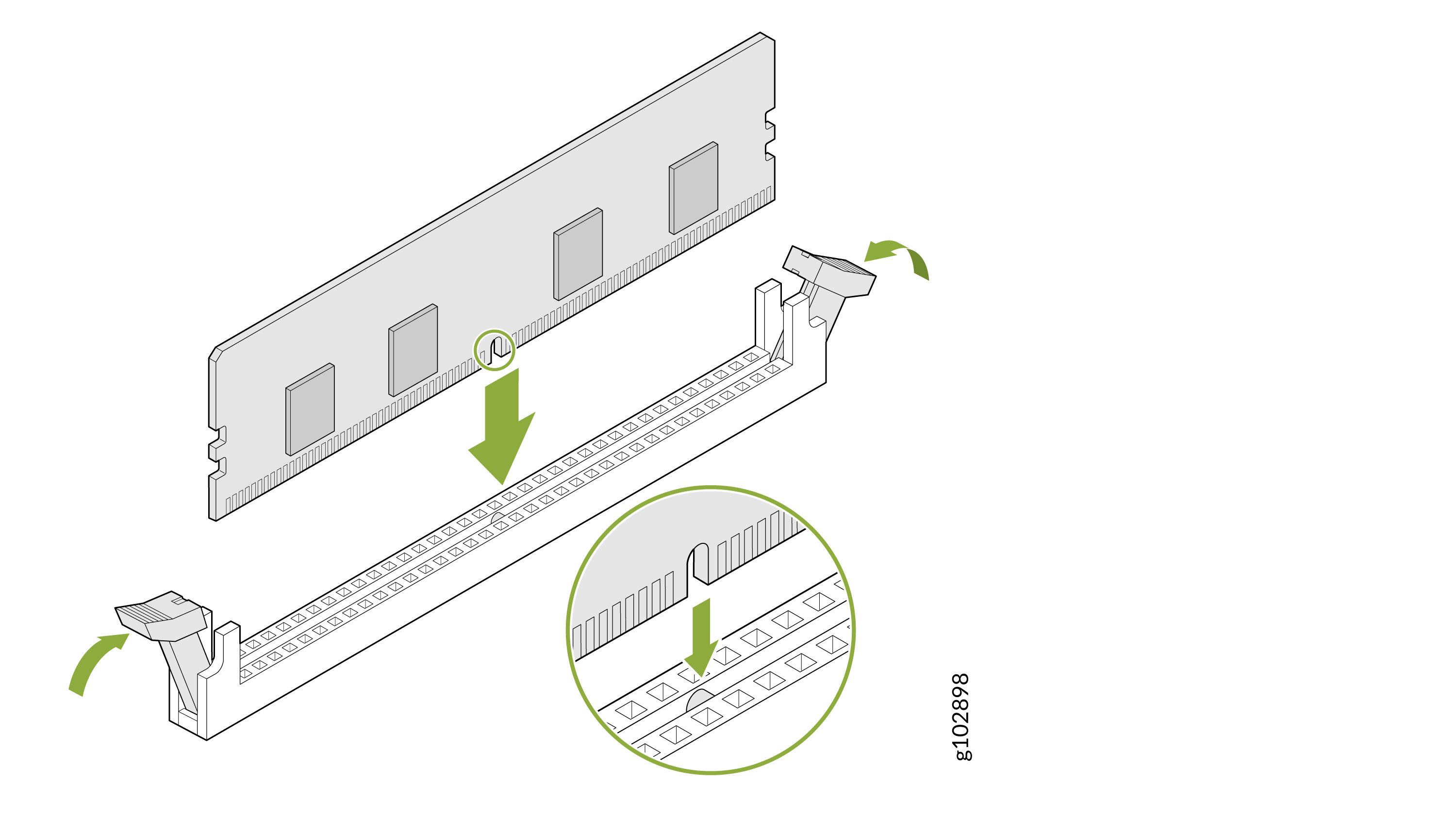
Press the memory module with your thumbs until the ejectors lock into place.
Confirm that the levers on the socket are aligned with the levers on the other sockets.
After you have installed the memory module:
-
Install the air shroud.
Align the guide pins on the device with the air shroud. Ensure that any foam on the air shroud is turned outward. Carefully lower the air shroud until it is fully seated.
Figure 1: Install the Air Shroud (Variant 1)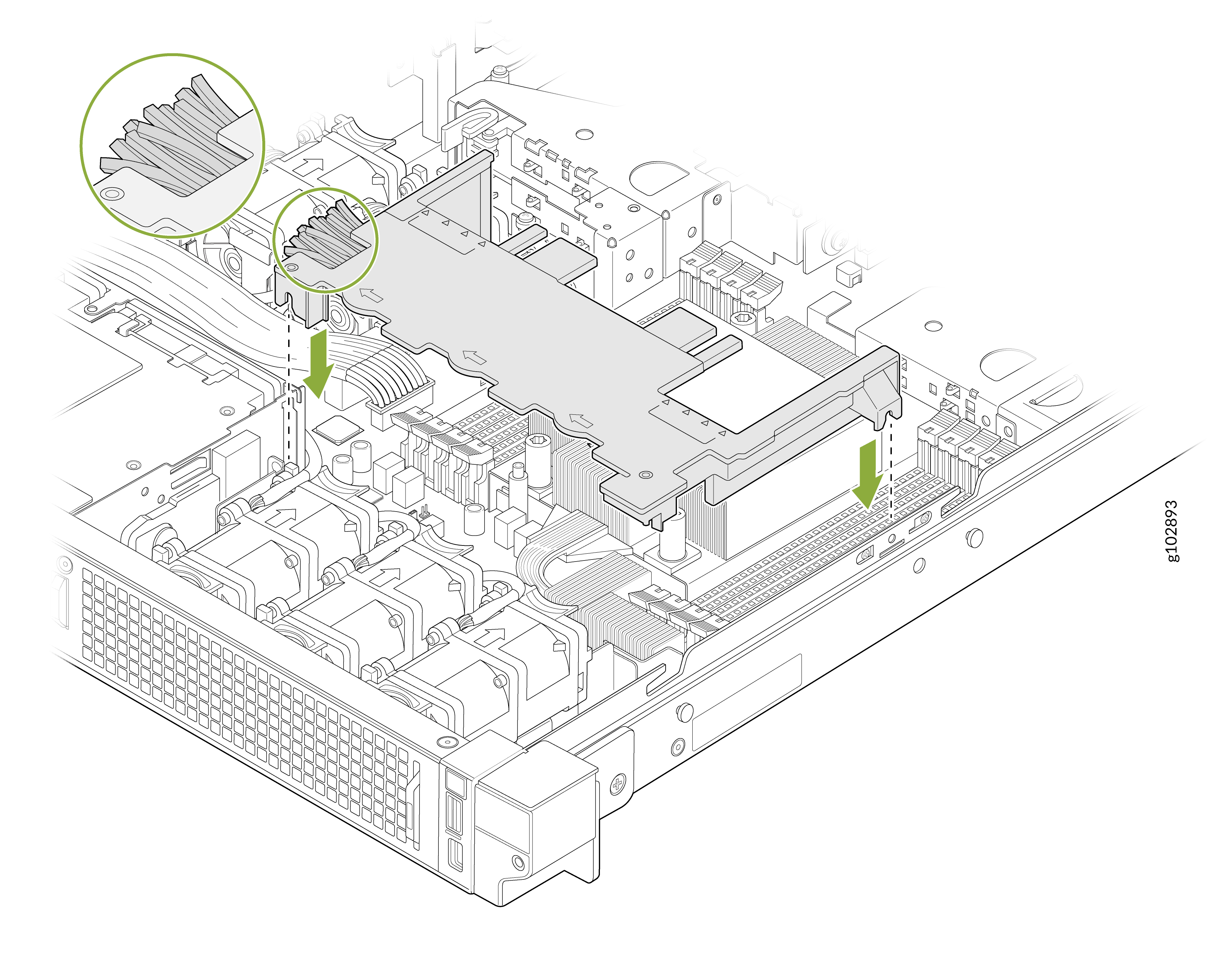 Figure 2: Install the Air Shroud (Variant 2)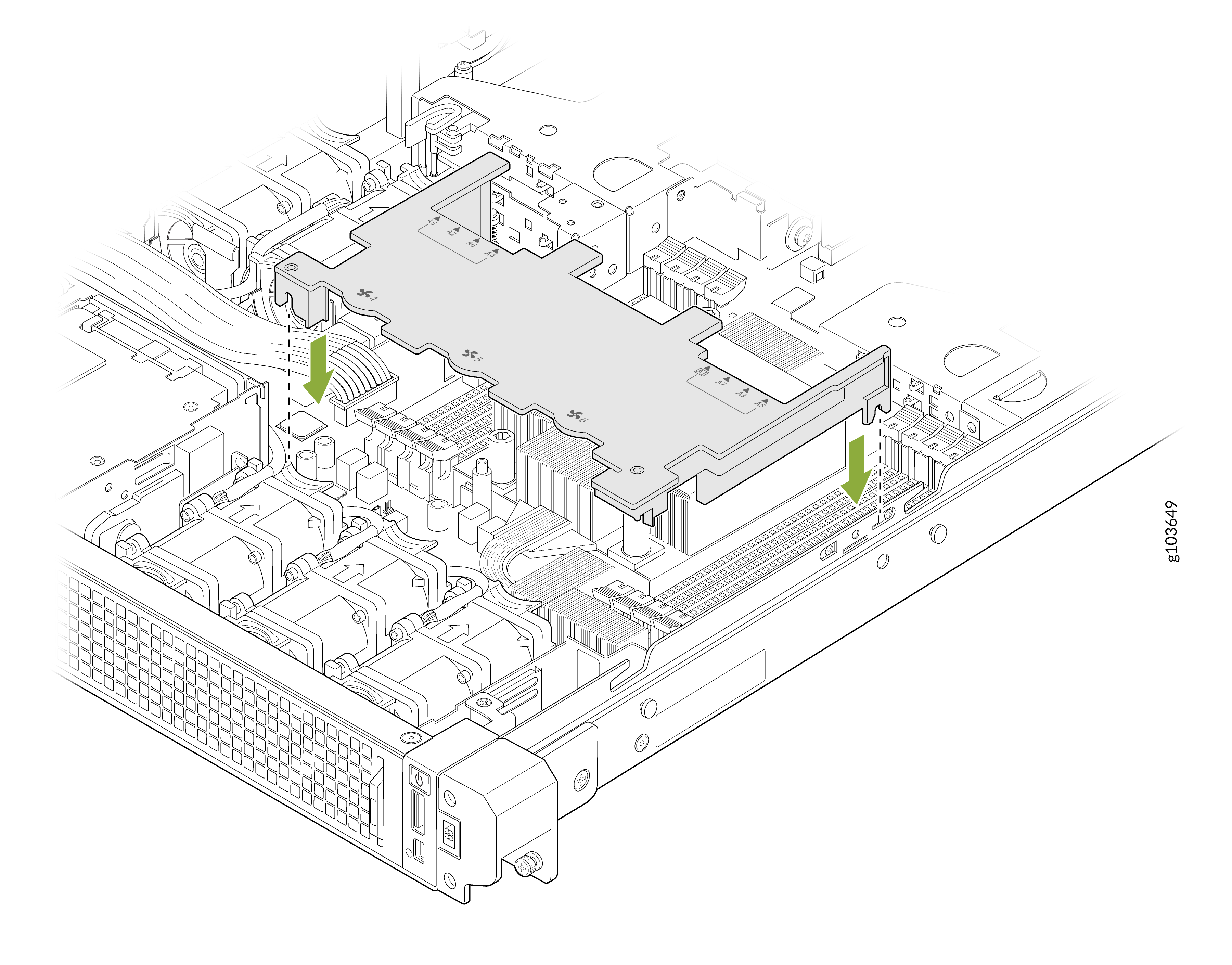
-
Install the system cover as described in Install the Cover Panel.