Help us improve your experience.

Let us know what you think.

Do you have time for a two-minute survey?


Reseat the Memory Module

CAUTION:

The memory modules on the ME-X1-M are not field-replaceable components. If the memory module on your device needs to be replaced, follow the Return Material Authorization (RMA) procedure.

Remove the Memory Module

Before you begin, remove the cover panel as described in Remove the Cover Panel.

To remove the memory module:
  1. Remove the air shroud. Hold the air shroud at both ends and carefully lift it out of the system.
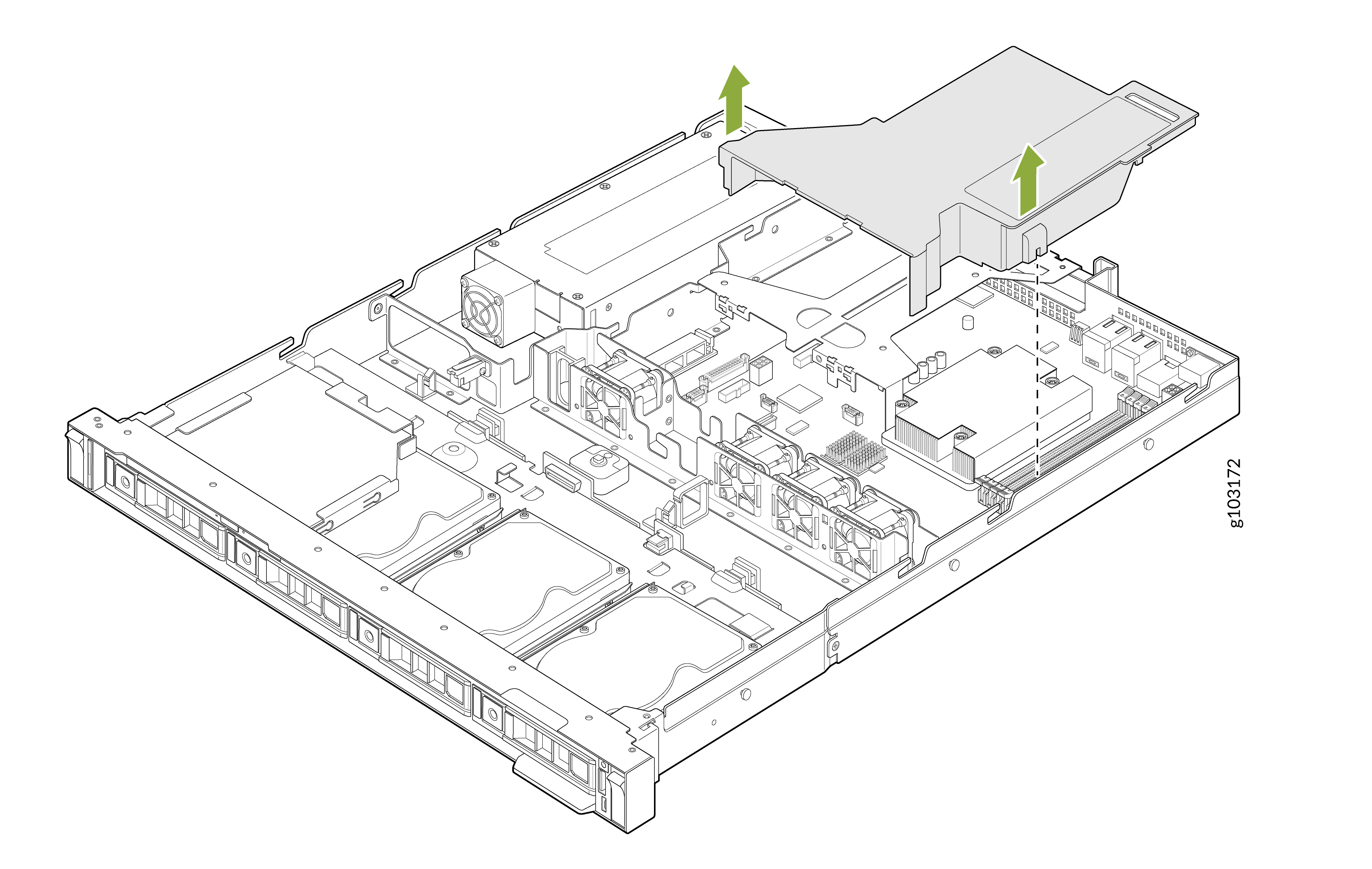
    Technical illustration of a server chassis showing internal components with green arrows indicating removal of an airflow shroud directing air over processors and memory.
  2. Press the ejectors on both ends of the memory module socket to the fully open position.
  3. Lift the released memory module out of the socket.
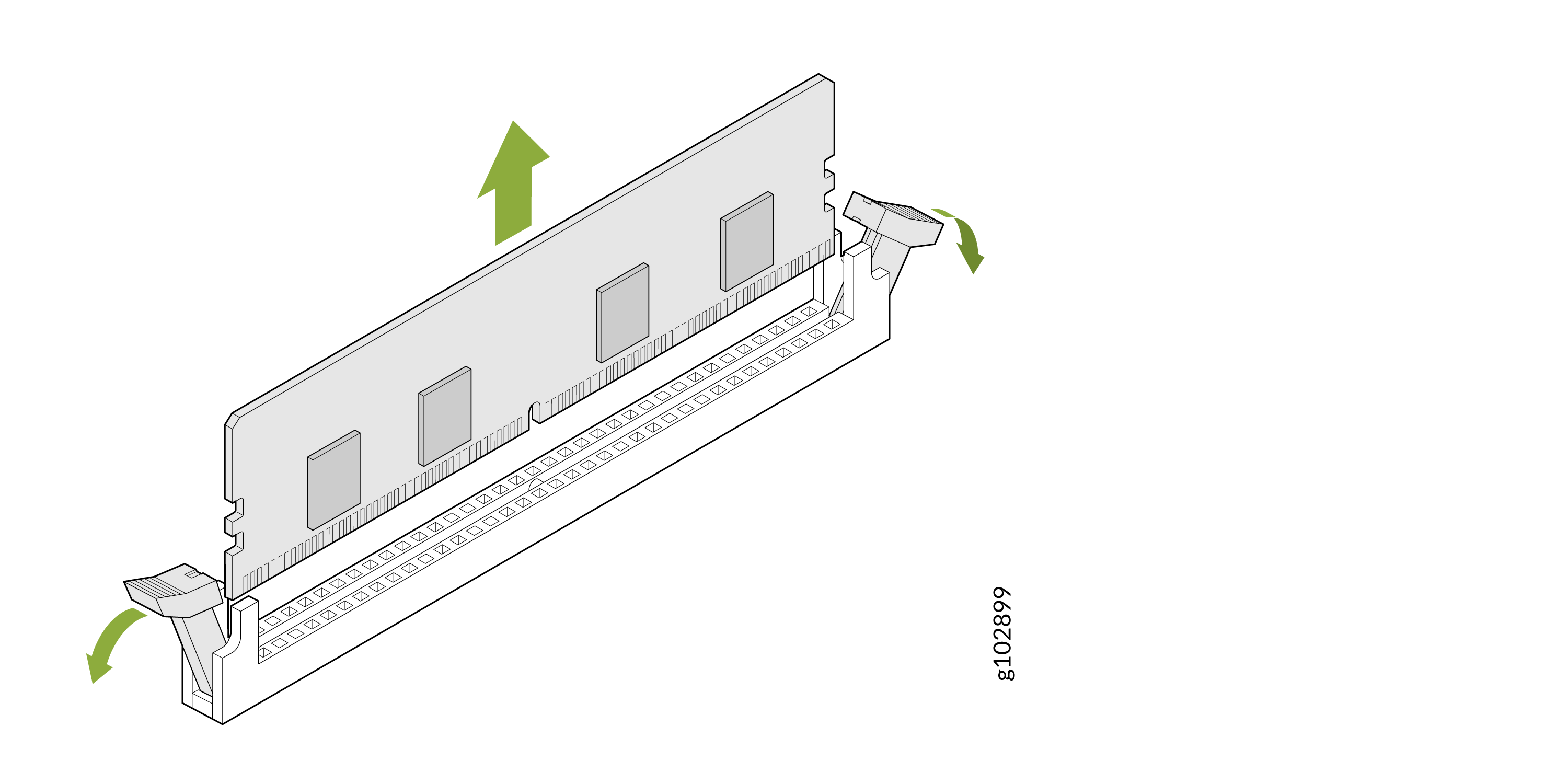
    Remove a RAM module by pushing clips outward as indicated by green arrows, then lift the module out of the memory slot.

Install the Memory Module

Before you begin, remove the cover panel as described in Remove the Cover Panel.

To install the memory module:
  1. If a memory module blank is installed in the memory module socket, remove the blank.
  2. Align the edge connector of the memory module with the alignment key of the memory module socket.

    There is only one correct orientation for the memory module.

  3. Carefully insert the memory module into the socket.
  4. Press the memory module with your thumbs until the ejectors lock into place.

    Confirm that the levers on the socket are aligned with the levers on the other sockets.
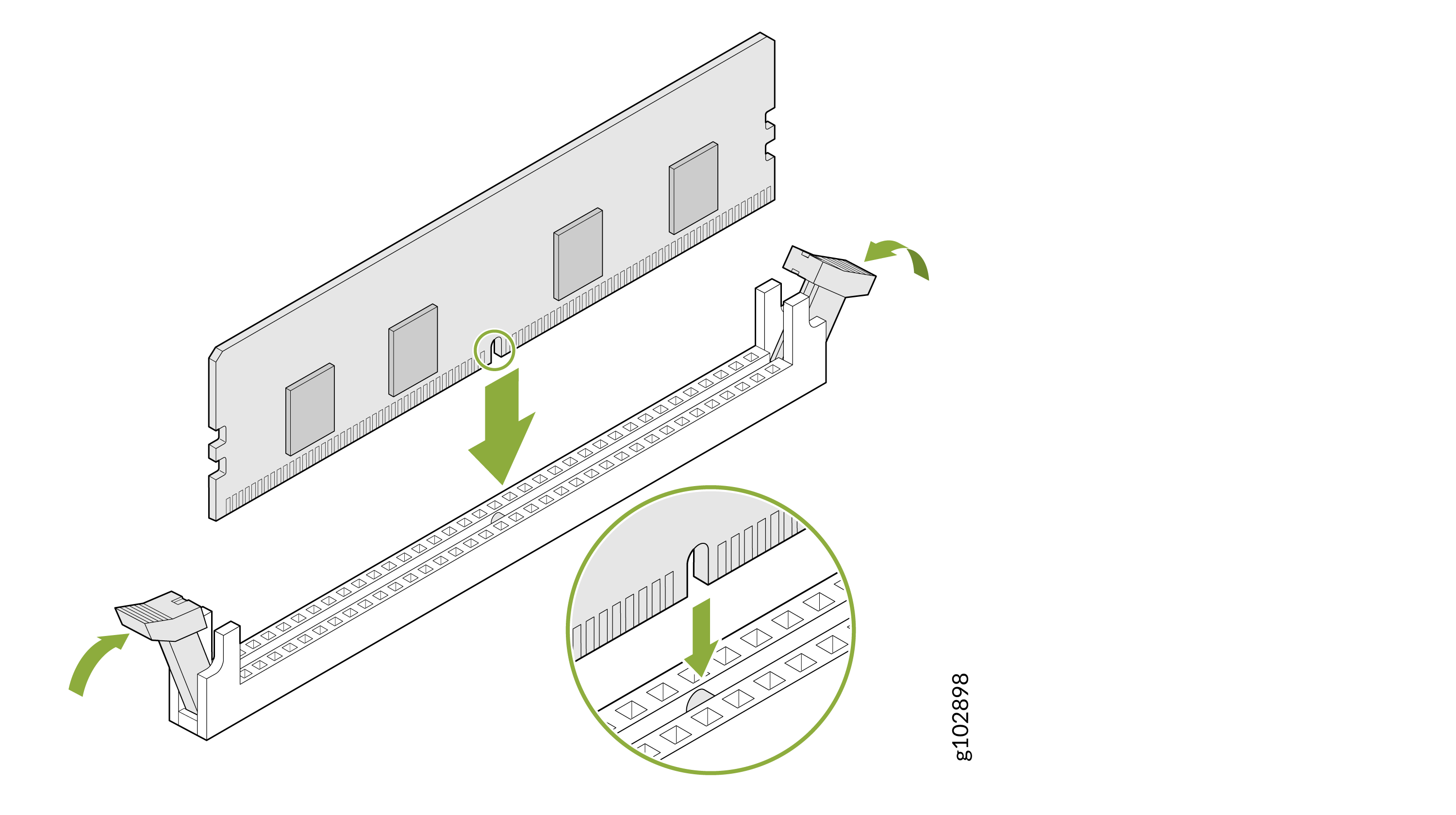
    Installing a RAM module into a motherboard DIMM slot with green arrows indicating the insertion direction and opened clips securing the module.

After you have installed the memory module:

  • Install the air shroud.

    Align the tab on the air shroud with the slot on the device. Carefully lower the air shroud until it is fully seated.
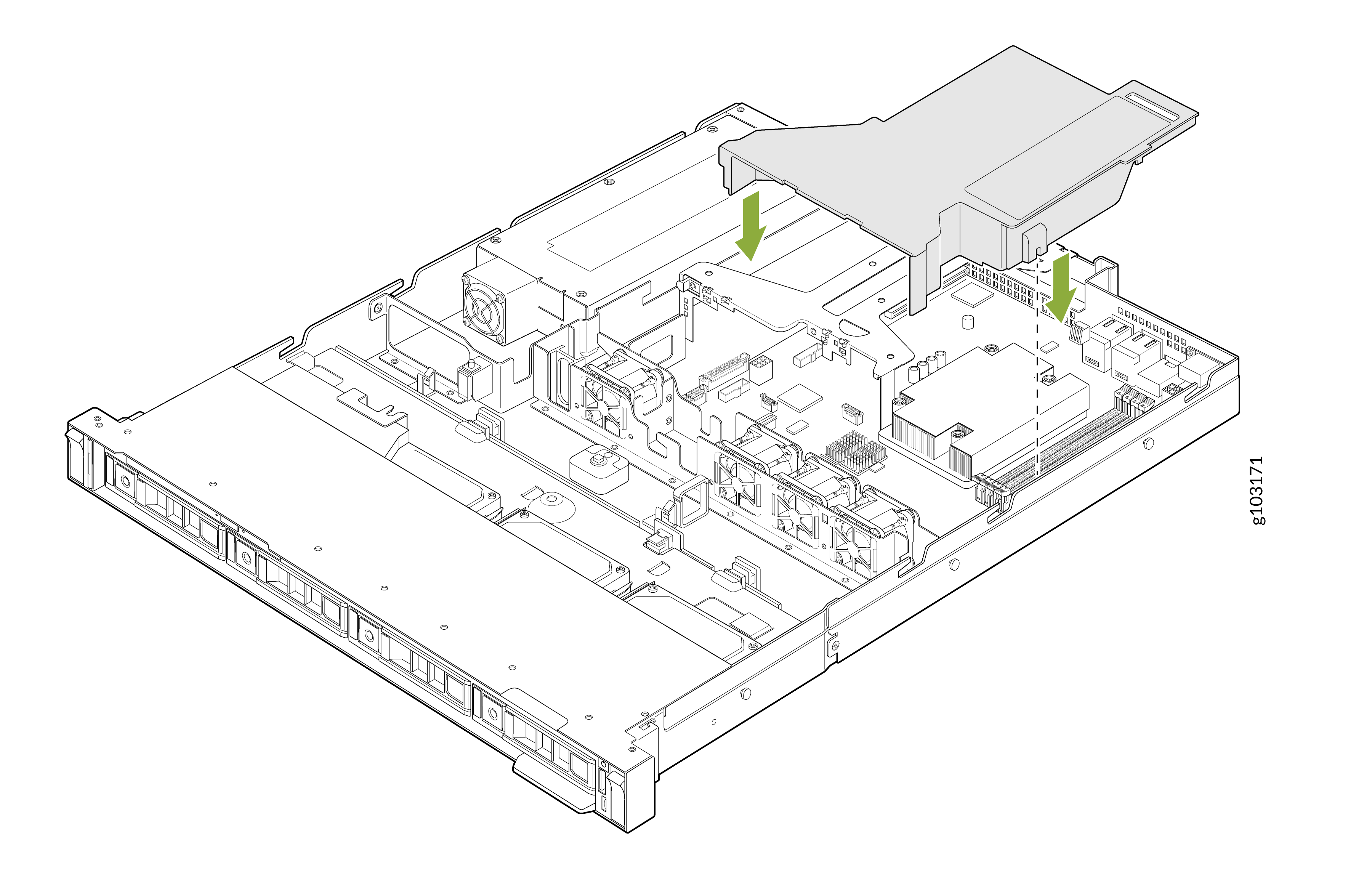
    Internal layout of a rack-mounted server showing cooling fans, connectors, hardware module slots, and green arrows indicating areas of interest.
  • Install the cover panel as described in Install the Cover Panel.