
AP61 Components and Specifications
Figure 1 shows the components on the AP61.
Figure 1: AP61 Components
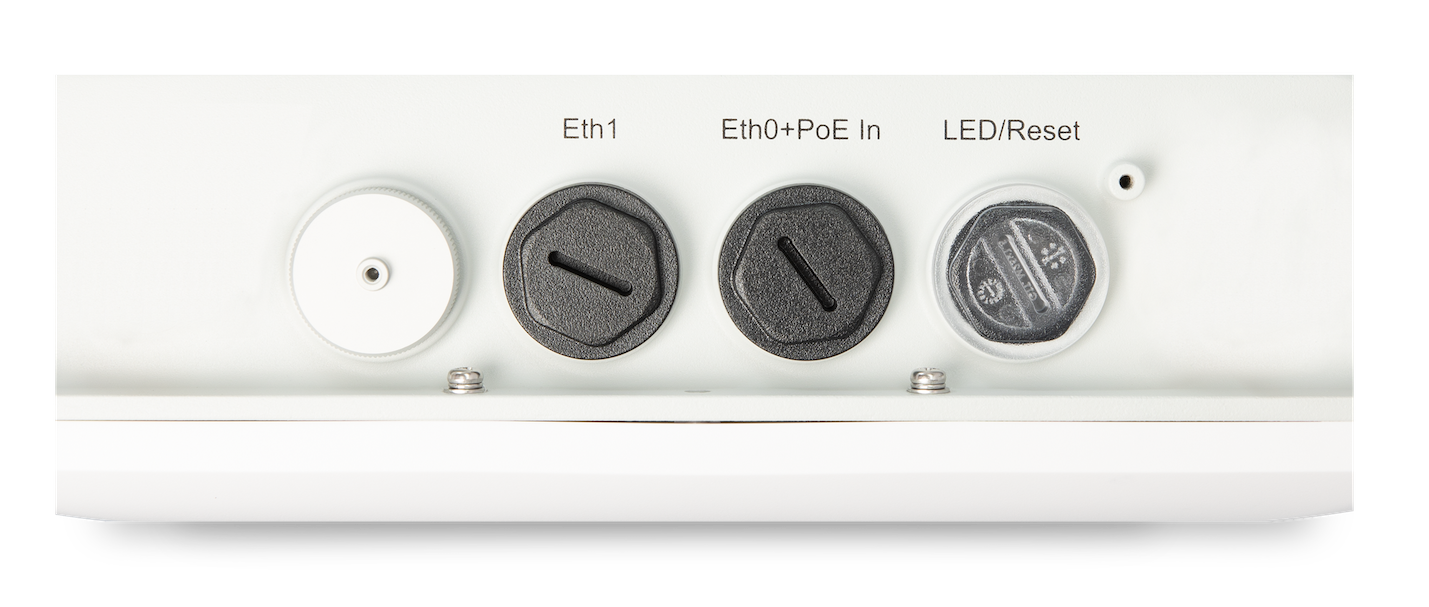
| Component | Description |
|---|---|
| Reset | A reset button that you can use to reset the AP configuration to the factory default. See Reset an AP to the Factory-Default Configuration. |
| LED | A multicolor status LED. For more information about the status LED, see Troubleshoot a Juniper Access Point. |
| Eth1 | 10/100/1000BASE-T RJ-45 port |
| Eth0+PoE In | 10/100/1000BASE-T RJ-45 port that supports an 802.3at PoE-powered device |
| Antenna connectors (available only in AP61E models) | Four N-type connectors |
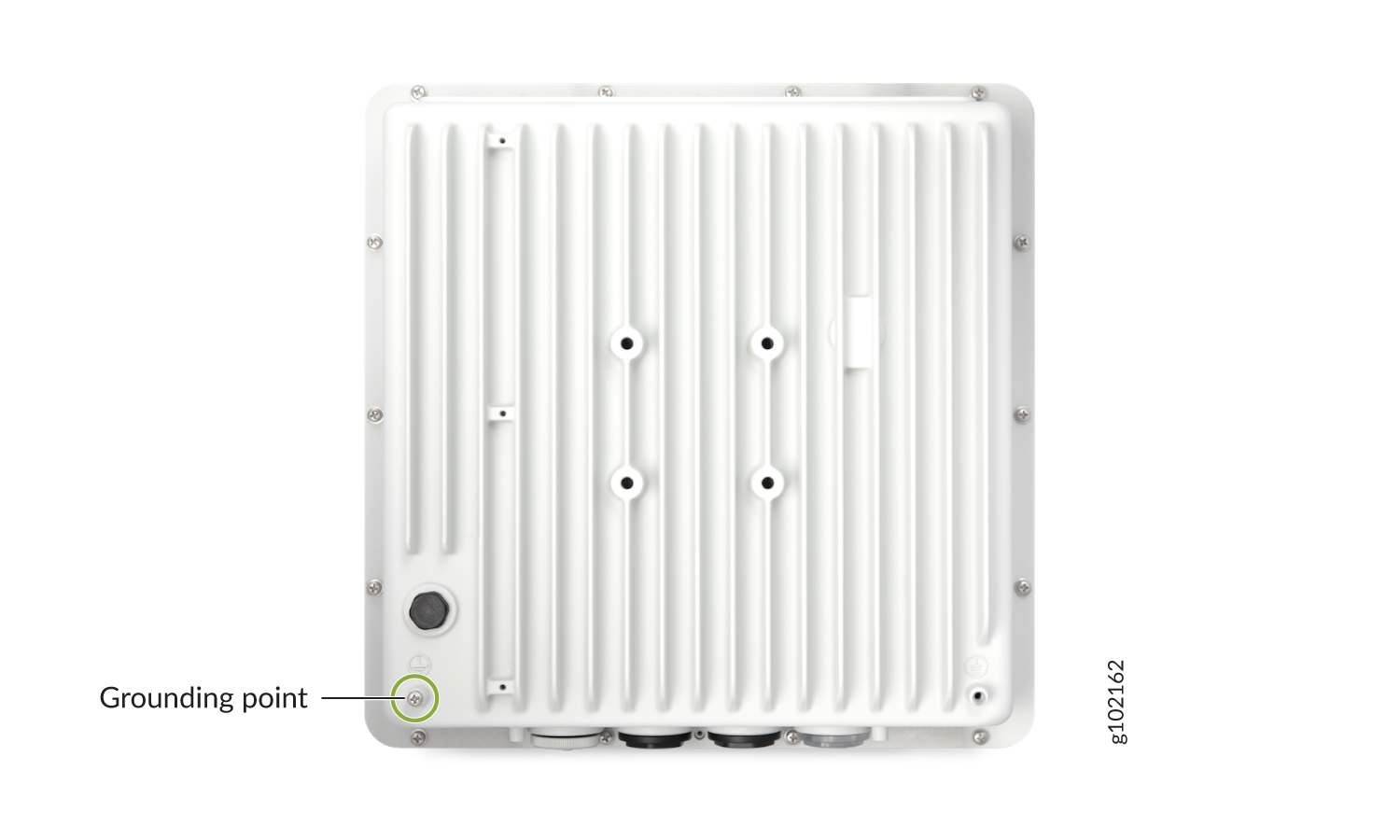
The AP61 also has a grounding point on the rear. Figure 3 shows the location of the grounding point on the AP61.
Figure 3: Rear Panel of AP61
For AP61 specifications, see the AP61 Datasheet.