Help us improve your experience.

Let us know what you think.

Do you have time for a two-minute survey?


Attach External Antennas to the AP45

The AP45E model has two pluggable antenna ports, 6-pin and 4-pin.

To attach the antennas:

  1. Use a T8 security torx bit to remove the screws that attach the antenna port cover to the AP. Remove the cover.
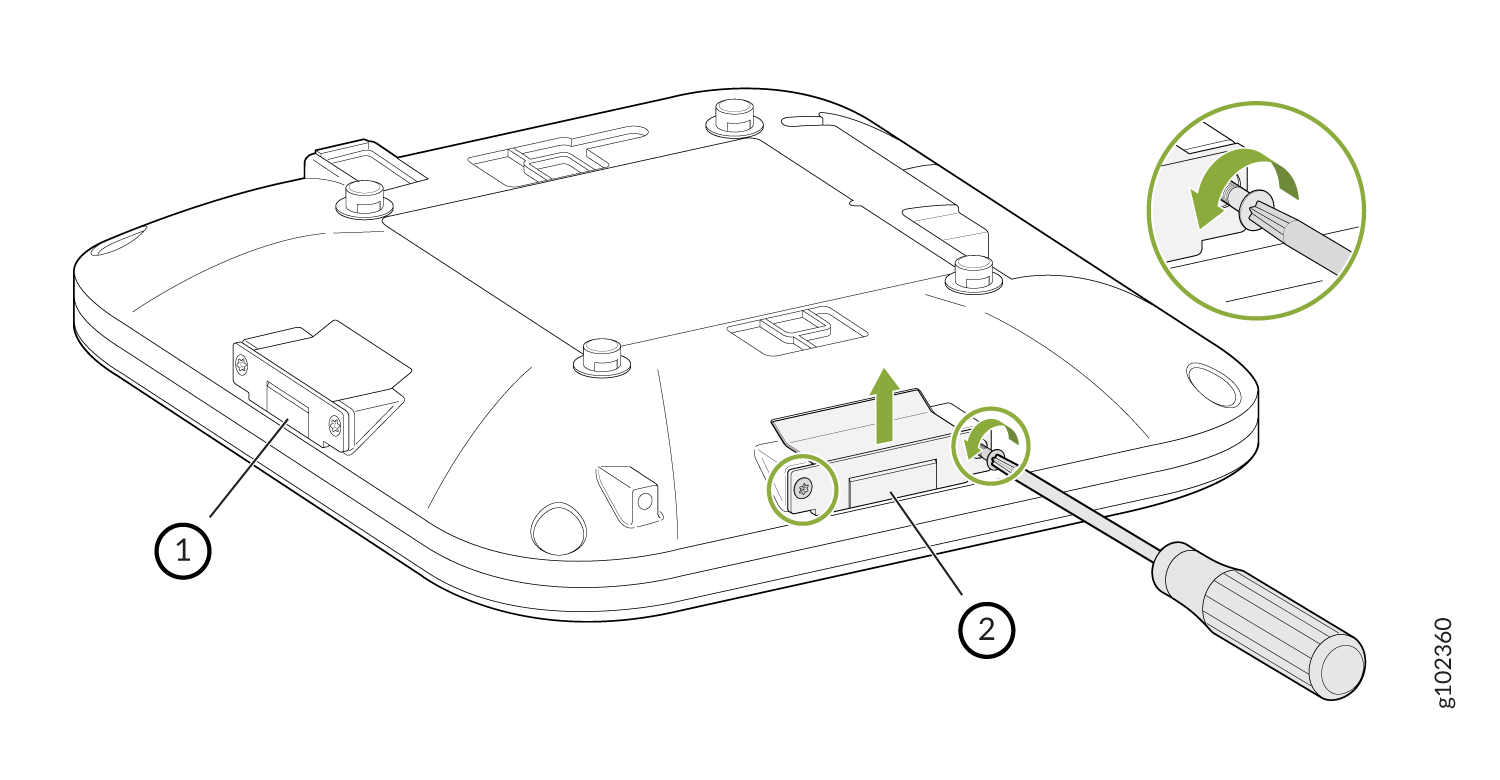
    Diagram illustrating how to adjust a component under a device using a screwdriver. Arrows show screw loosening direction.
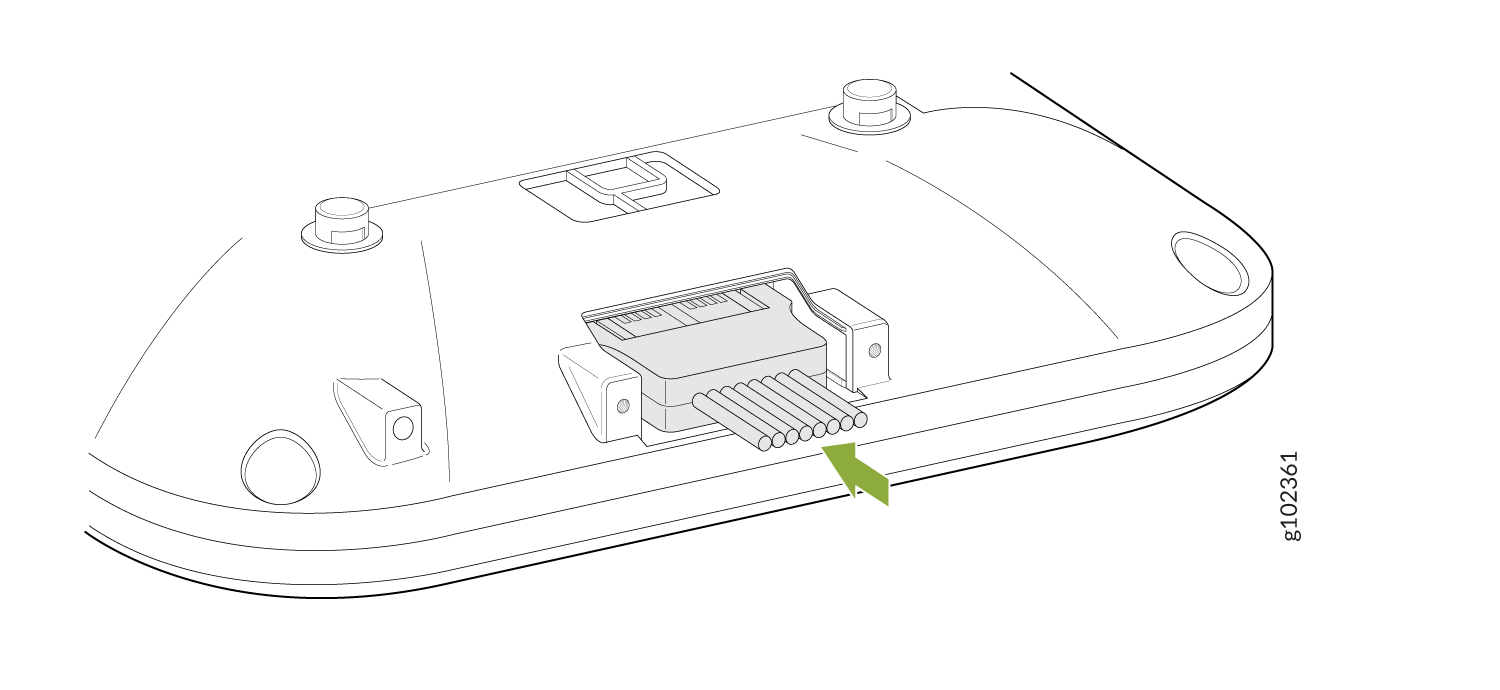
  2. Connect the antennas.
    Connector assembly with green arrow pointing to wires or pins, suggesting it is part of an electronic system.
  3. Bend the breakoff tab on the antenna port cover.
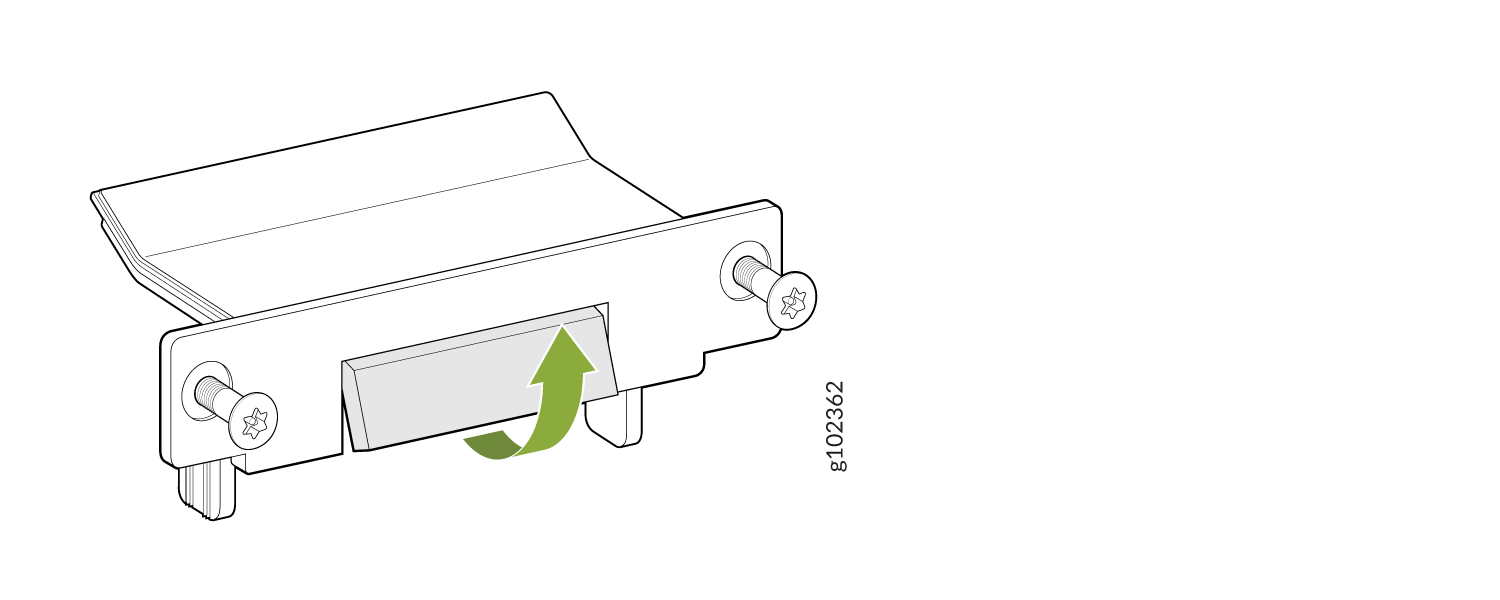
    Mechanical bracket with screws on both sides and a central piece adjusting upward, indicated by a green arrow.
  4. Attach the antenna port cover to the AP using the screws that you removed in Step 1. Use the T8 security torx bit to tighten the screws.
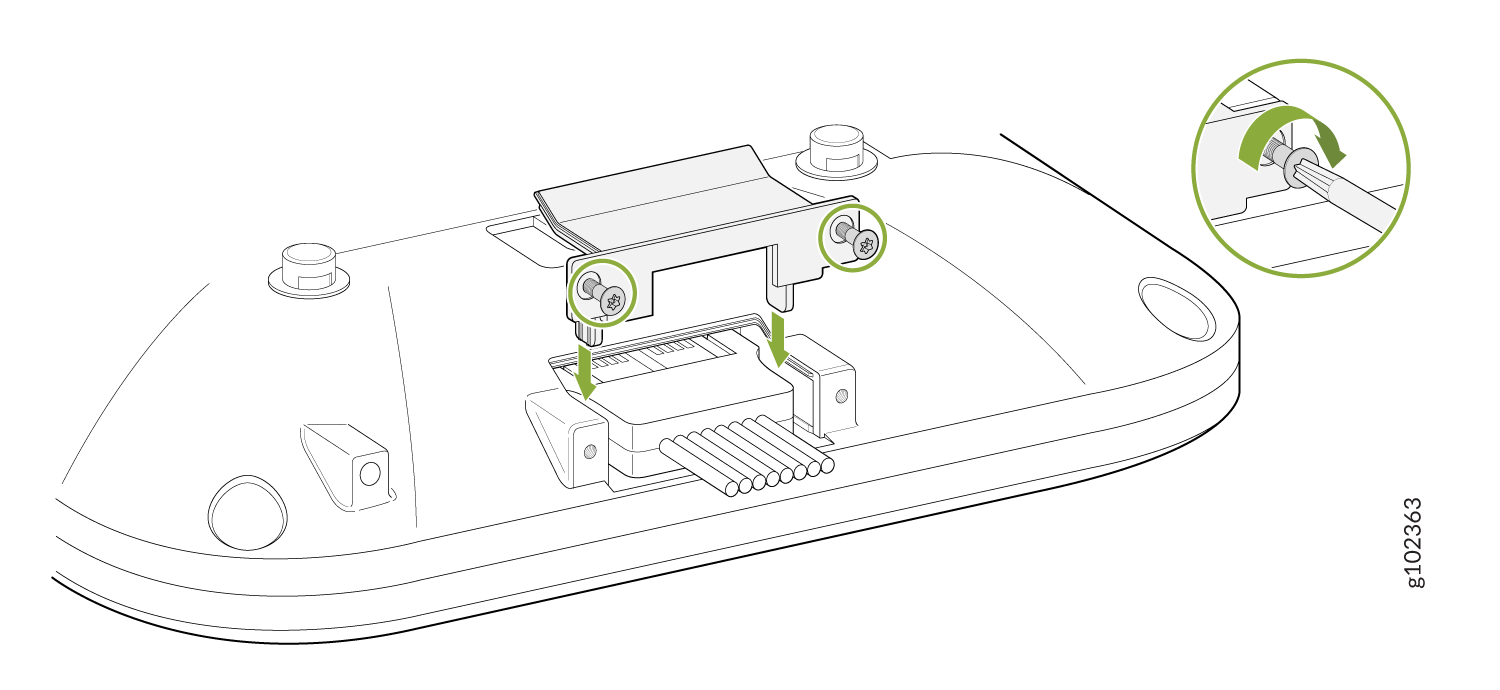
    Diagram showing cable installation to a base with screws and bracket; inset highlights screw tightening method.
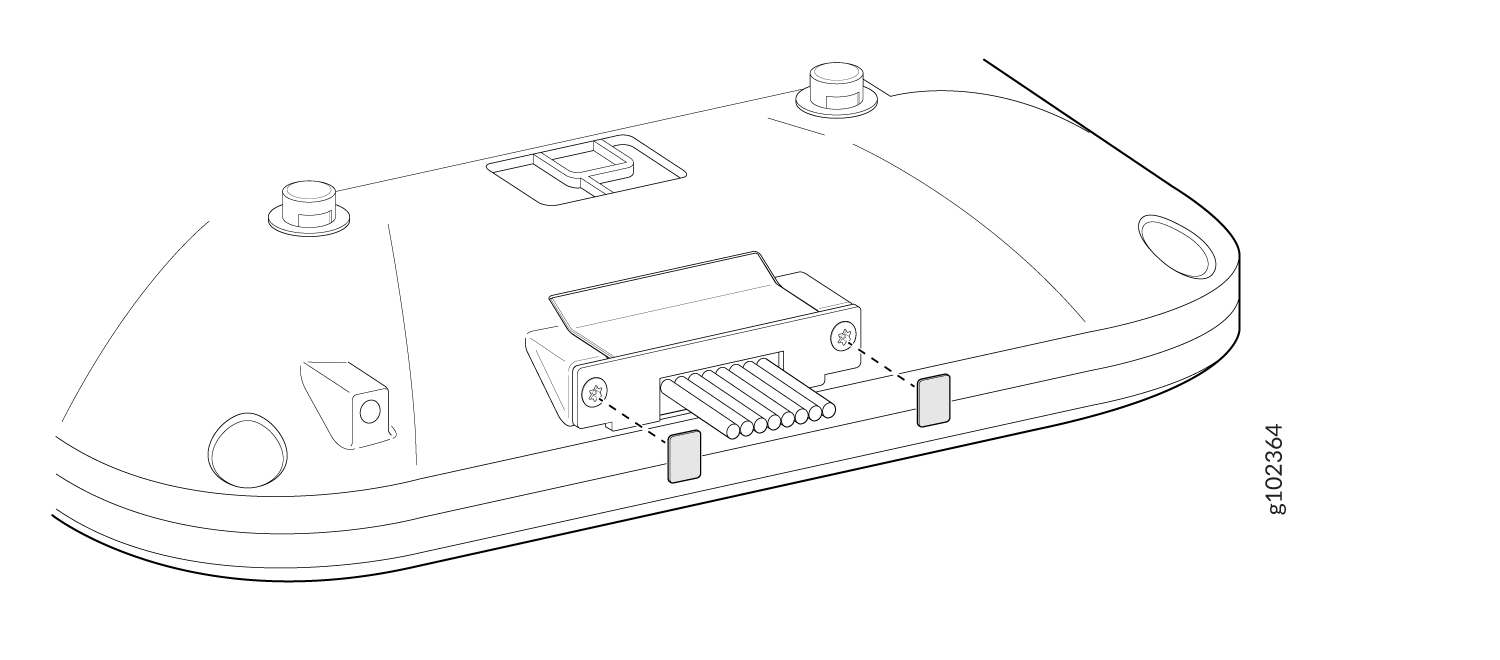
  5. Add a few drops of the provided glue on the antenna port cover screws. Place the provided lexan labels on the screws.
    Technical diagram showing the underside of a device with a connector and pins for data connections, alignment points, and securing screws.