
Mount an Access Point on a Recessed 9/16-Inch T-Bar or Channel Rail
Note:
This topic is applicable to the following access points (APs): AP21, AP24, AP27, AP32, AP33, AP34, AP36, AP37, AP41, AP43, AP45, AP47, and BT11
You will need the APBR-U universal mounting bracket and the APBR-ADP-CR9 adapter.
To mount an AP on a recessed 9/16-in. ceiling T-bar or channel rail:
-
Attach the APBR-ADP-CR9 adapter to the T-bar or channel rail.
Figure 1: Attach the APBR-ADP-CR9 Adapter to a Recessed 9/16-Inch T-Bar
 Figure 2: Attach the APBR-ADP-CR9 Adapter to a Recessed 9/16-Inch Channel Rail
-
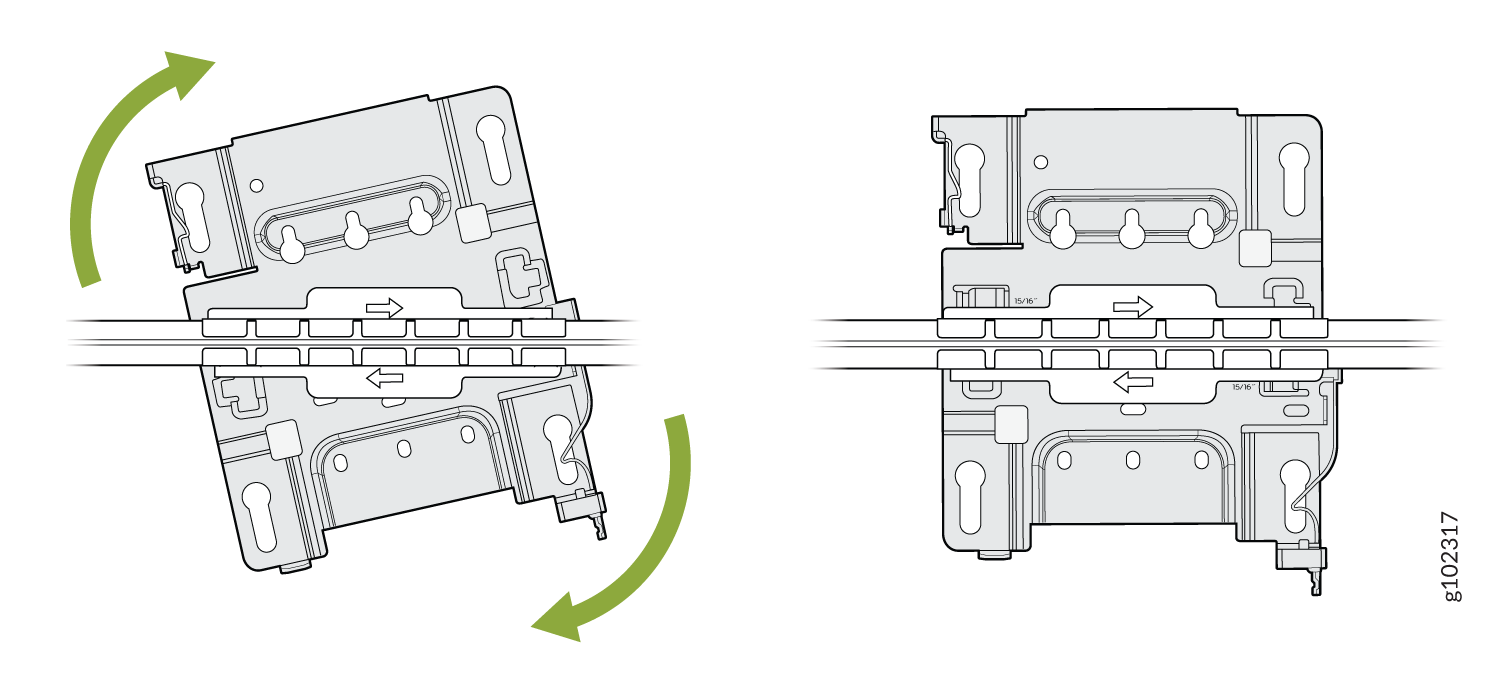
Attach the APBR-U mounting bracket to the adapter. Rotate the bracket until you hear a
distinct click, which indicates that the bracket is locked in place.
Figure 3: Attach the APBR-U Mounting Bracket to the APBR-ADP-CR9 Adapter
-
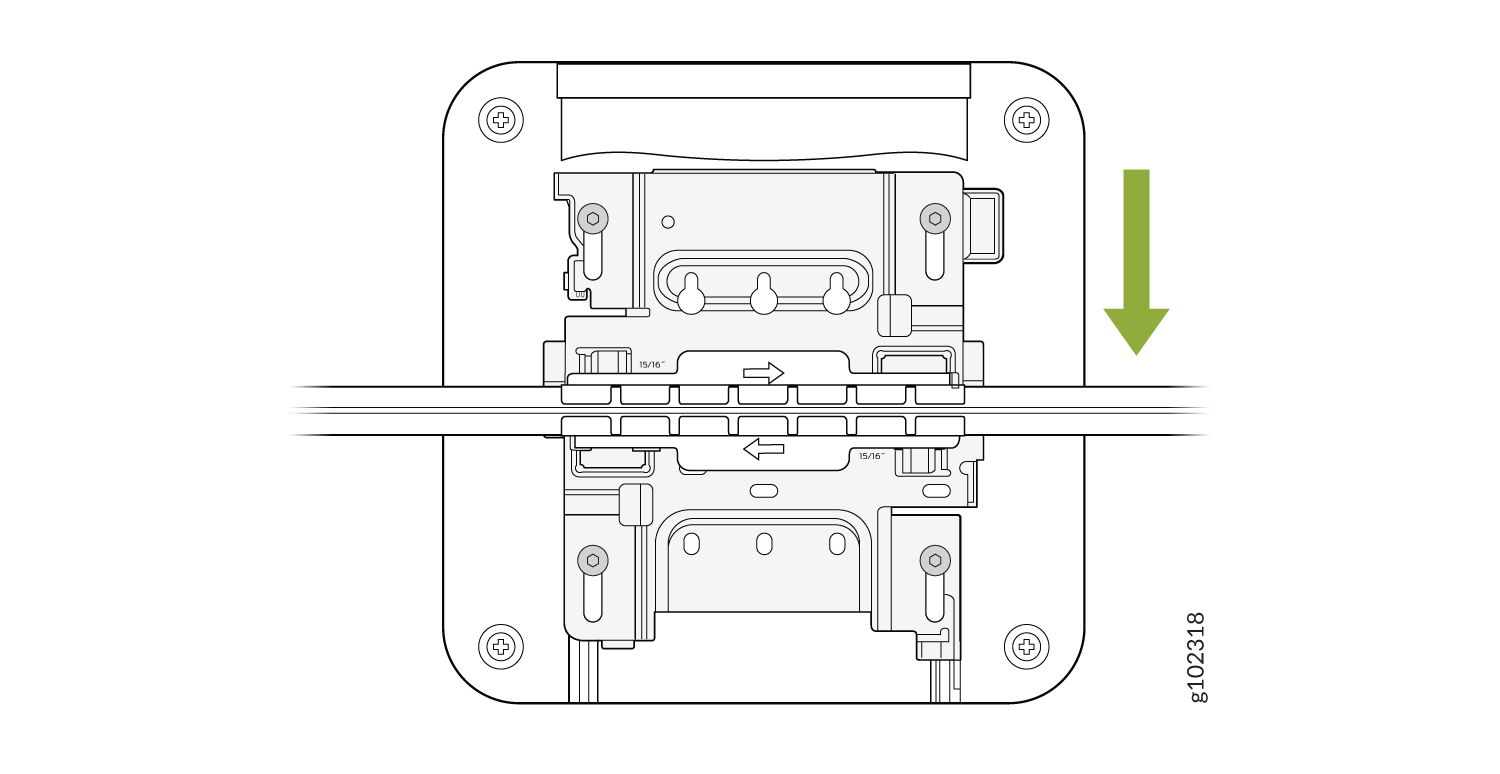
Position the AP such that the keyholes of the mounting bracket engage with the shoulder
screws on the AP. Slide and lock the AP in place.
Figure 4: Attach the AP to a Recessed 9/16-in. T-Bar or Channel Rail
For recessed channel ceilings, we use this mount as shown to clip onto the channel. You could then attach the BRU just like you did with the T-bar install shown earlier. To remove it, it's the same process. Sometimes you need to mount to a recessed T-bar and this is the adapter for that, the same theory as the channel adapter.