
Mount an Access Point on a 9/16-Inch or 15/16-Inch T-Bar
Note:
This topic is applicable to the following access points (APs): AP21, AP24, AP27, AP32, AP33, AP34, AP36, AP37, AP41, AP43, AP45, AP47, and BT11
You will need the APBR-U universal mounting bracket.
To mount an AP on a 9/16-in. or 15/16-in. ceiling
T-bar:
-
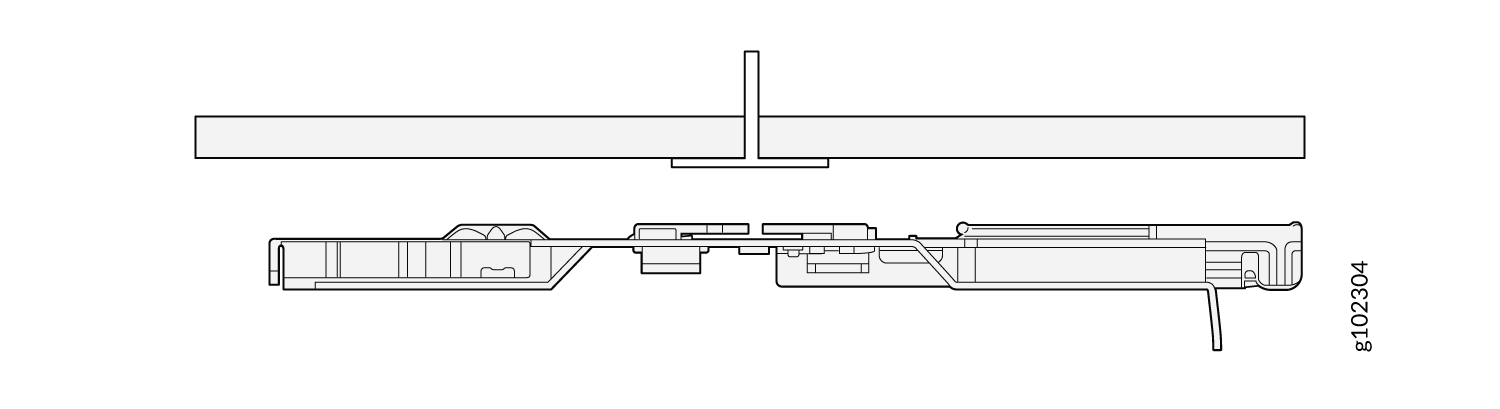
Align the APBR-U mounting bracket along the center of the T-bar.
Figure 1: Align the Mounting Bracket (APBR-U) with a 9/16-in. or 15/16-in. T-Bar
-
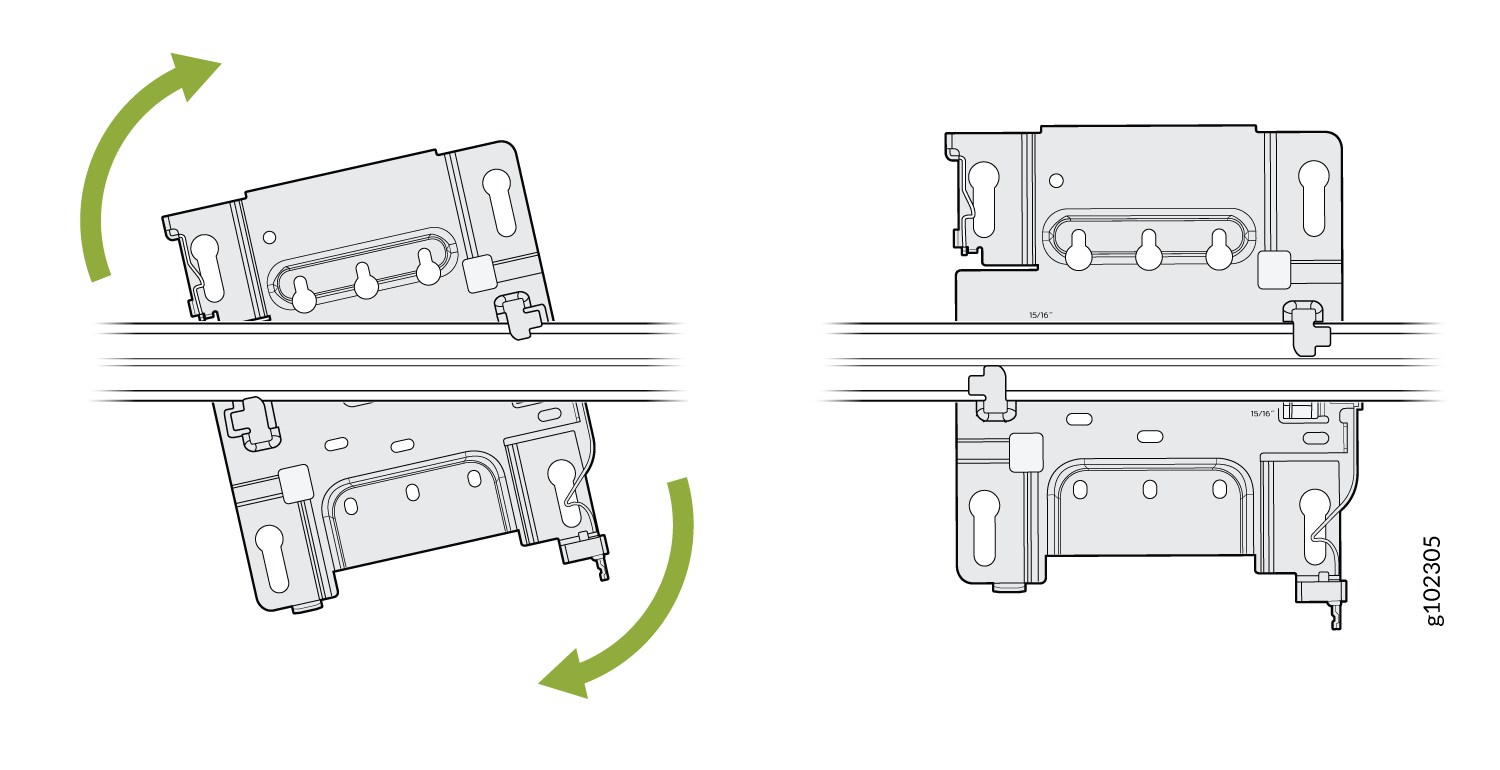
Rotate the mounting bracket until you hear a distinct click, which indicates that the
bracket is locked in place.
Figure 2: Lock the Mounting Bracket (APBR-U) to a 9/16-in. or 15/16-in. T-Bar
-
Position the AP such that the keyholes of the mounting bracket engage with the shoulder
screws on the AP. Slide upwards and lock the AP in place.
Figure 3: Attach the AP to a 9/16-in. or 15/16-in. T-Bar
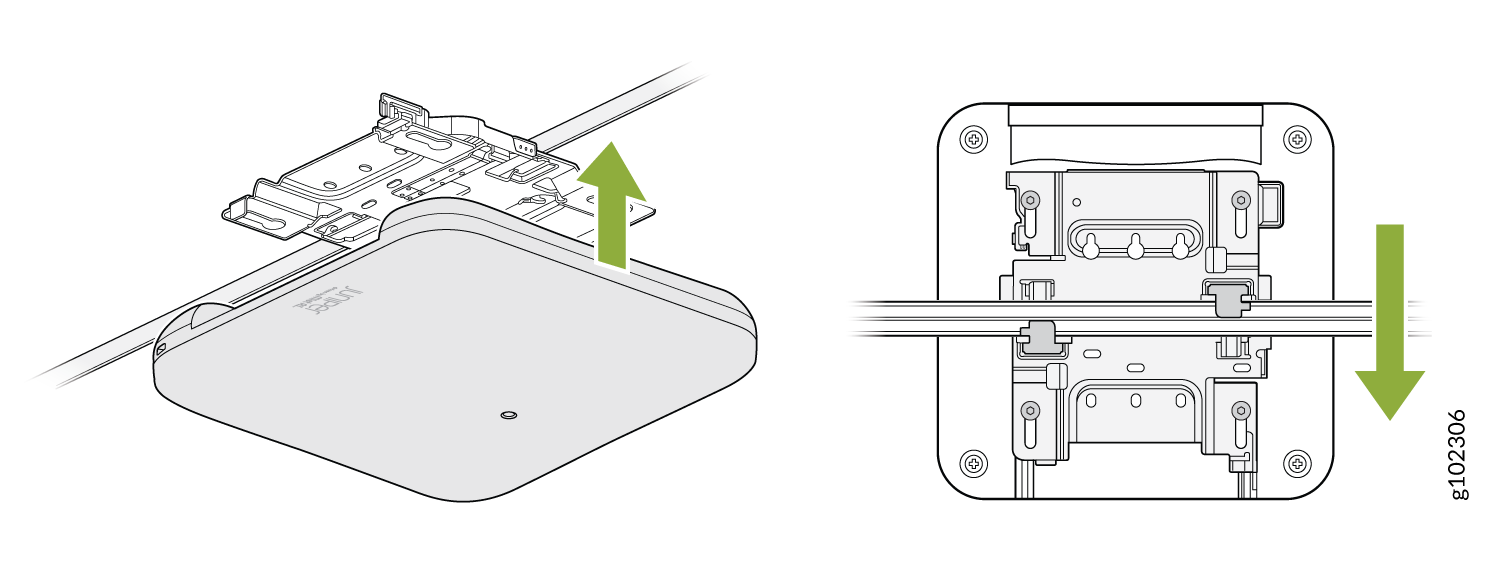
You can directly connect to 9/16ths or 15/16ths T-bar by using these flanges and inserting the bracket as shown. You will hear a click when properly installed. To disconnect, please press the clips as shown and remove the AP. The AP would then be hung as shown. Again, to remove the AP, you must gently press the security lever while you slide it out.