
Mount an Access Point on a US 4-Inch Square Junction Box
Note:
This topic is applicable to the following access points (APs): AP21, AP24, AP27, AP32, AP33, AP34, AP36, AP37, AP41, AP43, AP45, AP47, and BT11.
You will need the APBR-U universal mounting bracket.
To mount an AP on a US 4-in. square junction box:
-
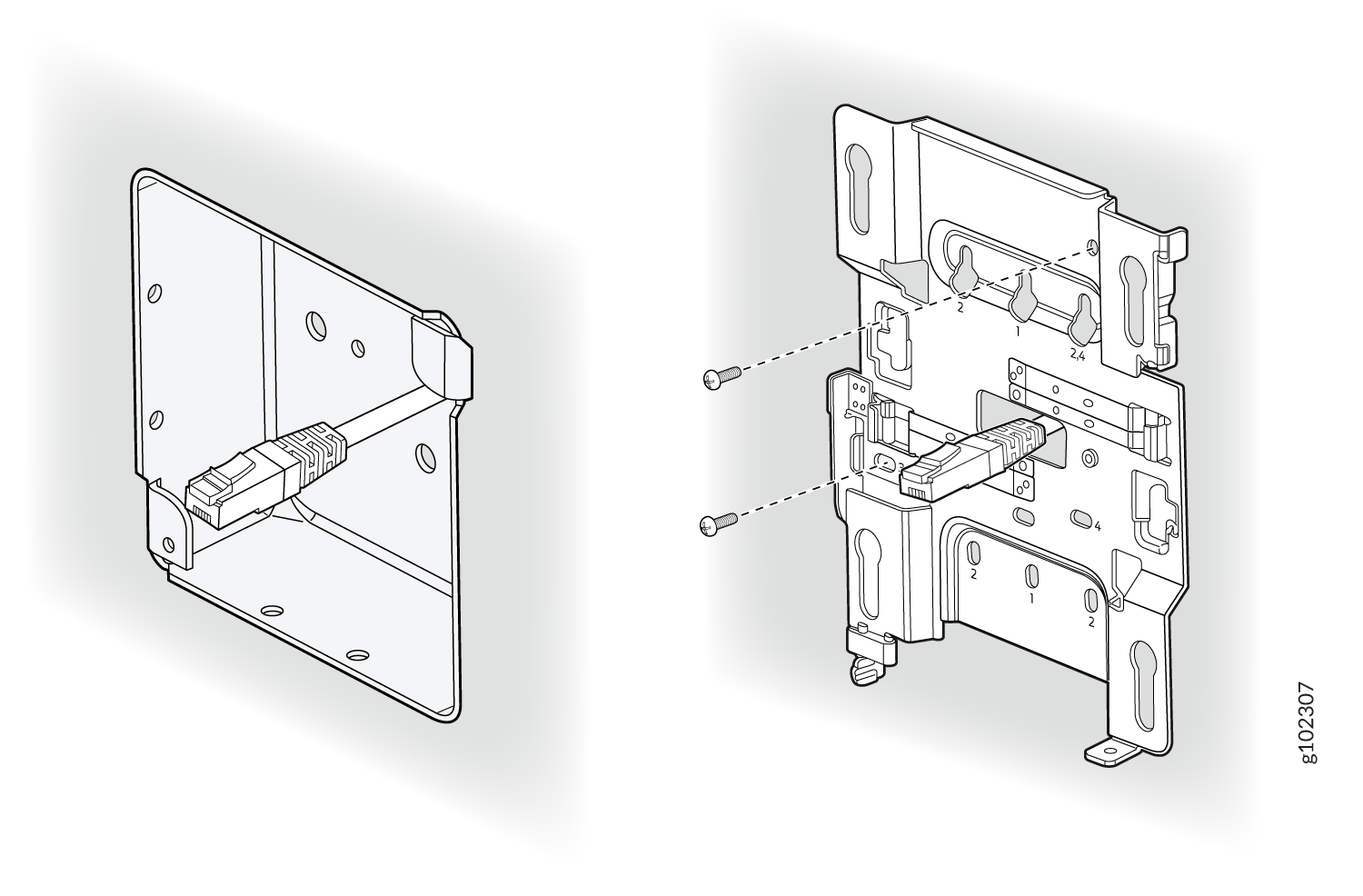
Attach the APBR-U mounting bracket to the 4-in. square junction box by using two
screws. Ensure that you insert the screws in the holes marked 3 as shown in Figure 1.
Figure 1: Attach the Mounting Bracket (APBR-U) to a US 4-Inch Square Junction Box
-
Position the AP such that the shoulder screws on the AP engage with the keyholes of the
mounting bracket. Slide and lock the AP in place.
Figure 2: Mount the AP on a US 4-Inch Square Junction Box
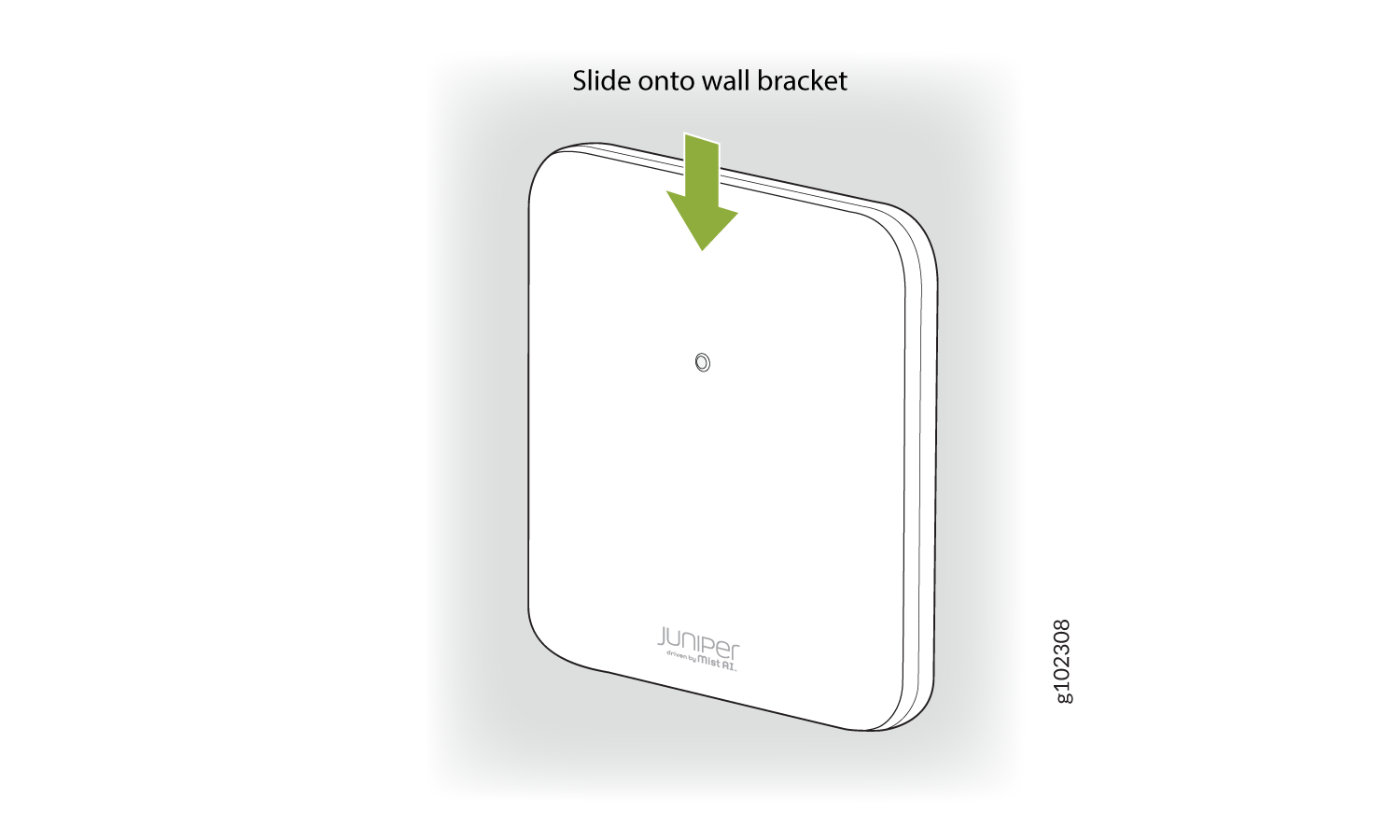
This is a US 4 inch square mount and attaches as shown here. And the AP would be installed normally.