ON THIS PAGE
Maintain ACX7020 Air Filter
Learn how to install and replace the air filter.
The ACX7020 router has an air filter installed on the side of the chassis. To ensure optimum cooling, you must regularly inspect the air filter. A dirty air filter restricts the airflow in the unit, producing a negative effect on the ventilation of the device. The filter degrades over time and you should replace it every 6 months.
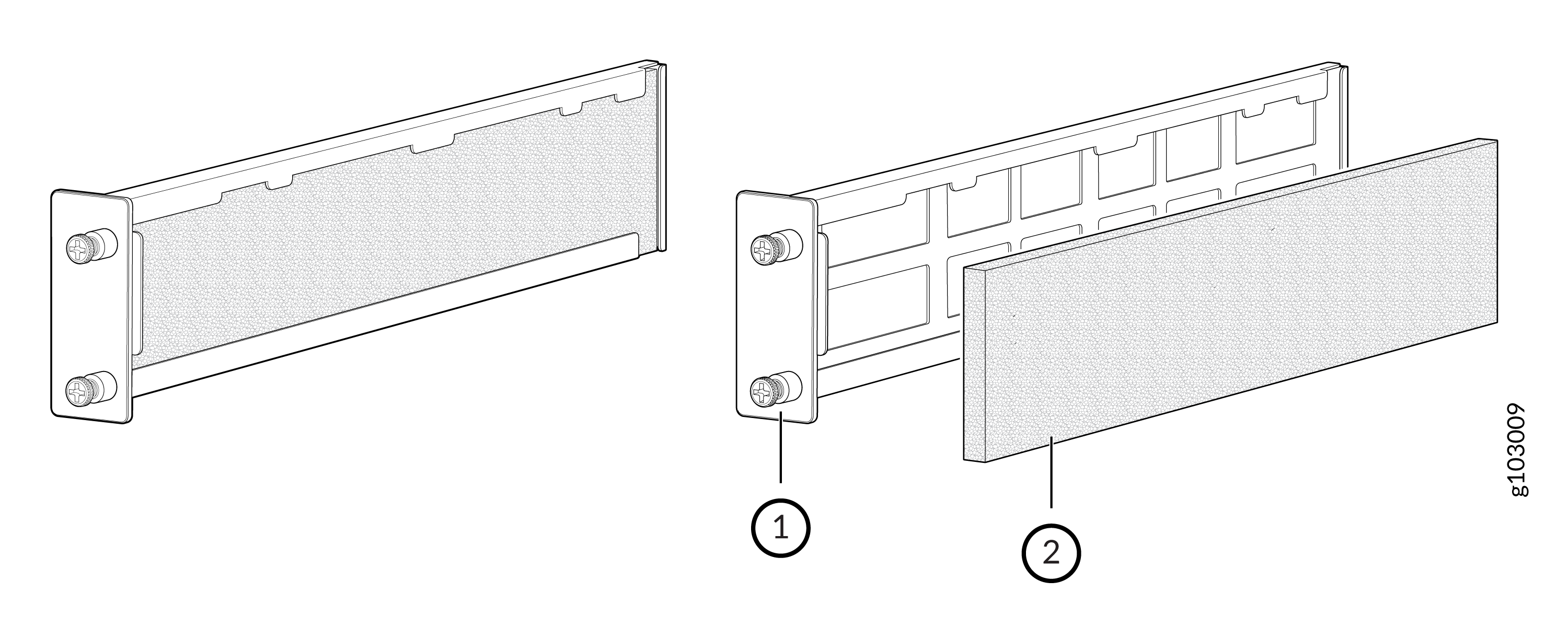
1 — Air filter tray | 2 — Air filter |
Remove the Air Filter
To remove the air filter:
Attach an electrostatic discharge (ESD) grounding strap to your bare wrist, and connect the strap to one of the ESD points on the chassis.
On the front of the router, loosen the captive screws on each side of the air filter.
Slide the filter tray out of the chassis.
Figure 2: Remove the Filter Tray from the Chassis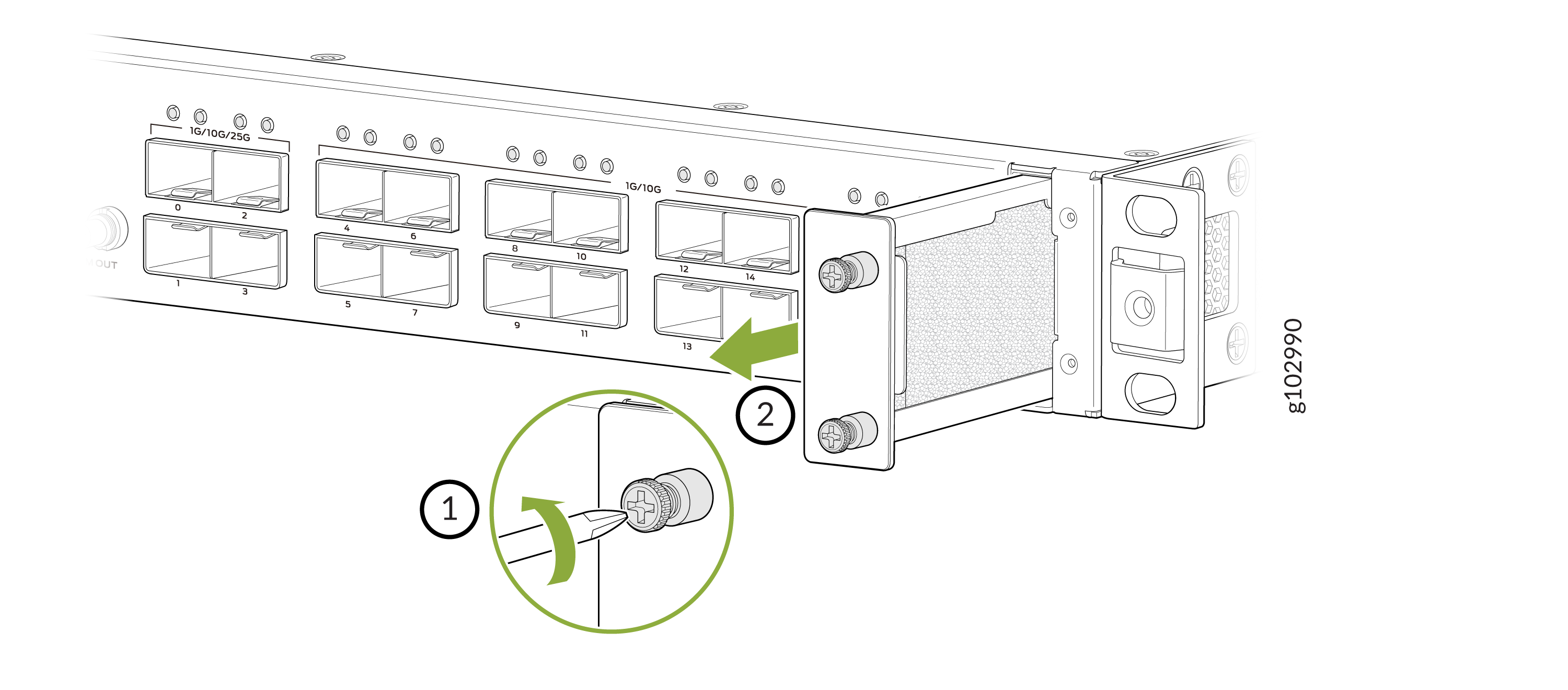
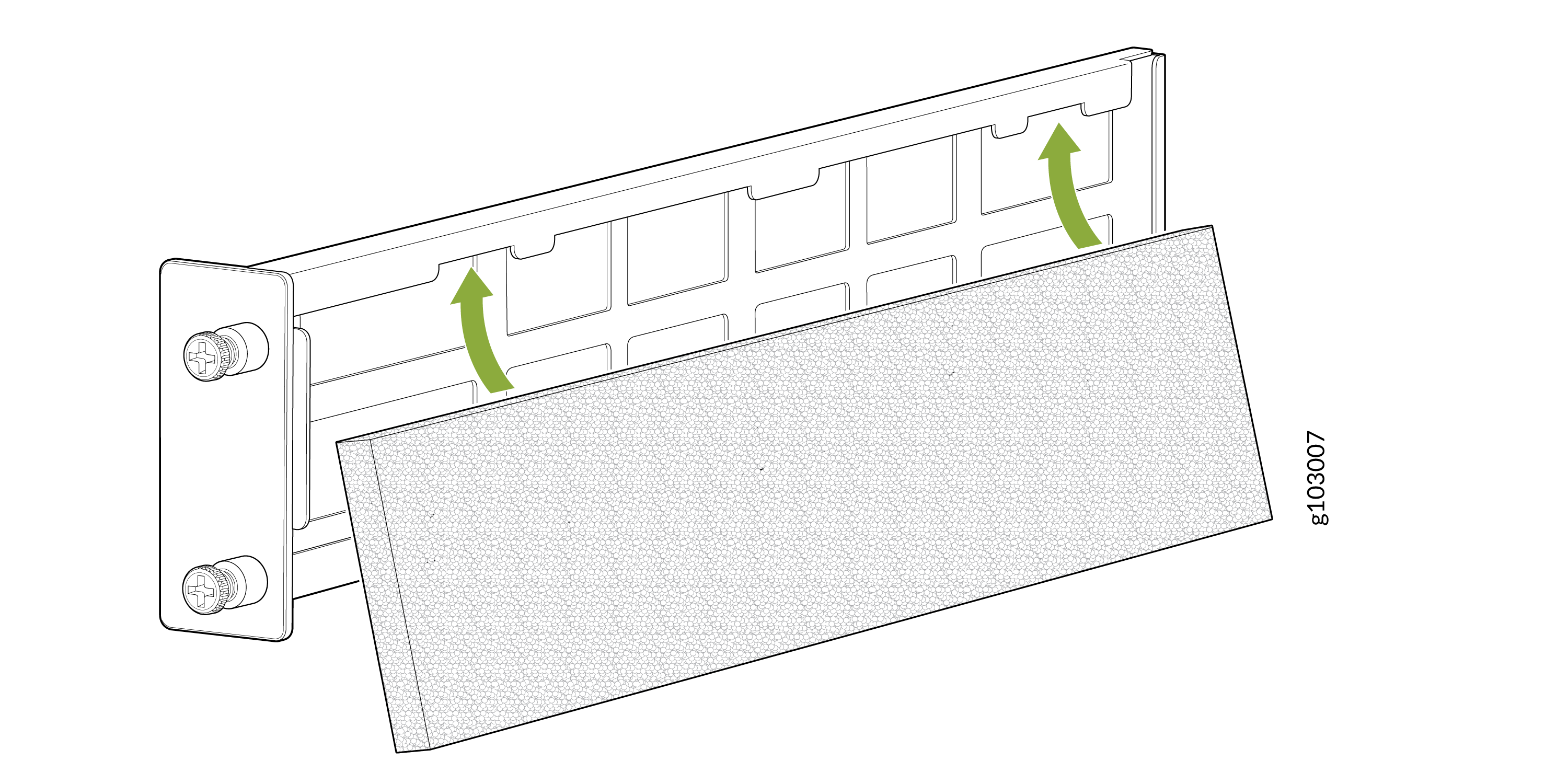
Remove the air filter.
Figure 3: Remove the Air Filter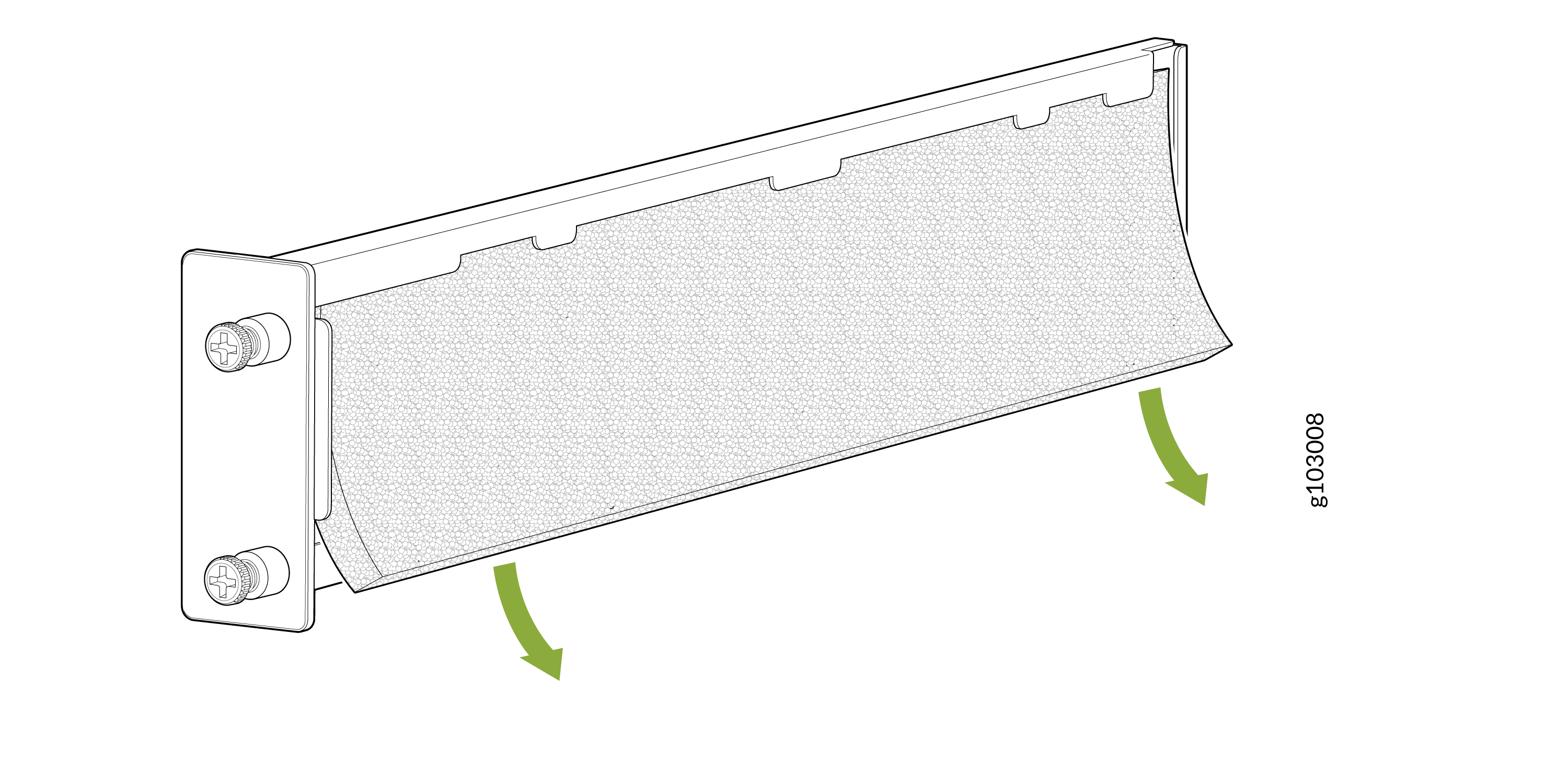
Install the Air Filter
To install the air filter:
Attach an electrostatic discharge (ESD) grounding strap to your bare wrist, and connect the strap to one of the ESD points on the chassis.
Place the air filter into the air filter tray.
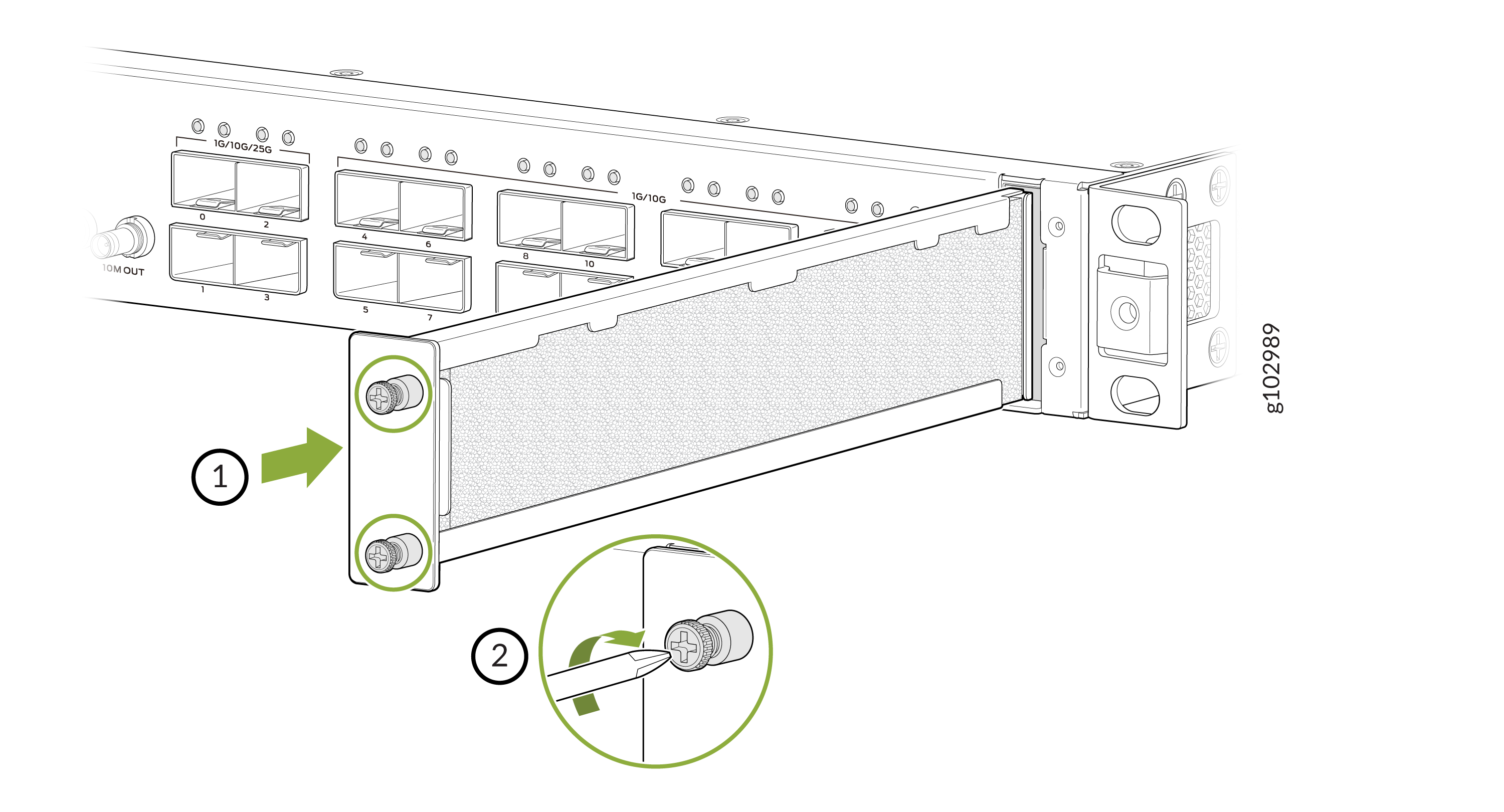
Slide the air filter tray straight into the chassis until it stops.
Tighten the captive screws on the air filter.