Help us improve your experience.

Let us know what you think.

Do you have time for a two-minute survey?


기능 요청

주니퍼 Mist™ 포털을 통해 기능 요청을 제출할 수 있습니다. 또한 다른 사용자의 요청을 보고 투표하거나 댓글을 달 수도 있습니다.

제품 기능 페이지로 이동하려면 전구 아이콘(주니퍼 Mist 포털의 오른쪽 상단 모서리 근처에 있음)을 클릭합니다.
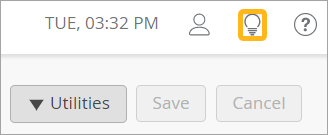
User interface showing timestamp TUE 03:32 PM, user profile icon, highlighted light bulb icon for tips, question mark icon for help, and three buttons: Utilities with dropdown, inactive Save, active Cancel.

이 페이지에서는 다음을 수행할 수 있습니다.

기능 요청 제출

  1. 아이디어 입력 텍스트 상자에 아이디어에 대한 간단한 설명을 입력합니다.
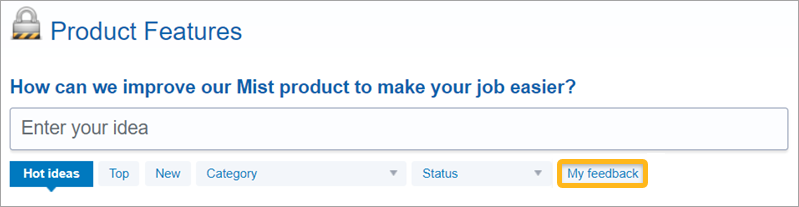
    Feedback submission interface for Mist product with title Product Features, question How can we improve Mist product to make your job easier, input field labeled Enter your idea, sorting tabs Hot ideas, Top, New, Category, Status, and yellow button My feedback.
    입력하는 동안 주니퍼 Mist는 유사한 아이디어를 검색합니다.
  2. 유사한 요청이 나타나면 투표하거나 새 아이디어 게시 를 클릭하여 요청 양식으로 이동하세요.
  3. 피드백 양식이 나타나면 아이디어에 대한 세부 정보를 입력하고 공유하려는 파일을 업로드합니다.
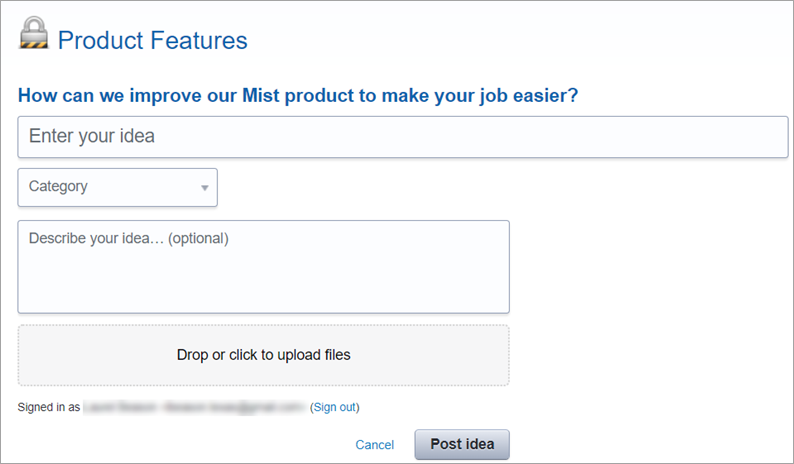
    Feedback form titled Product Features asking for ideas to improve the Mist product with fields for idea, category, optional details, file upload option, Post idea and Cancel buttons, and sign-out option.
  4. 아이디어 게시를 클릭합니다.

기능 요청 보기

가장 관심 있는 기능 요청을 보려면 버튼, 드롭다운 목록 및 범주 메뉴를 사용합니다.
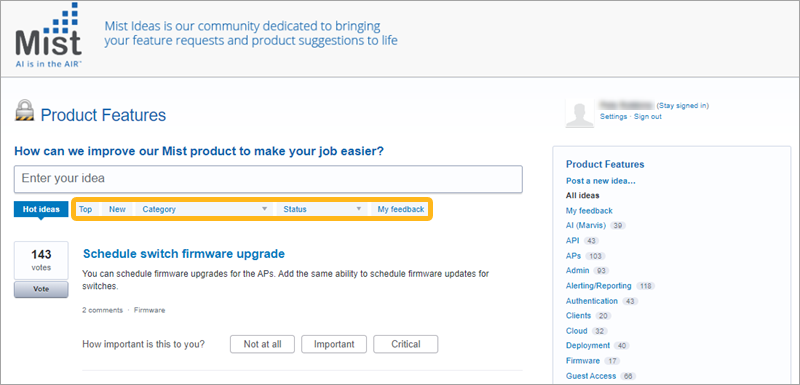
Mist Product Features webpage showing user-submitted ideas to improve products, with filters for sorting and a highlighted idea titled Schedule switch firmware upgrade with 143 votes.

  • 상단 - 요청을 가장 많은 투표 수부터 가장 낮은 투표 수로 정렬합니다.

  • 새로운 기능

    - 가장 최근 제출부터 가장 최근 제출까지 요청을 정렬합니다.
  • 범주 - 사용자가 요청을 생성할 때 할당한 범주를 기준으로 목록을 필터링합니다.

    팁:

    카테고리별로 필터링하는 또 다른 방법은 페이지 오른쪽에 있는 카테고리 메뉴를 사용하는 것입니다.

  • 상태 - 현재 상태를 기반으로 목록을 필터링합니다.

  • 내 피드백 - 지원하거나 댓글을 달은 기능 요청만 봅니다.

다른 사용자의 기능 요청에 응답

다른 사용자가 제출한 기능 요청에 응답할 수 있습니다.
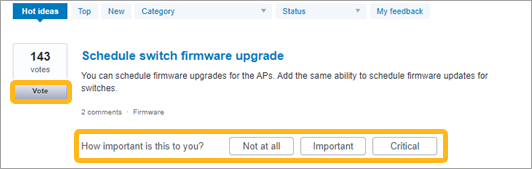
User interface for submitting and voting on ideas, featuring highlighted idea titled Schedule switch firmware upgrade with 143 votes, vote button, importance rating options, navigation tabs, and 2 comments under Firmware category.
  • 요청에 찬성표를 던지려면 페이지 왼쪽에 있는 투표 를 클릭합니다.

  • 요청의 중요도를 평가하려면 전 혀, 중요, 중요 등의 적절한 버튼을 클릭합니다.

  • 주석을 추가하려면 요청 제목을 클릭한 다음 주석 추가 텍스트 상자를 입력한 다음 주석 게시를 클릭합니다.