Help us improve your experience.

Let us know what you think.

Do you have time for a two-minute survey?


원시 구성 편집

원시 구성을 수정하는 것은 로컬 작업이며, 실행 중인 디바이스 구성을 변경하지 않습니다. 변경 사항은 다음 전체 구성 푸시에 적용됩니다. 구성에 지속적인 변경 사항을 적용하려면 구성 요소(configlet)를 사용합니다.

주의:

Pristine Config에 대한 수동 수정은 유효성이 검사되지 않습니다. 실수로 인해 디바이스가 완전히 지워져 잠재적으로 서비스에 영향을 미치는 중단이 발생할 수 있습니다. 대안이 없는 한 원시 구성을 직접 수정하지 마십시오. 도움이 필요하면 주니퍼 지원팀에 문의하세요.

  1. 왼쪽 탐색 메뉴에서 Devices(디바이스) > Managed Devices(관리되는 디바이스 )로 이동하고 업데이트할 디바이스의 관리 IP 를 클릭합니다.
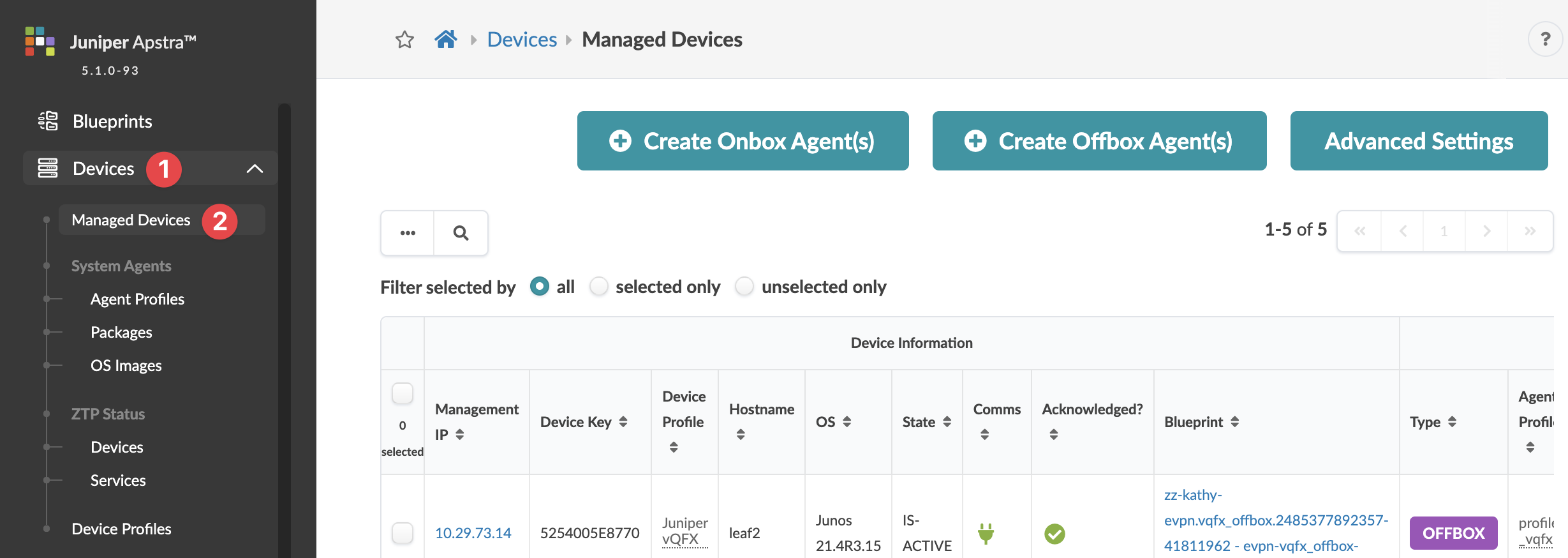
    HPE Apstra interface showing the Managed Devices section under Devices menu, listing device details including Management IP, Device Key, Device Profile, Hostname, OS version, State, Communication status, Acknowledged status, Blueprint, Type, and Agent Profile. Options for creating Onbox or Offbox agents and advanced settings are visible along with navigation to sections like Blueprints, System Agents, ZTP Status, and Device Profiles.
    선택 항목에 대한 디바이스 세부 정보 페이지가 나타납니다.
  2. 원시 구성 탭(상단)을 클릭한 다음 원시 구성 편집(Edit pristine config) 버튼(왼쪽 committed_configuration 아래)을 클릭합니다.
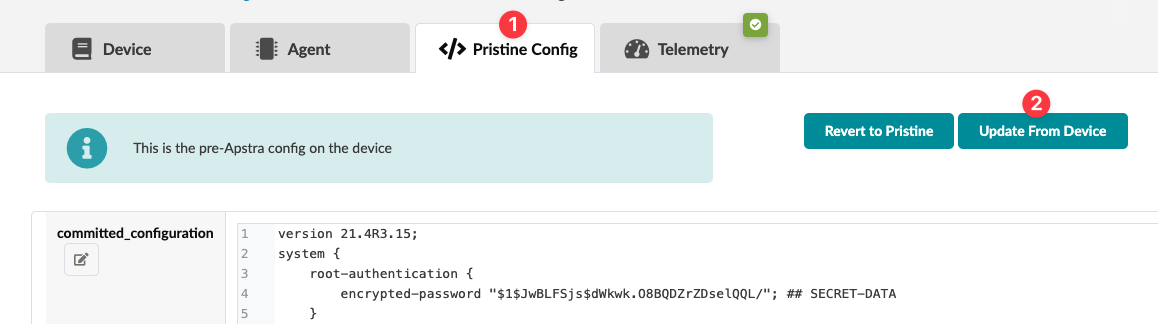
    Configuration interface with tabs Device, Agent, Pristine Config, and Telemetry; Pristine Config is selected. Panel shows pre-Apstra config message. Code block includes version 21.4R3.15 and root authentication details. Buttons Revert to Pristine and Update From Device are visible.
  3. 구성을 변경합니다. (깨끗한 구성에 포함해야 하는 항목과 포함하지 말아야 하는 항목에 대한 자세한 내용은 해당하는 경우 온박스 에이전트 만들기 및 오프박스 에이전트 만들기를 참조하십시오.)
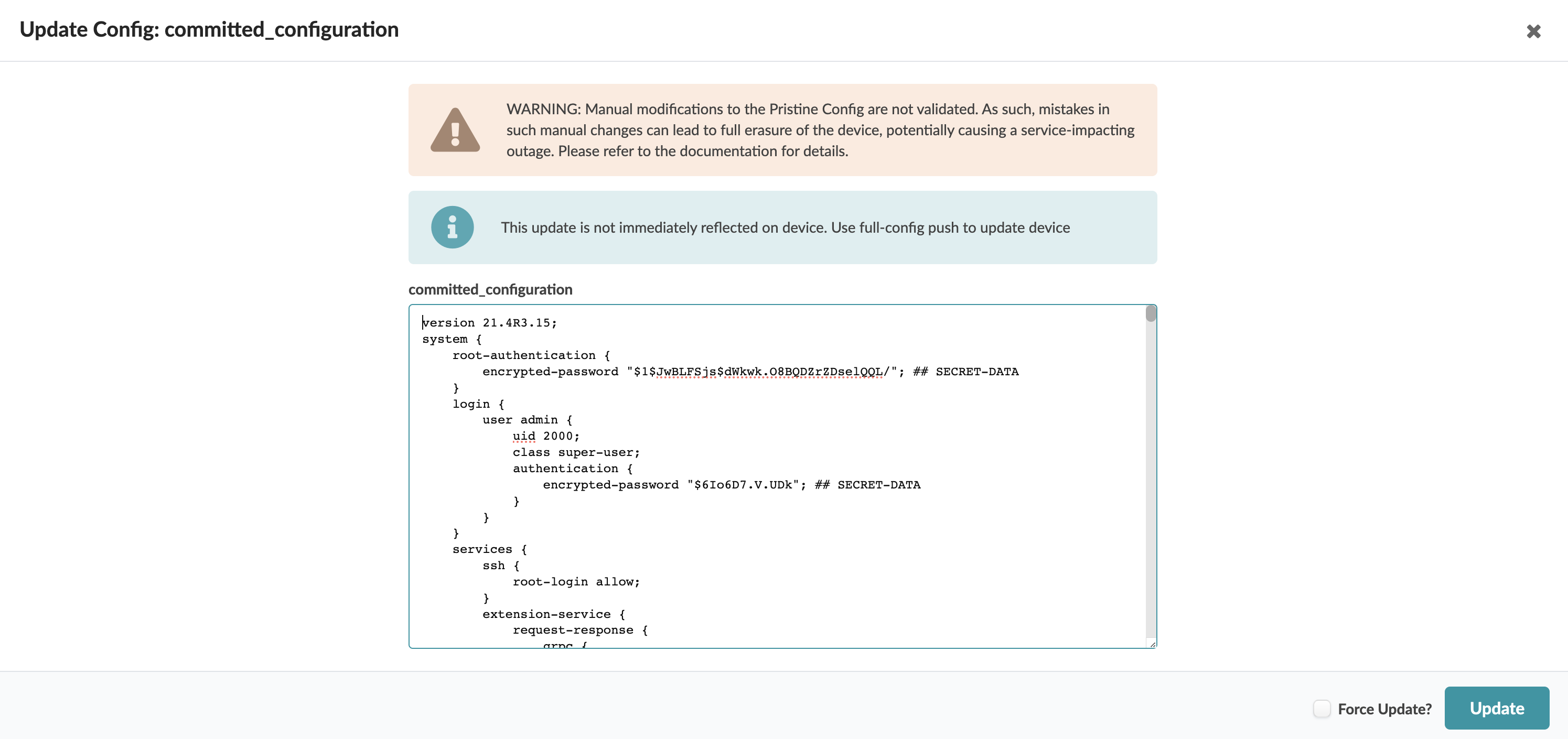
    Update Config interface with warning about manual changes, info on device update delay, config code for version 21.4R3.15, and action buttons.
  4. 디바이스가 배포되고 원래 구성을 반드시 변경해야 하는 경우 먼저 배포를 취소하지 않고 강제로 업데이트할 수 있습니다. 주니퍼 지원팀의 다른 지시가 없는 한 이 옵션은 절대 사용하지 마십시오. 이 업데이트는 전체 네트워크에 영향을 미칠 수 있습니다. 계속하려면 강제 업데이트 확인란을 선택합니다.
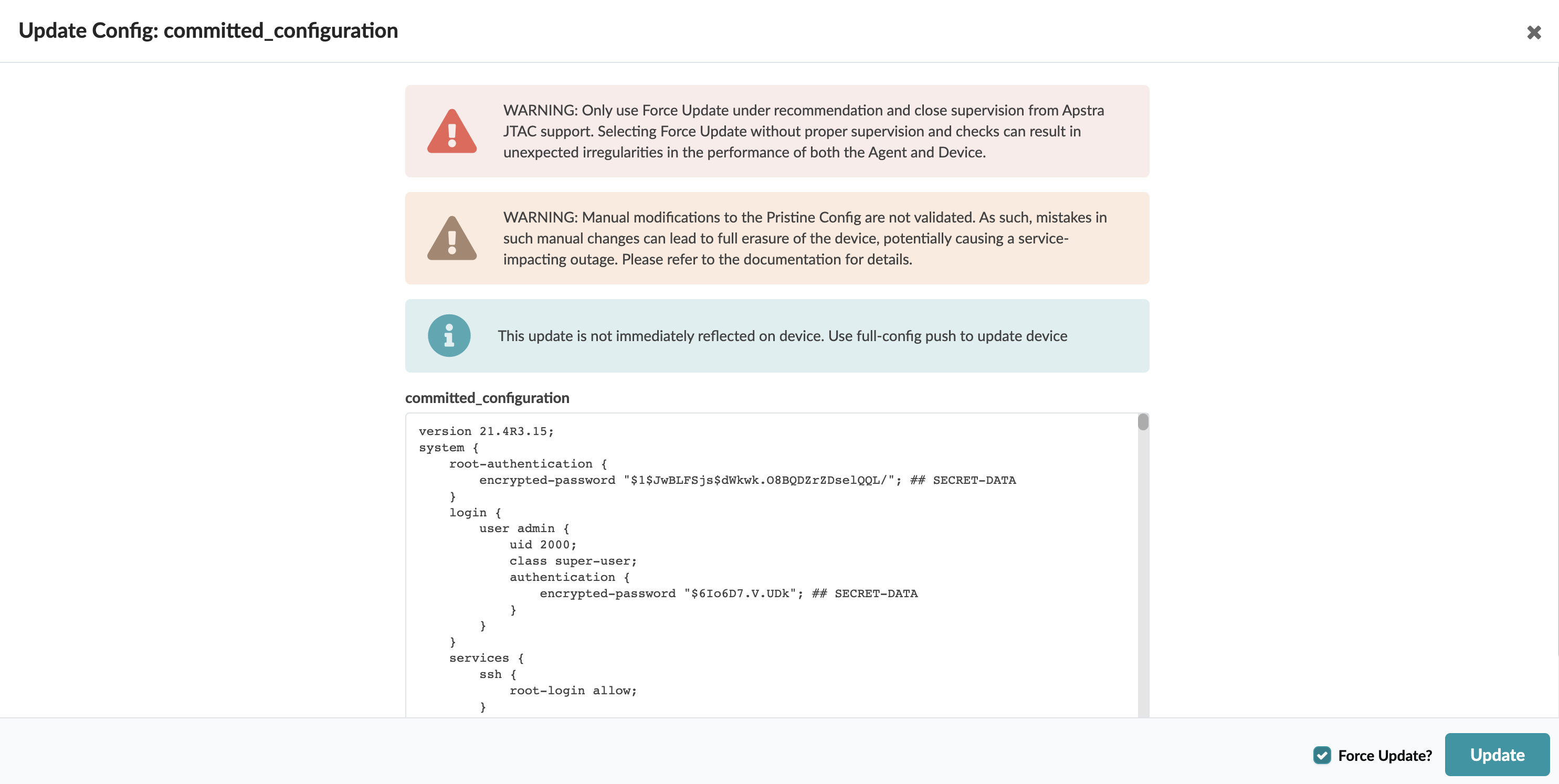
    Configuration update interface with warnings about using Force Update under supervision and risks of manual modifications. Includes committed_configuration section with version info and encrypted passwords. Features Force Update checkbox and Update button.
  5. 업데이트를 클릭하여 변경 사항을 적용합니다.