Help us improve your experience.

Let us know what you think.

Do you have time for a two-minute survey?


QFX5700 케이블 관리 시스템

QFX5700 케이블 관리 시스템은 다음과 같은 구성 요소로 구성됩니다.

  • 케이블 관리자

  • 케이블 관리자 어셈블리

  • 쟁반

  • 잠금 메커니즘

메모:

동일한 모델의 라인 카드를 6개 이상 설치할 때는 반드시 케이블 관리자 어셈블리를 부착해야 합니다.

케이블 관리자를 사용하면 QFX5700 스위치에 설치된 RCB 및 FPC에 연결된 많은 수의 광섬유 및 구리 케이블을 관리할 수 있습니다. QFX5700 섀시의 전면에 설치됩니다. 그림 1 은 QFX5700 케이블 관리자를 보여줍니다.
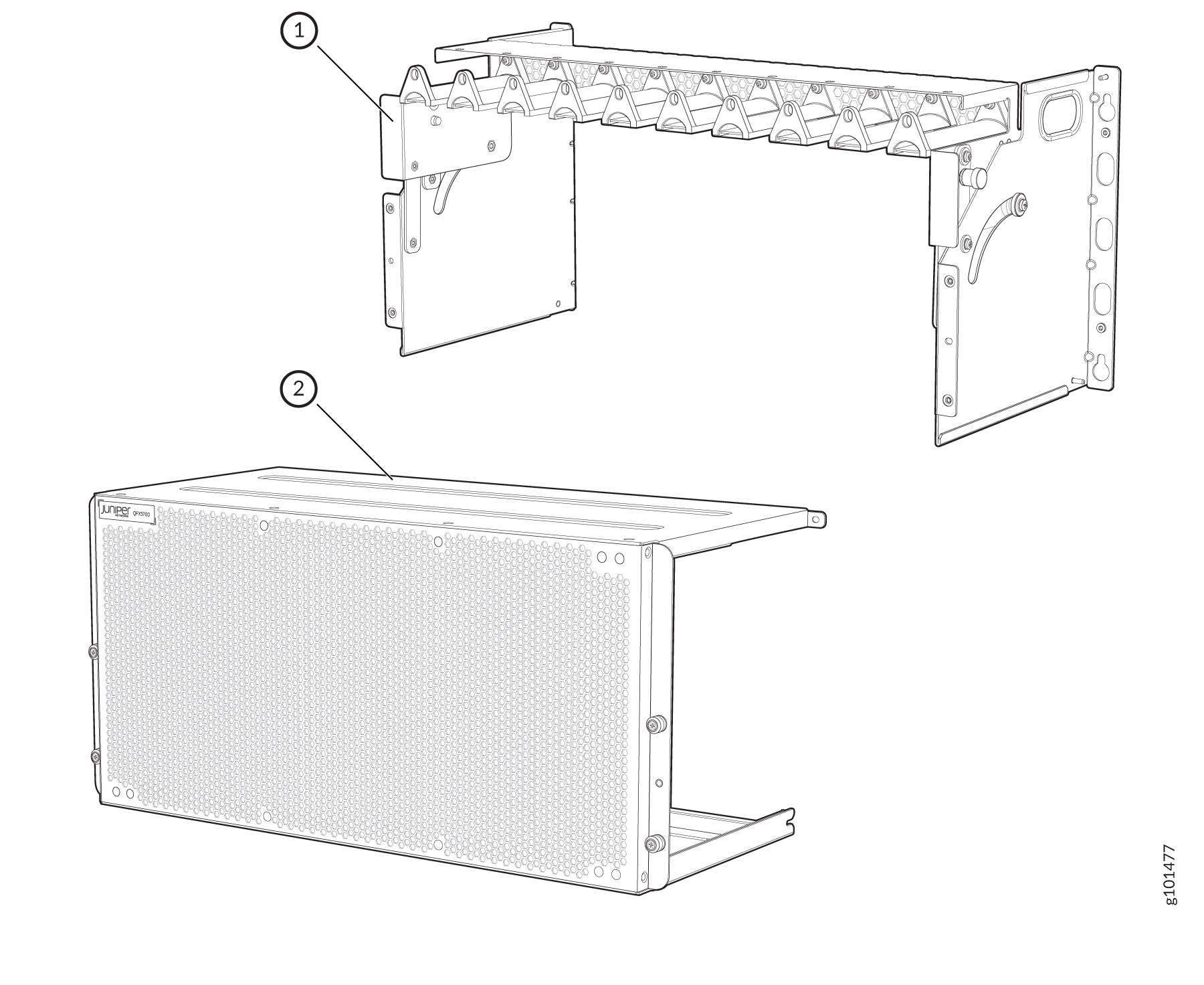
그림 1: 케이블 관리자 Rack mounting bracket assembly and Juniper network device with ventilation holes and logo for rack installation guide.
1

케이블 관리자 어셈블리

2

EMI 도어

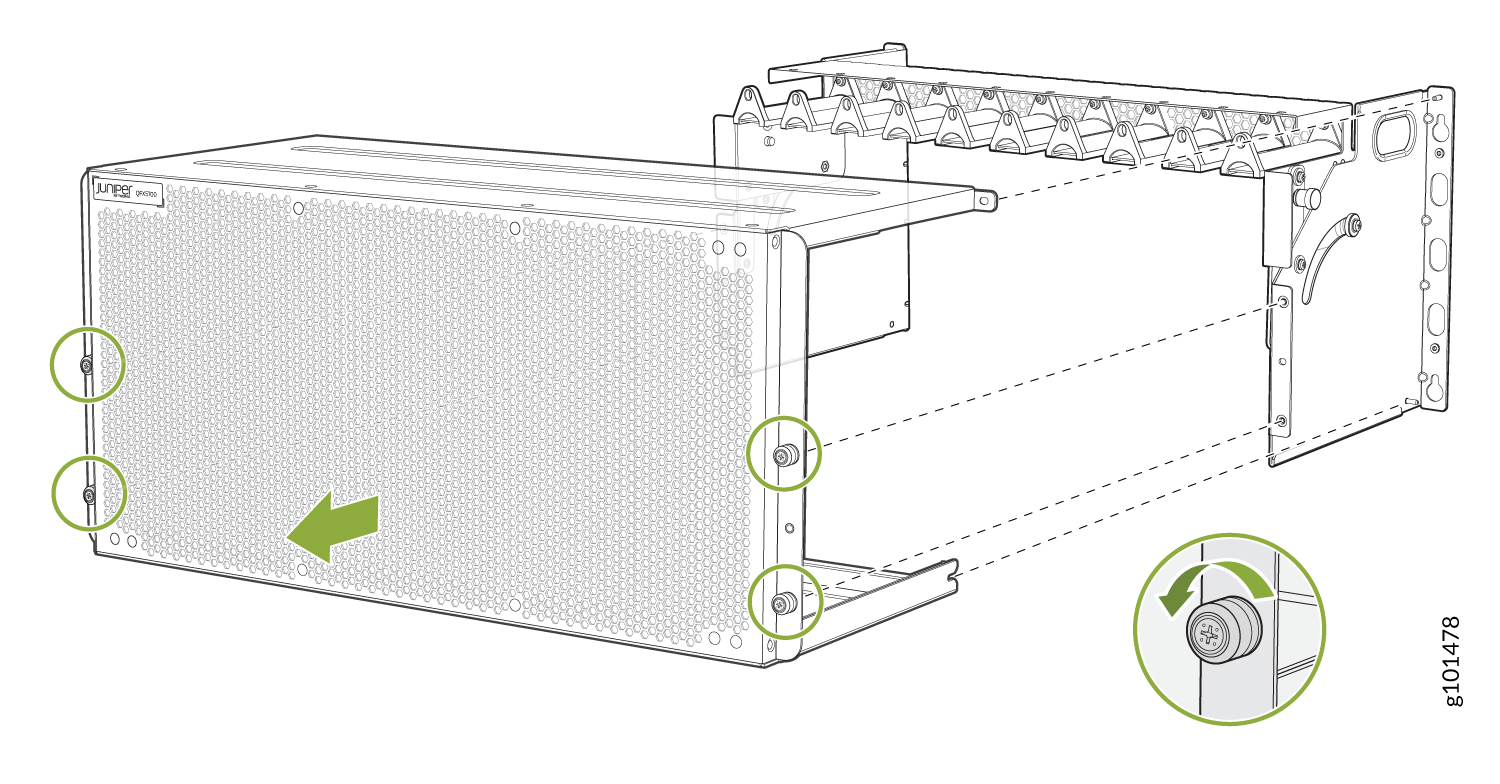
케이블 관리자 어셈블리를 설치하기 전에 EMI 도어를 제거해야 합니다. 그림 2를 참조하십시오.

그림 2: EMI 도어 Illustration of installing or removing front panel from a Juniper Networks device with highlighted screws and inset of screw turning direction. 제거

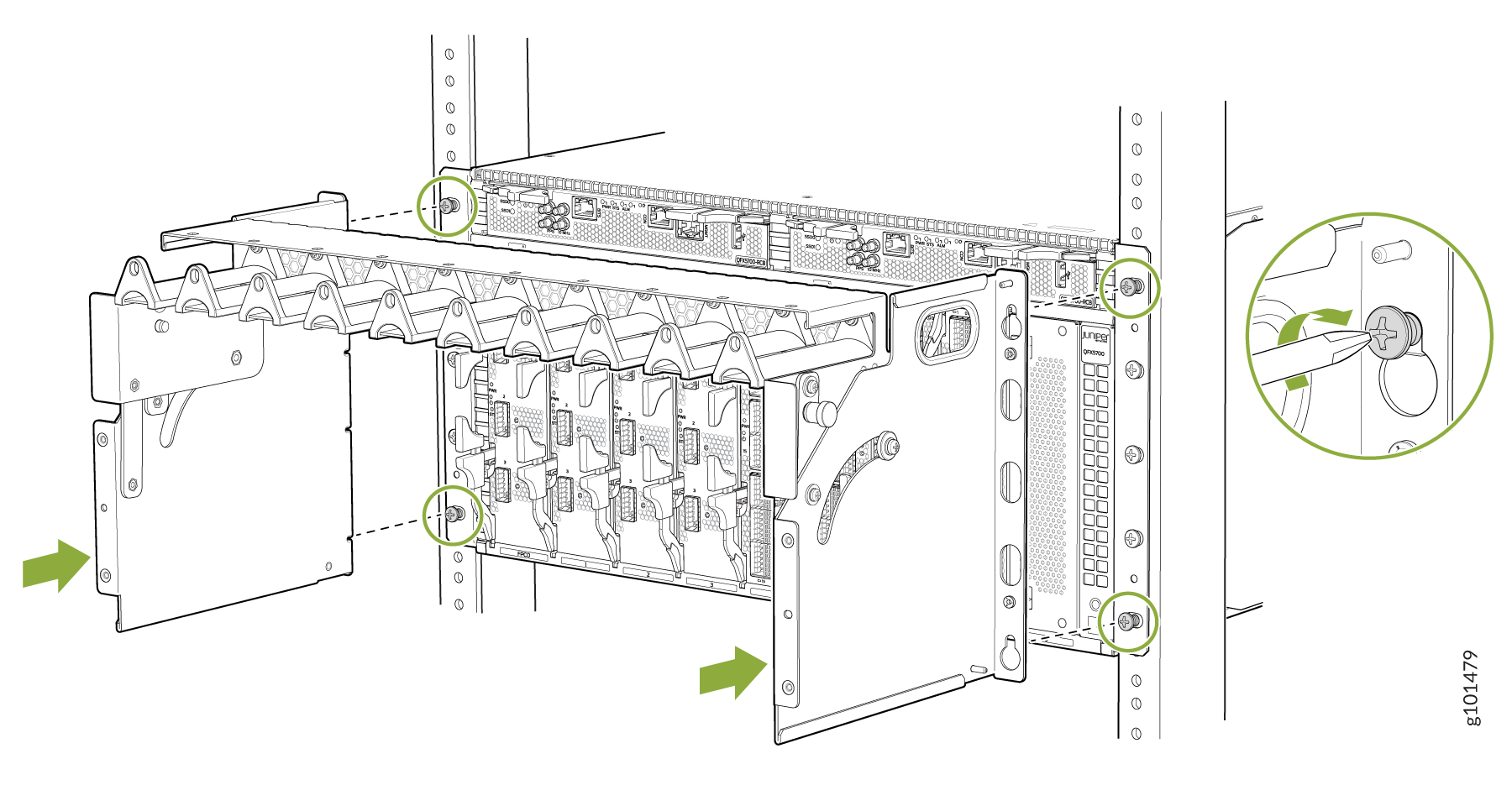
이제 케이블 관리자 어셈블리를 설치할 수 있습니다. 그림 3을 참조하십시오.

그림 3: 케이블 관리자 어셈블리 Installation or removal process of a network device with focus on mounting brackets, screws, and modular slots. 설치
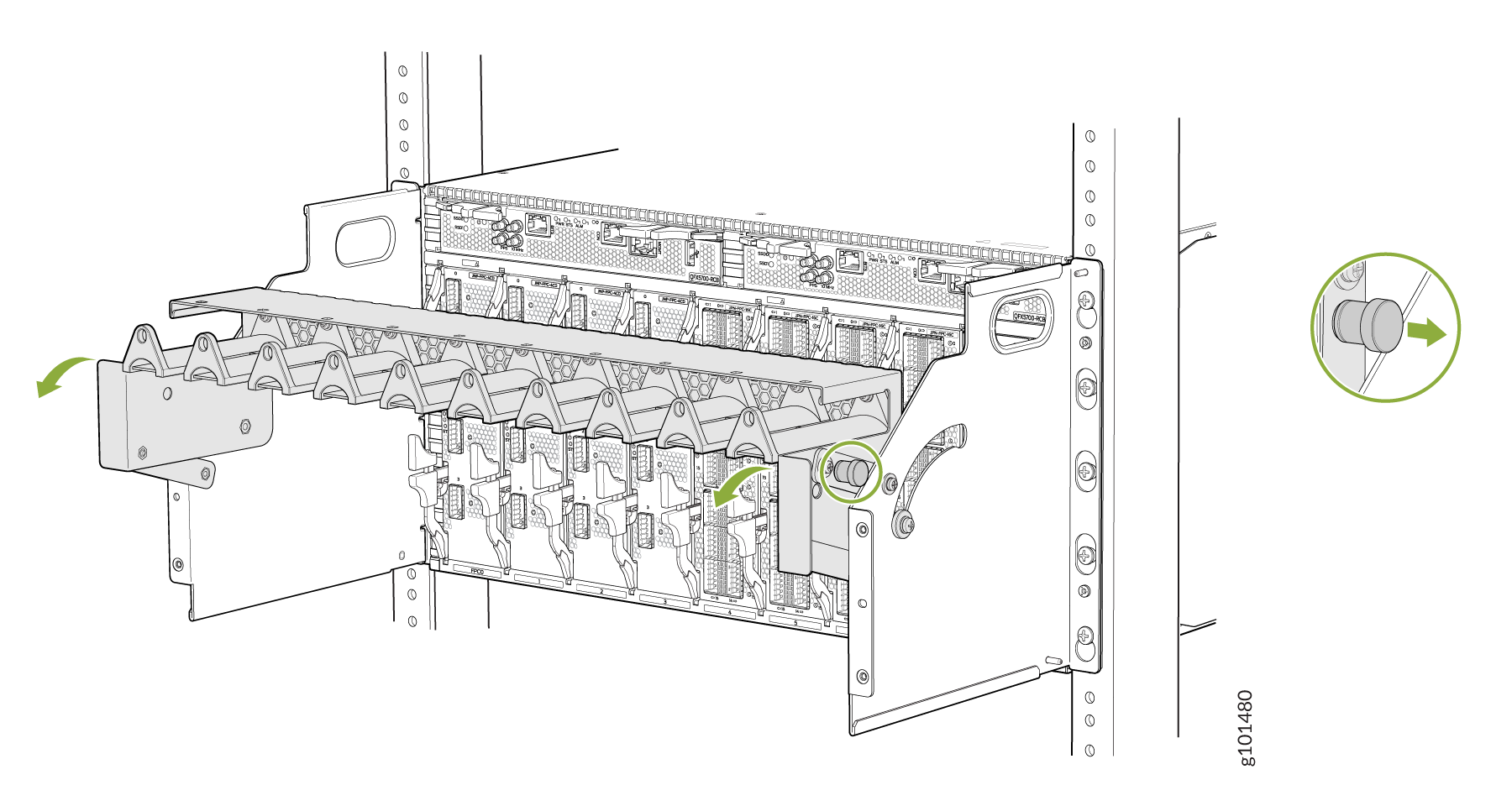
케이블 관리자의 양쪽에 있는 스프링 장착 핀을 당겨 빼내고 트레이를 아래로 움직여 RCB에 액세스합니다. 그림 4를 참조하십시오.

그림 4: RCB Server rack illustration showing installation of a cable management arm. Arrows indicate movement direction. Inset details a securing latch. 에 액세스하기 위해 트레이 이동
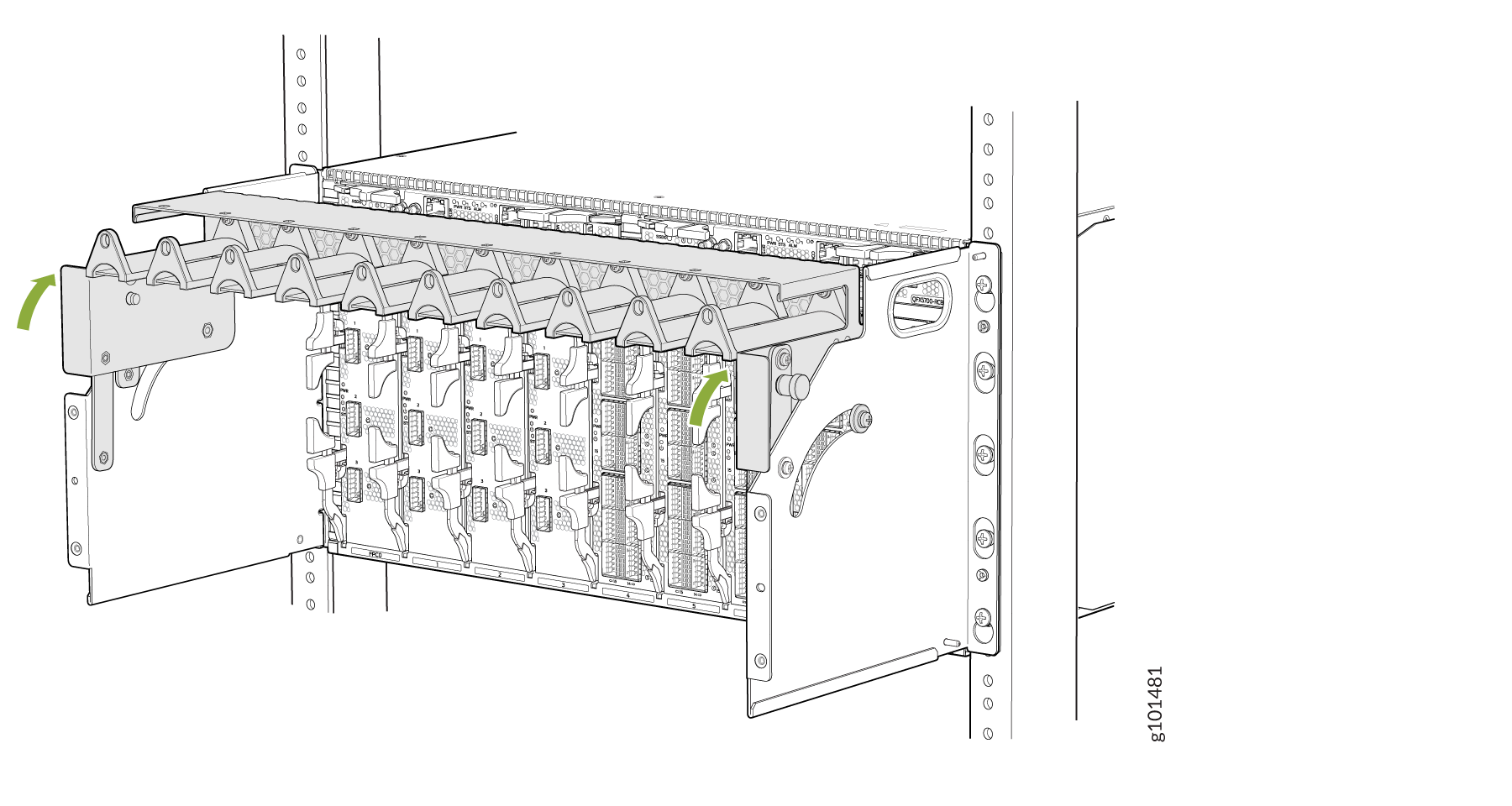
FPC에 액세스하려면 트레이를 이동해야 합니다. 그림 5를 참조하십시오.

그림 5: 트레이를 이동하여 FPC Server rack illustration showing module installation with green arrows indicating movement direction for securing or releasing components. 에 액세스
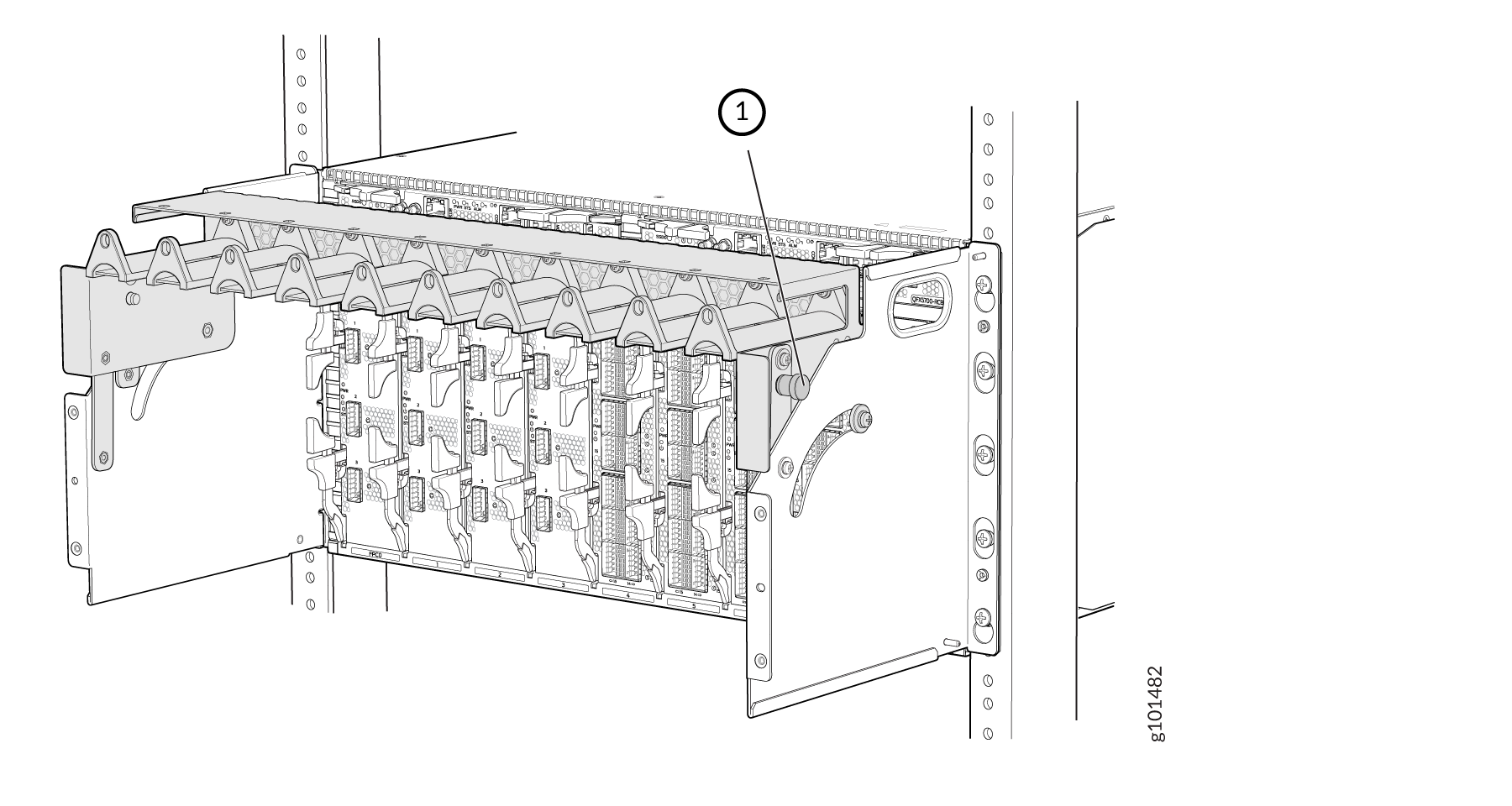
이제 케이블 관리자를 잠급니다. 그림 6을 참조하십시오.

그림 6: 케이블 관리자 Blade enclosure with numbered label pointing to cable management component in a server rack, part of a data center setup. 잠금
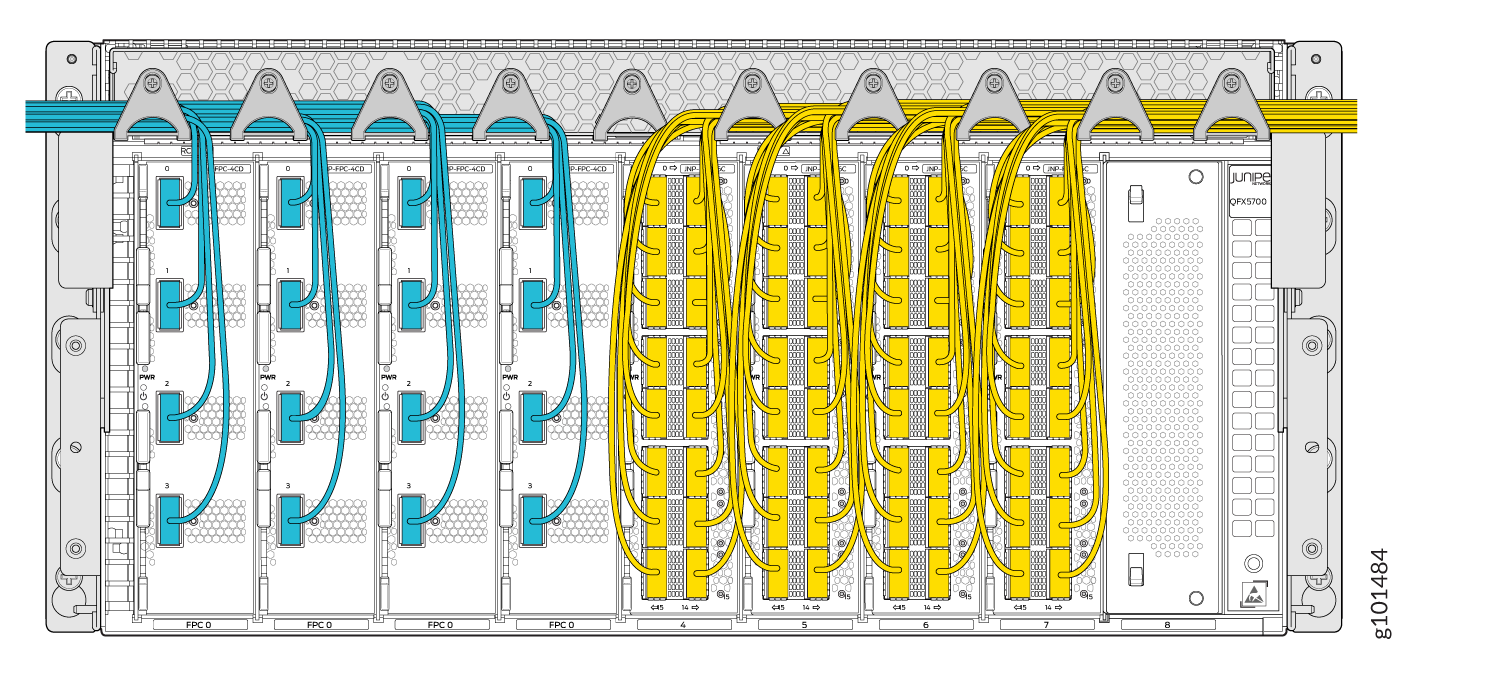
케이블 관리자를 통해 케이블을 라우팅하는 방법을 이해하려면 그림 7그림 8 을 참조하십시오.

그림 7: 케이블 관리자 Internal layout of Juniper QFX5700 switch showing line cards labeled FPC, blue and yellow cabling, power indicators, cooling design, and management module. 를 통해 케이블 라우팅

케이블 관리자를 사용하여 케이블을 라우터화했으면 케이블 관리자 덮개를 조립합니다.

그림 8: 케이블 관리자 덮개 Juniper Networks QFX10000 series switch mounted in a rack with yellow and gray cables connected for data transmission. 조립
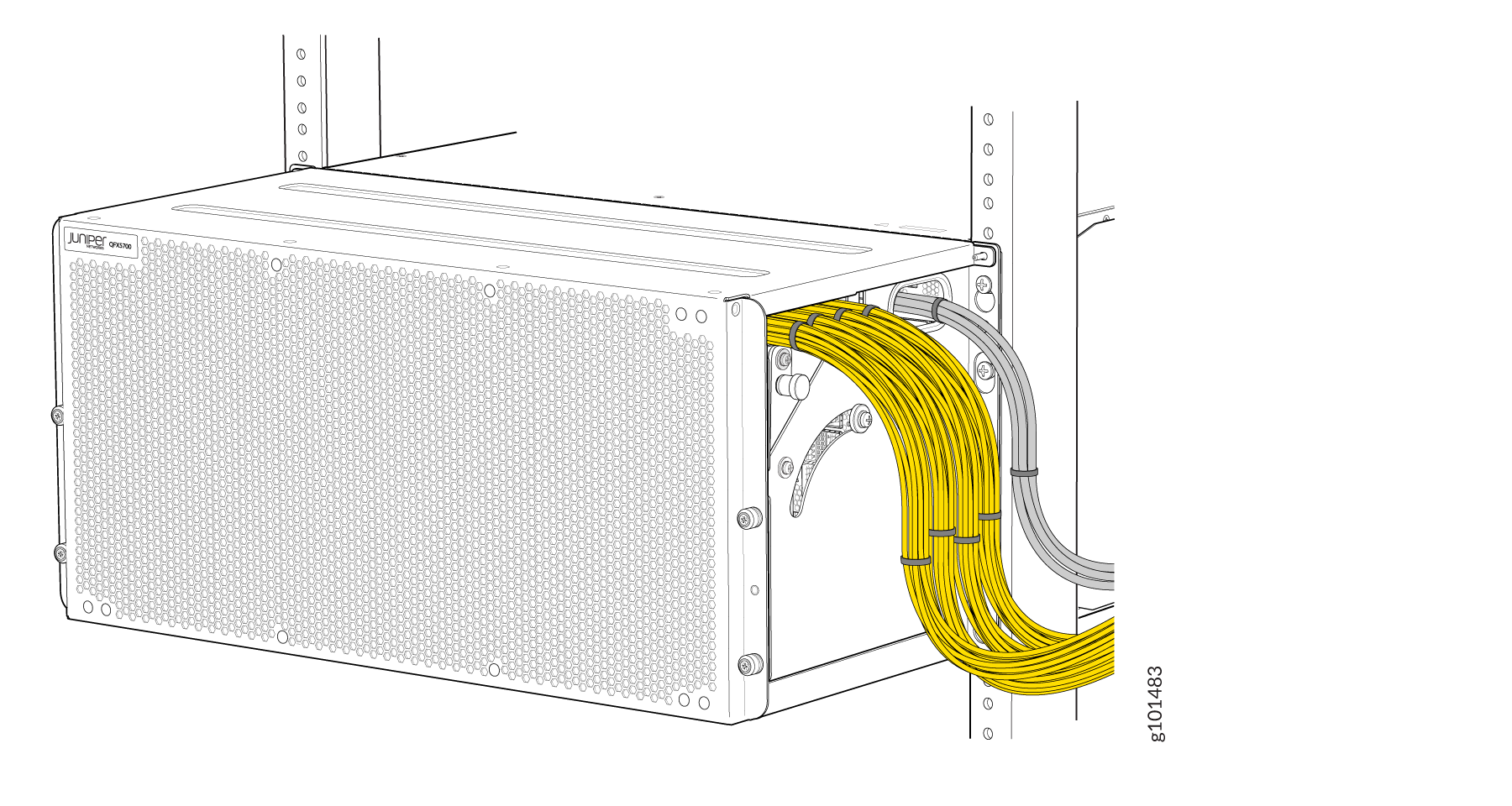
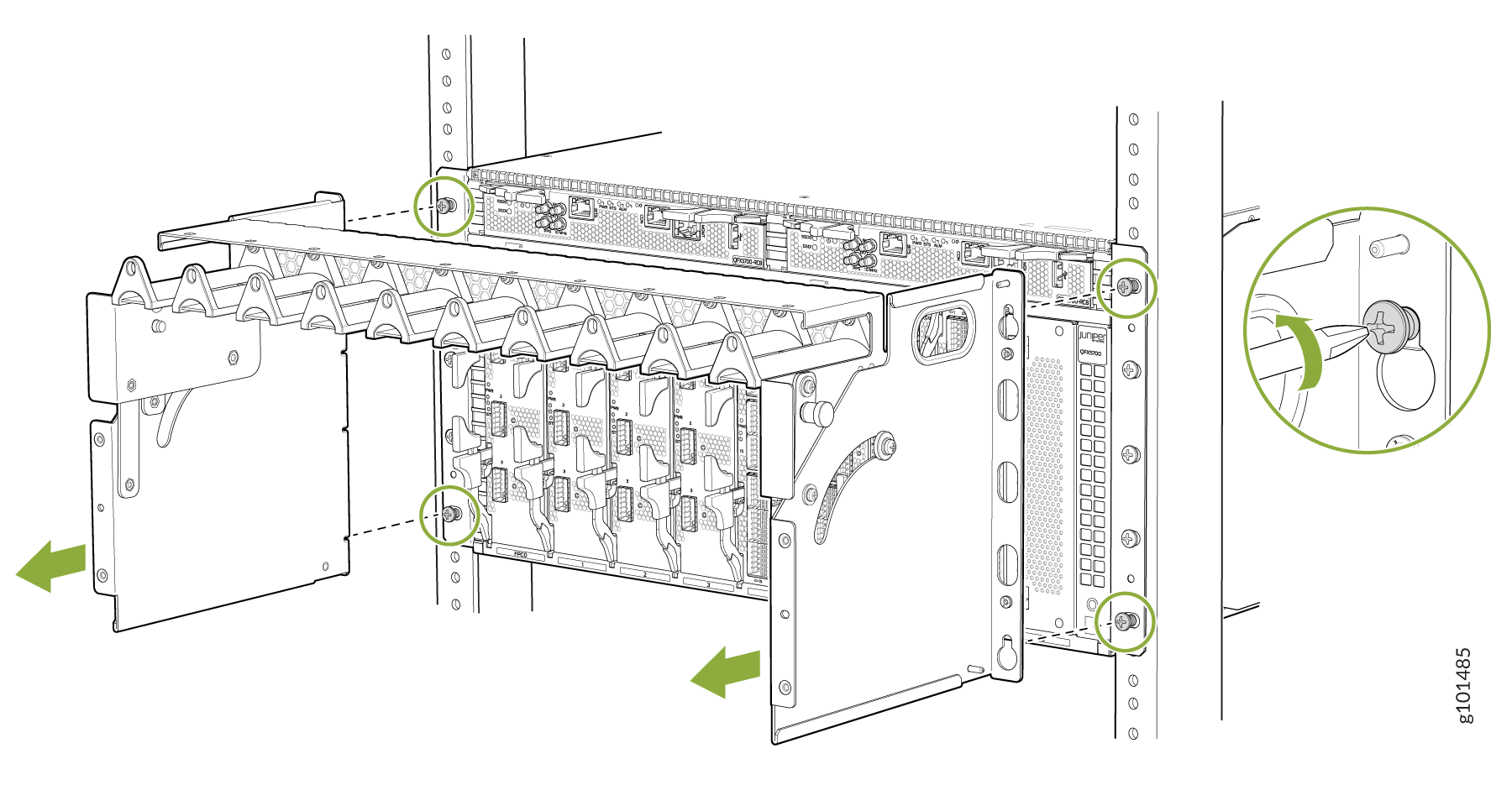
그림 9 는 케이블 관리자를 제거하는 방법을 보여줍니다.

그림 9: 케이블 관리자 Juniper Networks component installation in a rack with green arrows and circles indicating screw locations and locking mechanism. 제거