Help us improve your experience.

Let us know what you think.

Do you have time for a two-minute survey?


AP47에 외부 안테나 연결

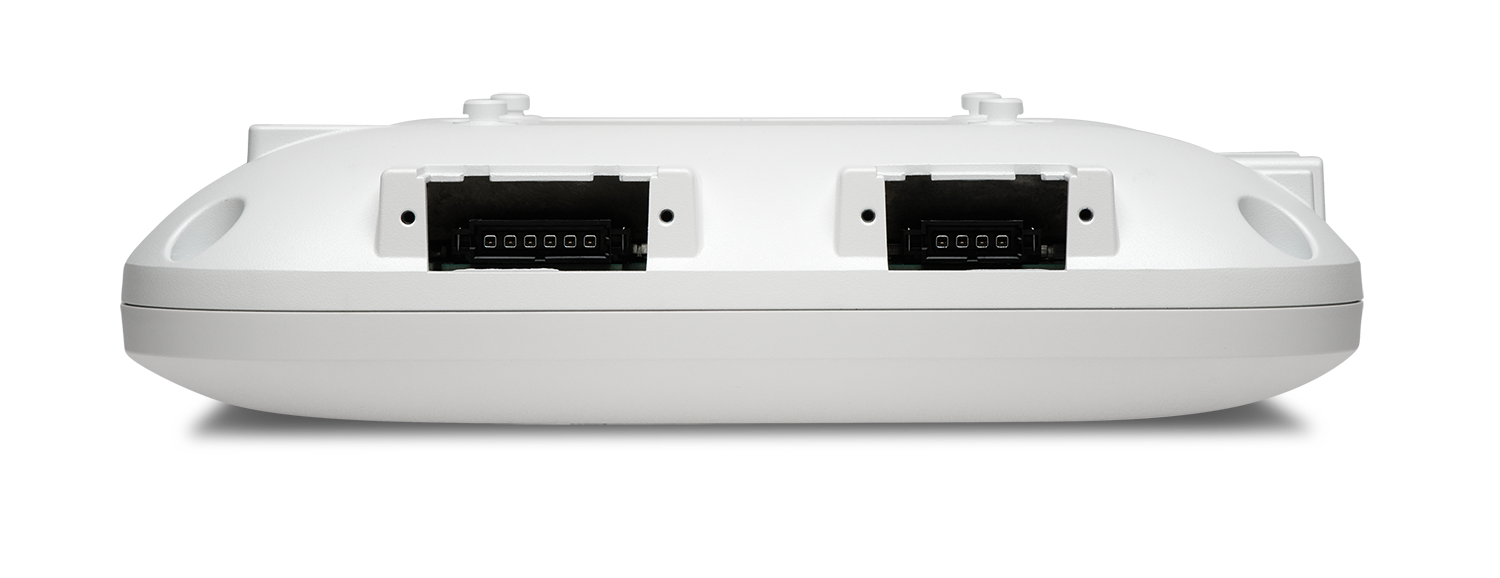
AP47E 모델에는 플러그형 안테나 포트 3개, 6핀 2개, 4핀 1개가 있습니다.
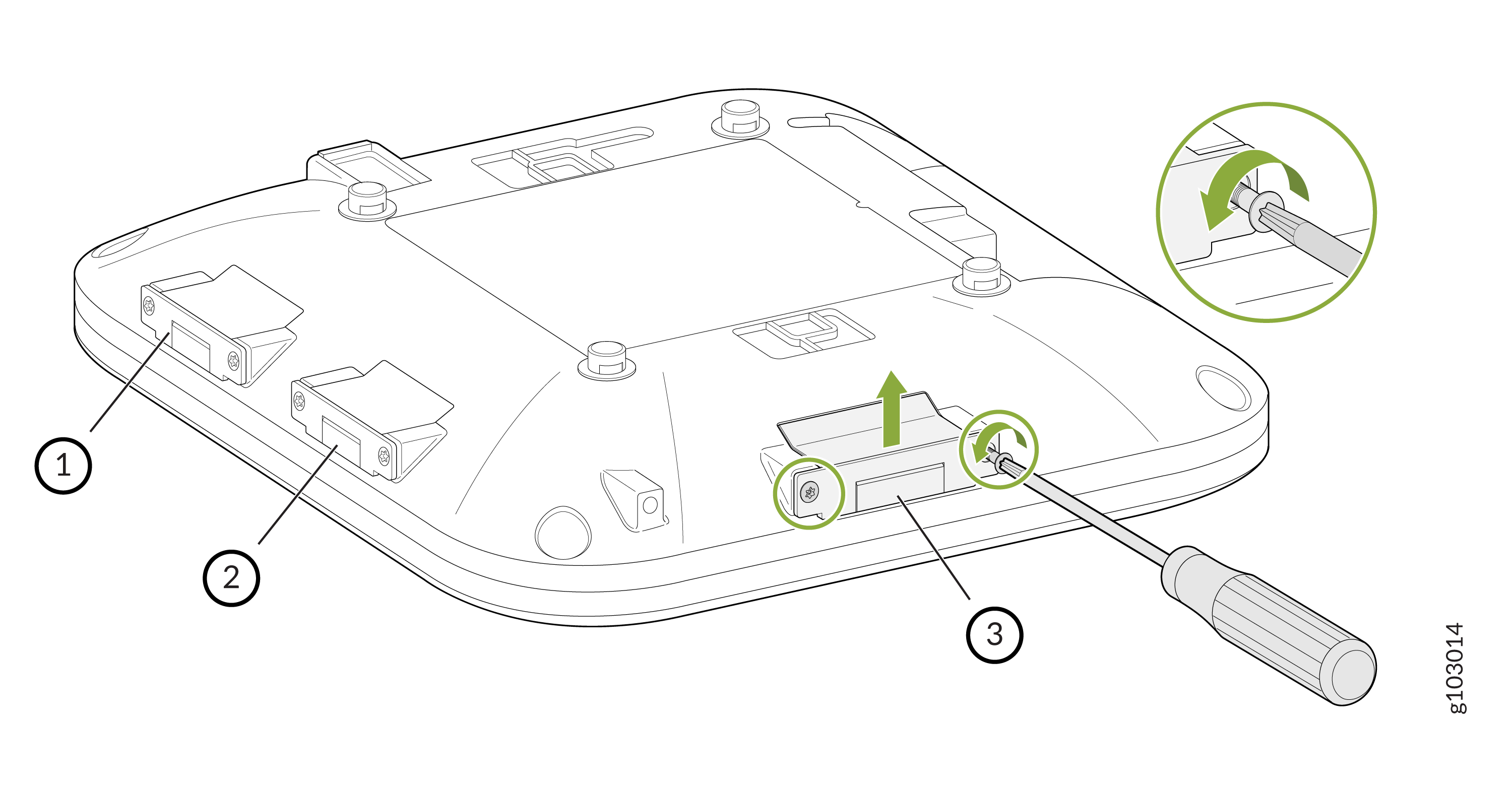
그림 1: AP47E External Antenna Connectors on the AP47E 의 외부 안테나 커넥터
안테나를 부착하는 방법:

  1. T8 보안 별모양 비트를 사용하여 안테나 포트 덮개를 AP에 고정하는 나사를 제거합니다. 덮개를 제거합니다.
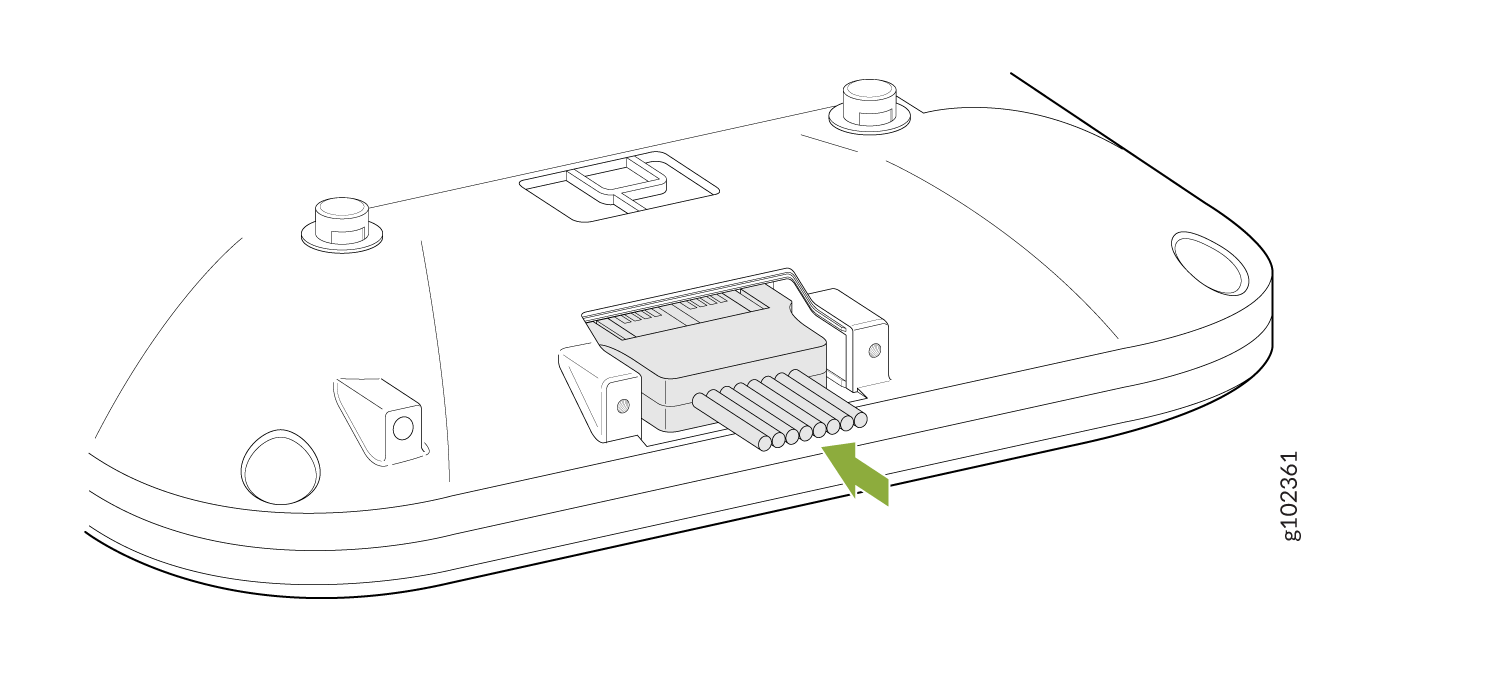
  2. 안테나를 연결합니다.
    Connector assembly with green arrow pointing to wires or pins, suggesting it is part of an electronic system.
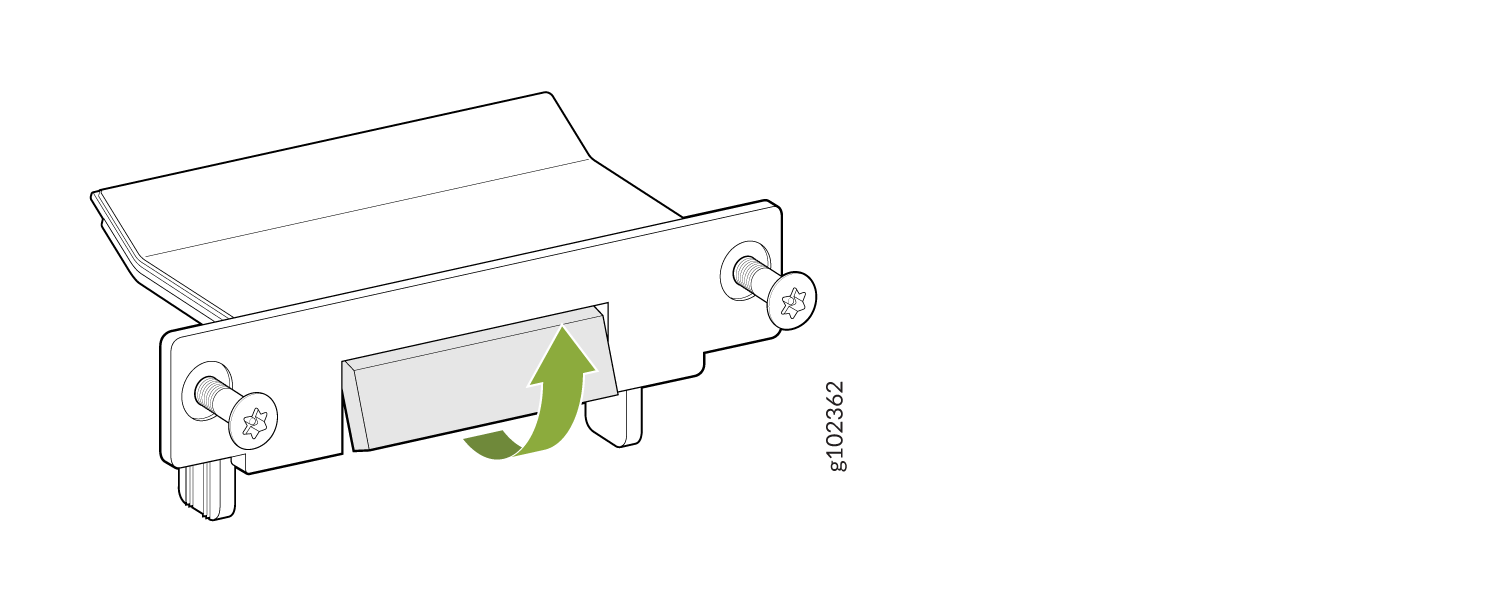
  3. 안테나 포트 덮개의 분리 탭을 구부립니다.
    Mechanical bracket with screws on both sides and a central piece adjusting upward, indicated by a green arrow.
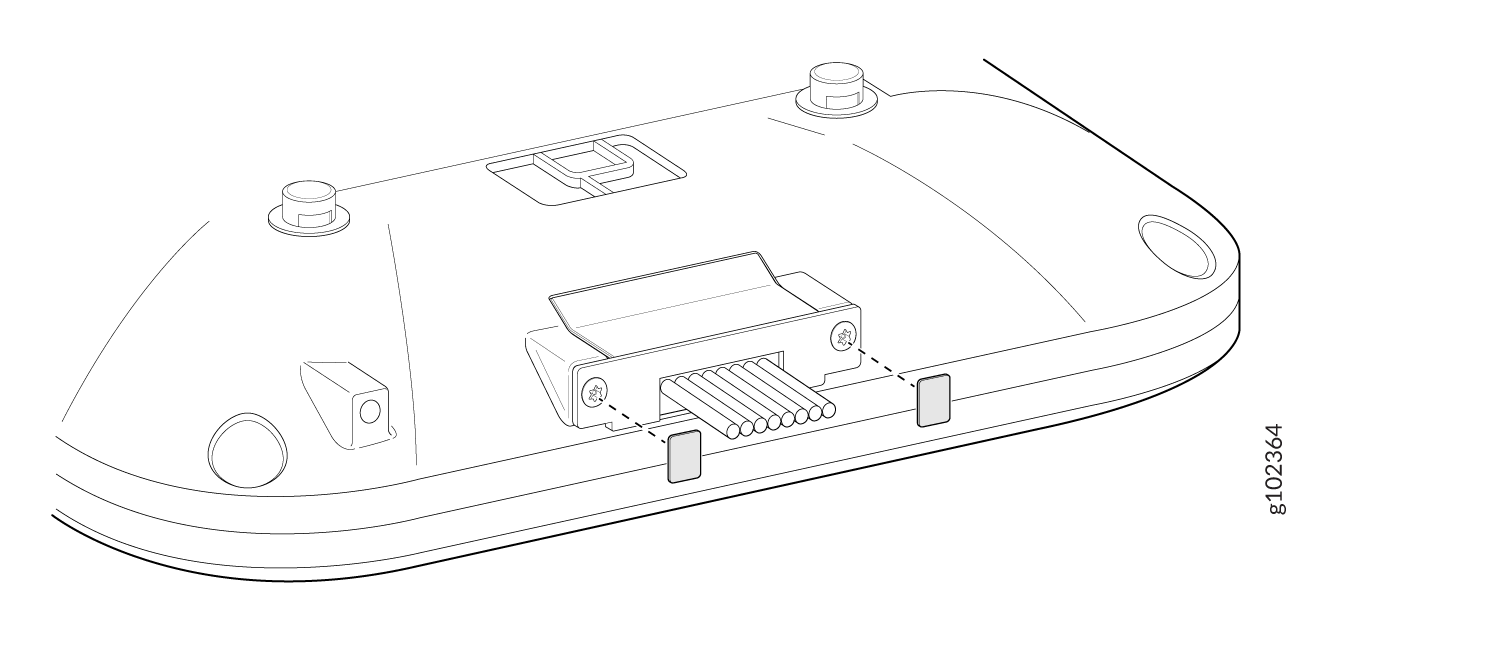
  4. 1단계에서 제거한 나사를 사용하여 안테나 포트 커버를 AP에 부착합니다. T8 보안 별모양 비트를 사용하여 나사를 조입니다.
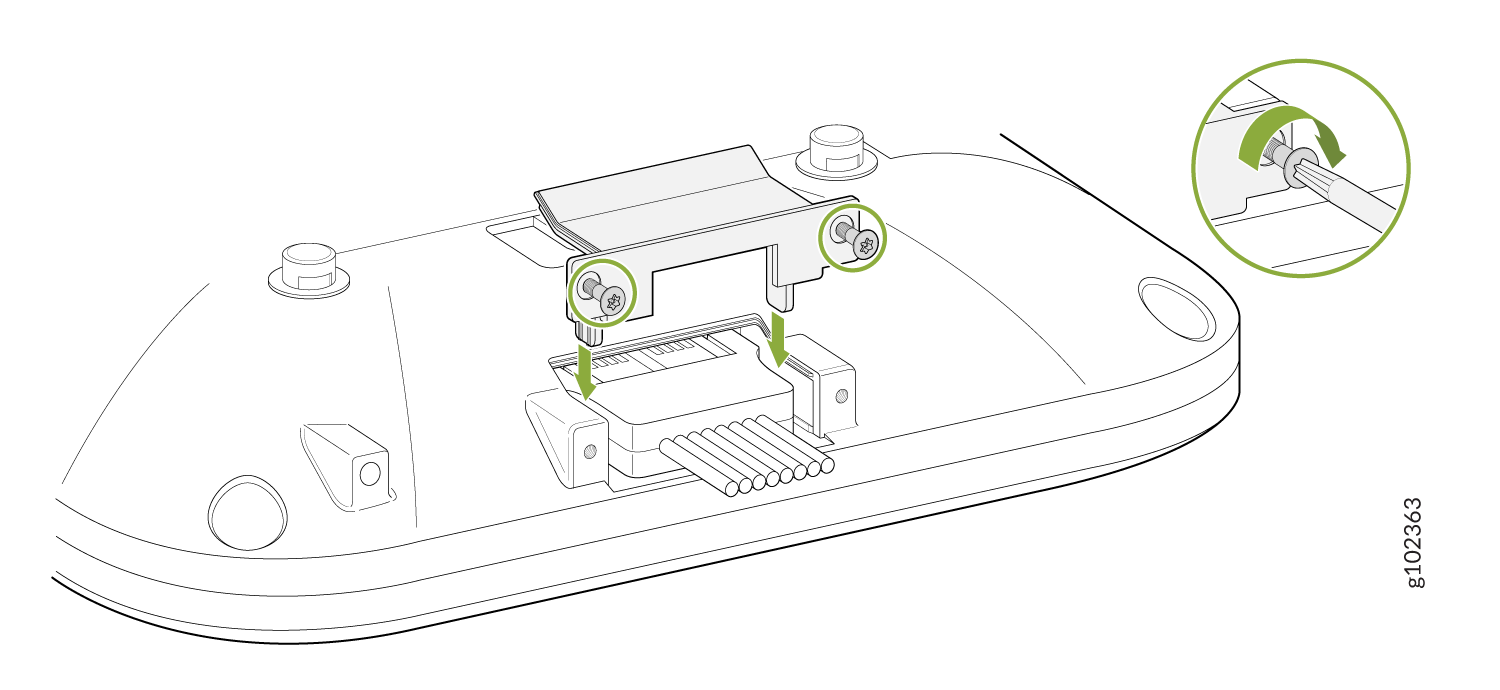
    Diagram showing cable installation to a base with screws and bracket; inset highlights screw tightening method.
  5. 제공된 lexan 레이블을 안테나 포트 덮개 나사에 놓습니다.
    Technical diagram showing the underside of a device with a connector and pins for data connections, alignment points, and securing screws.