Help us improve your experience.

Let us know what you think.

Do you have time for a two-minute survey?


LLDP異常アラート

LLDP検証

既存のバージョン(4.2、5.0)は、エージェントが導入されている「汎用」システムでLLDP(リンク層検出プロトコル)とホストネームサービスをサポートしています。LLDPサービスとホスト名サービスは、ネイバーからの実際のLLDPとホスト名のマッピング情報とともに「期待される」設定をレンダリングします。

バージョン6.0以降では、予想される設定と実際の設定との間に不一致が発生した場合に異常が発生します。その結果、インターフェイスやトポロジーの不一致を効率的に特定できます。

ApstraでLLDPを取得する方法については、 LLDPデータの取得(データセンター)を参照してください。

デバイスのLLDP、ホスト名、およびその他のテレメトリサービス情報を表示するには、デバイス>管理対象デバイスに移動し>デバイス>テレメトリを選択します。
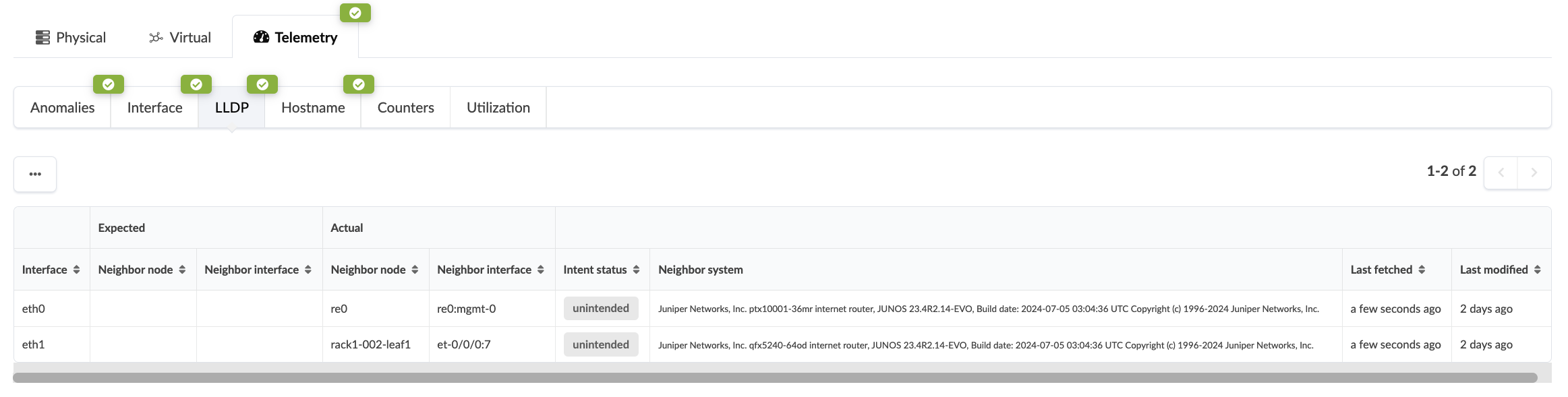
Network telemetry interface displaying LLDP data with tabs for Physical, Virtual, Telemetry, and sub-tabs like Anomalies, Interface, LLDP. Table shows interface connections, neighbor nodes, intent status, and system details.

下の画像では、複数のインターフェイスの予想リンクマッピングと実際のリンクマッピングの不一致をシステムが検出しています。赤い異常通知は 異常タブにも 表示されます。
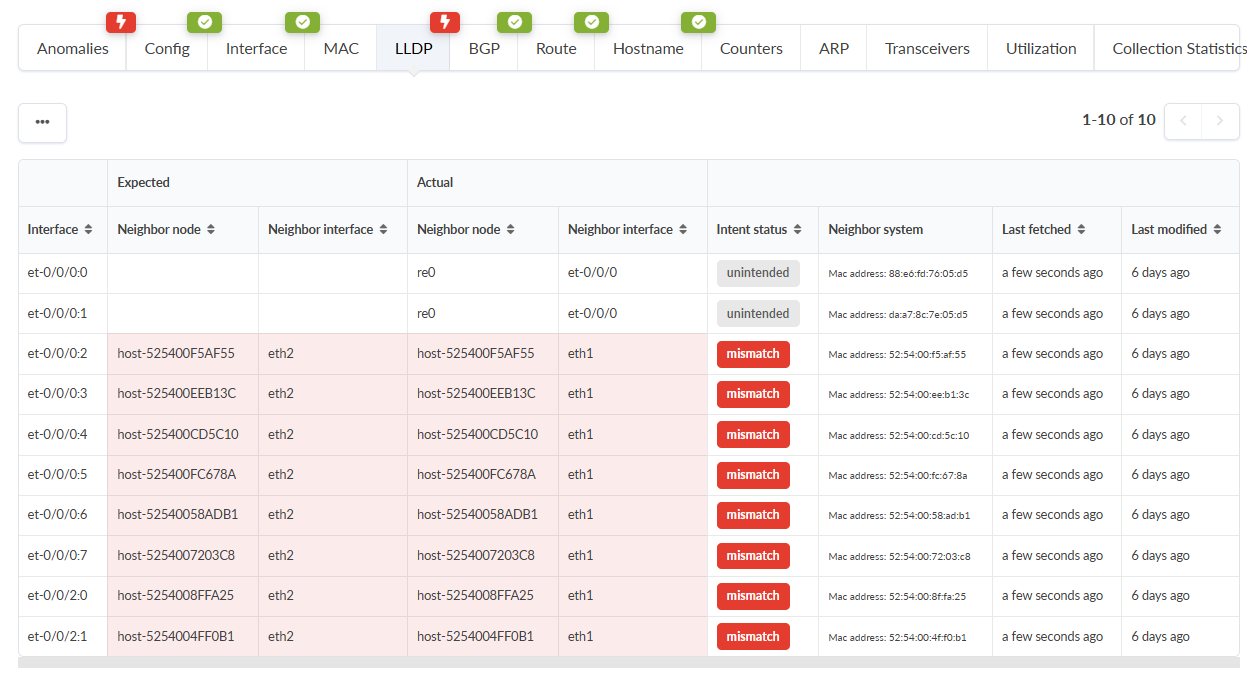

Network monitoring tool screenshot displaying LLDP information. Tabs provide diagnostic functionalities like Config and Utilization. Table shows expected vs. actual configurations, interface details, and neighbor nodes. Red-highlighted rows indicate configuration mismatches.
異常タブを選択すると、この例のインターフェイス不一致異常に関する詳細が表示されます。
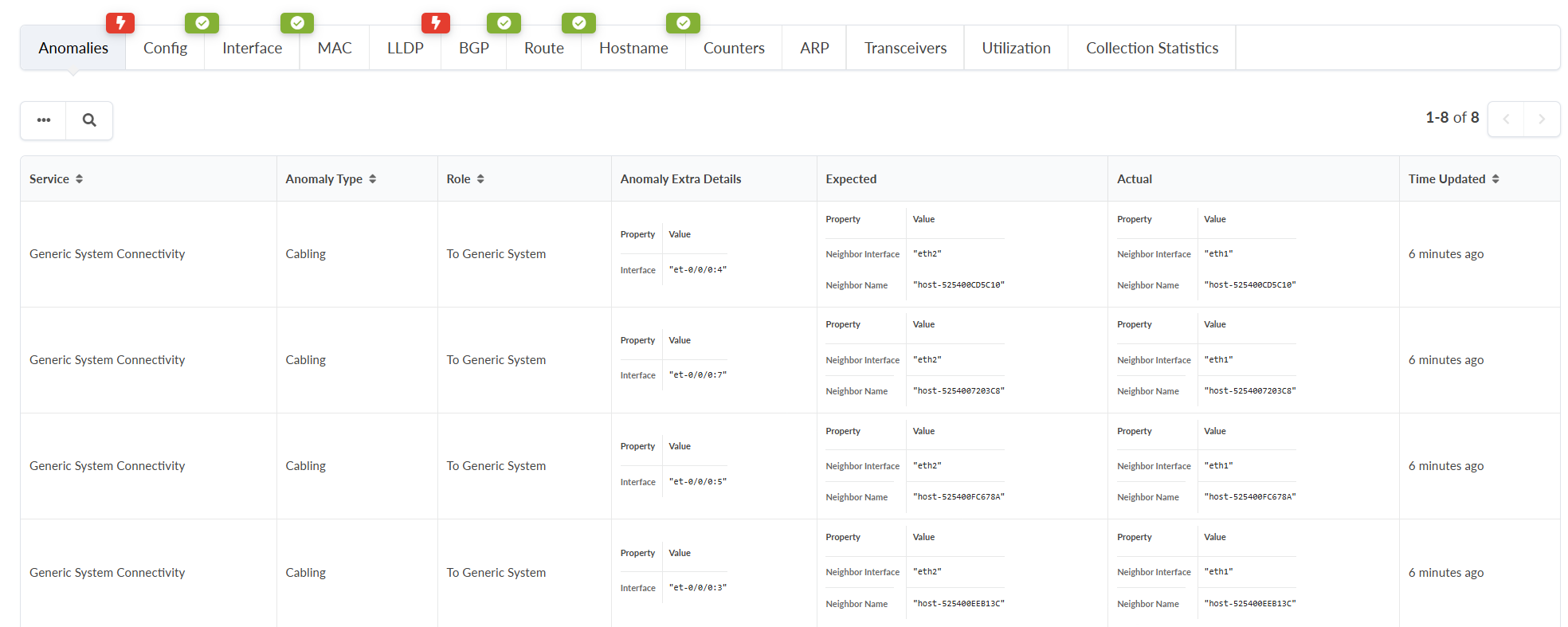
Network monitoring interface table showing connectivity anomalies with columns for Service, Anomaly Type, Role, Anomaly Details, Expected, Actual, and Time Updated. Navigation tabs include Config, Interface, MAC, LLDP, BGP, Route, Hostname, Counters, ARP, Transceivers, Utilization, and Collection Statistics.

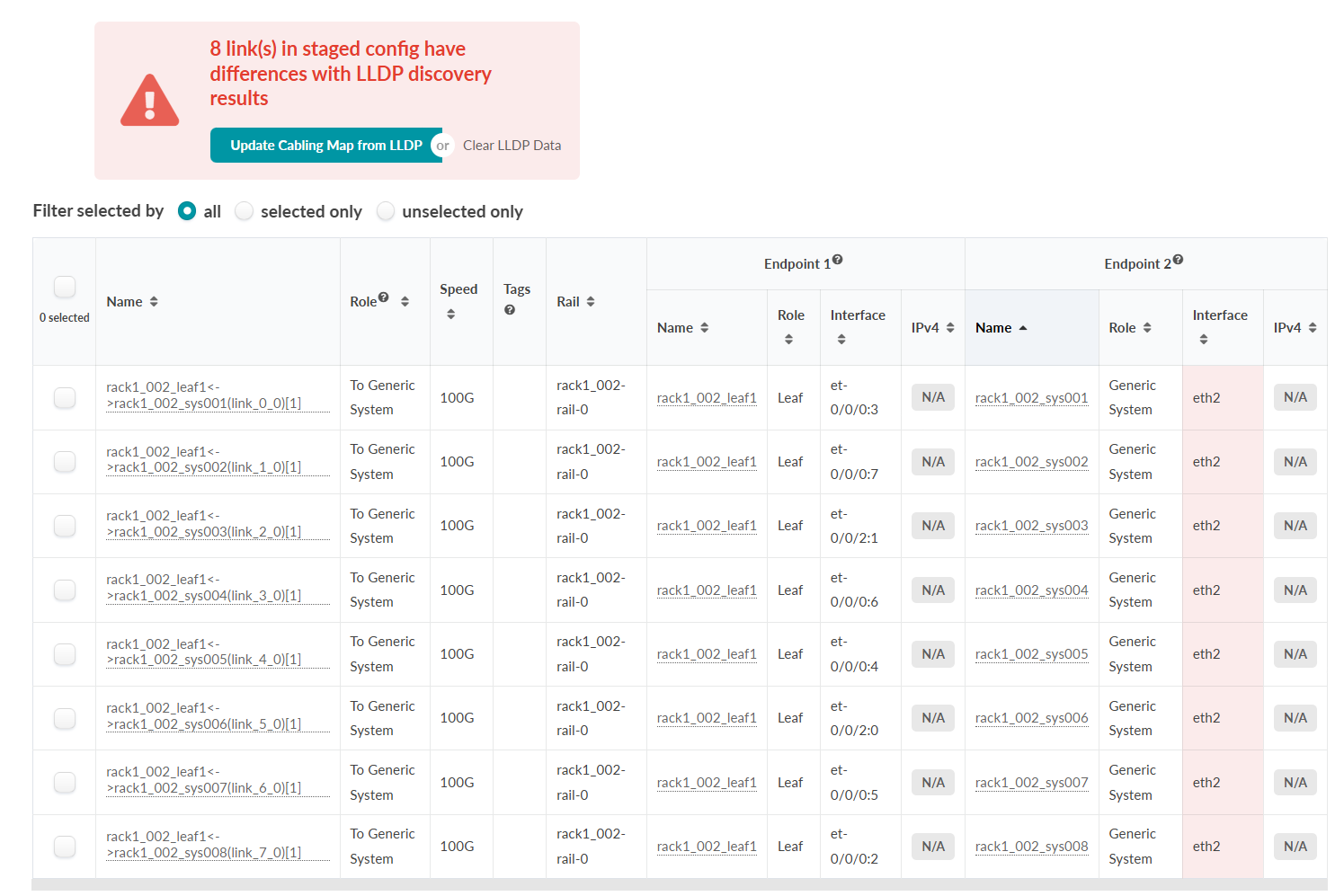
これらの異常を迅速に解決するために、ケーブルマップエディターを使用できます。ブループリントから、[ ステージング > 物理 > リンク]に移動します。

LLDP異常アラートがまだ表示されていない場合は、ラックを選択し、LDDPデータを取得し、情報をフィルターして影響を受けるリンクを特定できます。

この例では、「rack1_002」を選択し、[ 検出されたLLDPデータを取得] ボタンをクリックし、[ LLDP差分付きのリンクのみを表示する?] ボタンを選択します。
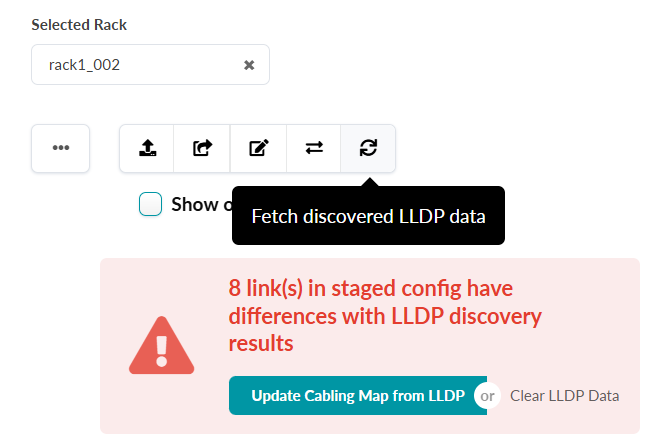
Selected rack labeled rack1_002 with a warning: 8 links in staged config differ from LLDP discovery results. Options to fetch LLDP data, update cabling map, or clear LLDP data. Red triangle icon highlights the issue. Buttons available to resolve.
インターフェイス異常のリストが表示され、上部にアラートが表示されます。

Screenshot of a network management interface showing a table with network links and LLDP results. A warning states 8 links have differences with LLDP results. Options to update cabling map or clear LLDP data are available. Table columns include link names, roles, speed, tags, rail, and endpoint details. Red shading highlights discrepancies in the Interface column under Endpoint 2.

アラートの LLDPからケーブルマップを更新 ボタンをクリックすると、ケーブルマップエディターウィンドウが表示されます。 更新をクリックします。未記録タブで変更を確認し、 コミットします。

選択したデバイスのLLDPテレメトリビューで、以前の異常の予想LLDP情報が実際と一致しました。
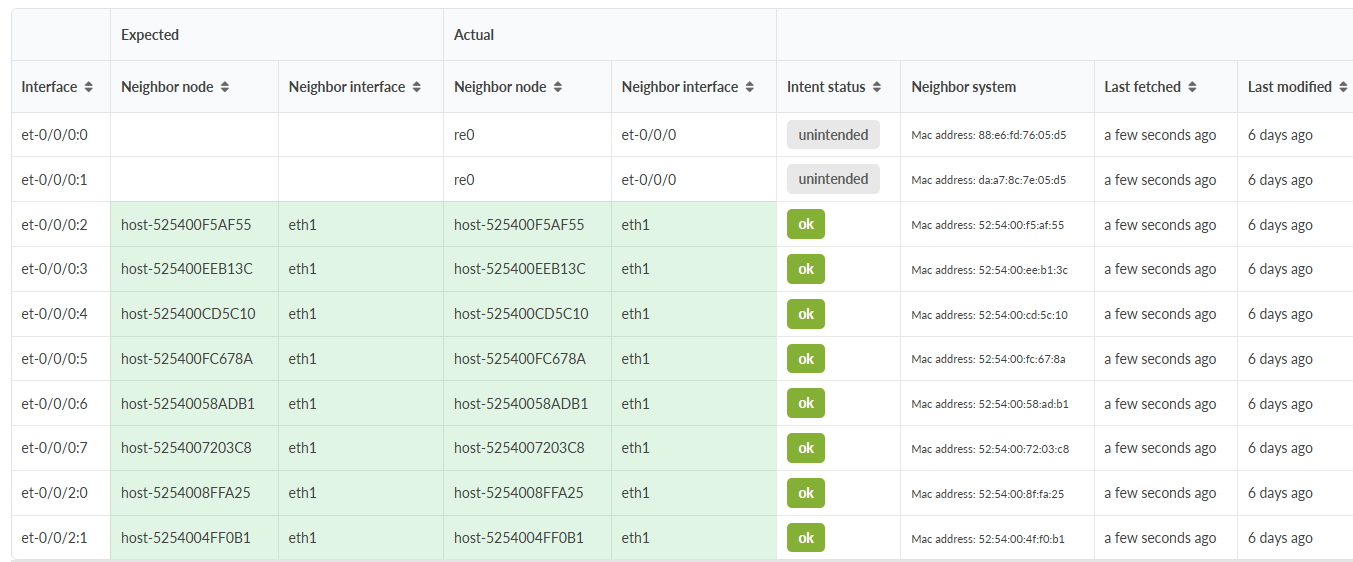
Table showing network interfaces, expected and actual neighboring nodes and interfaces, intent status, neighbor system details, last fetched and modified dates. Green rows indicate matches; gray rows indicate mismatches.