Help us improve your experience.

Let us know what you think.

Do you have time for a two-minute survey?


クラスタ管理

左側のナビゲーションメニューから、[ Platform > Apstraクラスター>クラスター管理 ]に移動し、設定とステータス情報をクラスターに移動します。
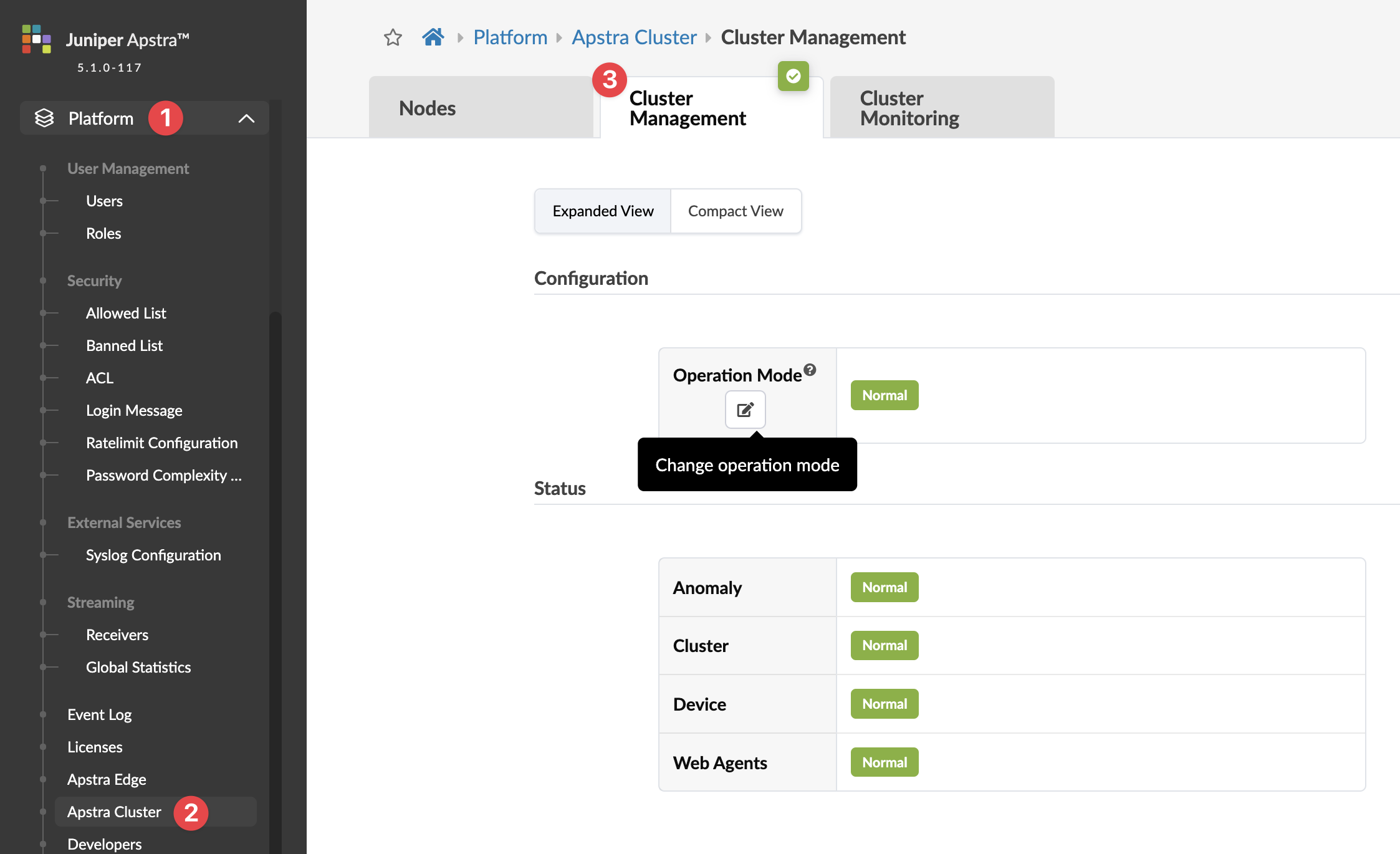
Juniper Apstra platform interface showing Cluster Management section with normal operation mode and component statuses: Anomaly, Cluster, Device, Web Agents.

管理者は、トラブルシューティングを行っているため、またはサーバーでメンテナンス操作 (バックアップ、VM の移行、VM OS の更新など) を実行したいために、ソフトウェア環境で設計と設計図の変更を実行するすべてのユーザー (自分自身を含む) を一時的にブロックすることができます。

管理者は、 操作モード を 通常 から 読み取り専用 に変更して、APIやWebUI(PUT/POST)からユーザーをブロックできます。デフォルトでは、読み取り専用モードを有効/無効にする権限を持つのは管理者だけです。
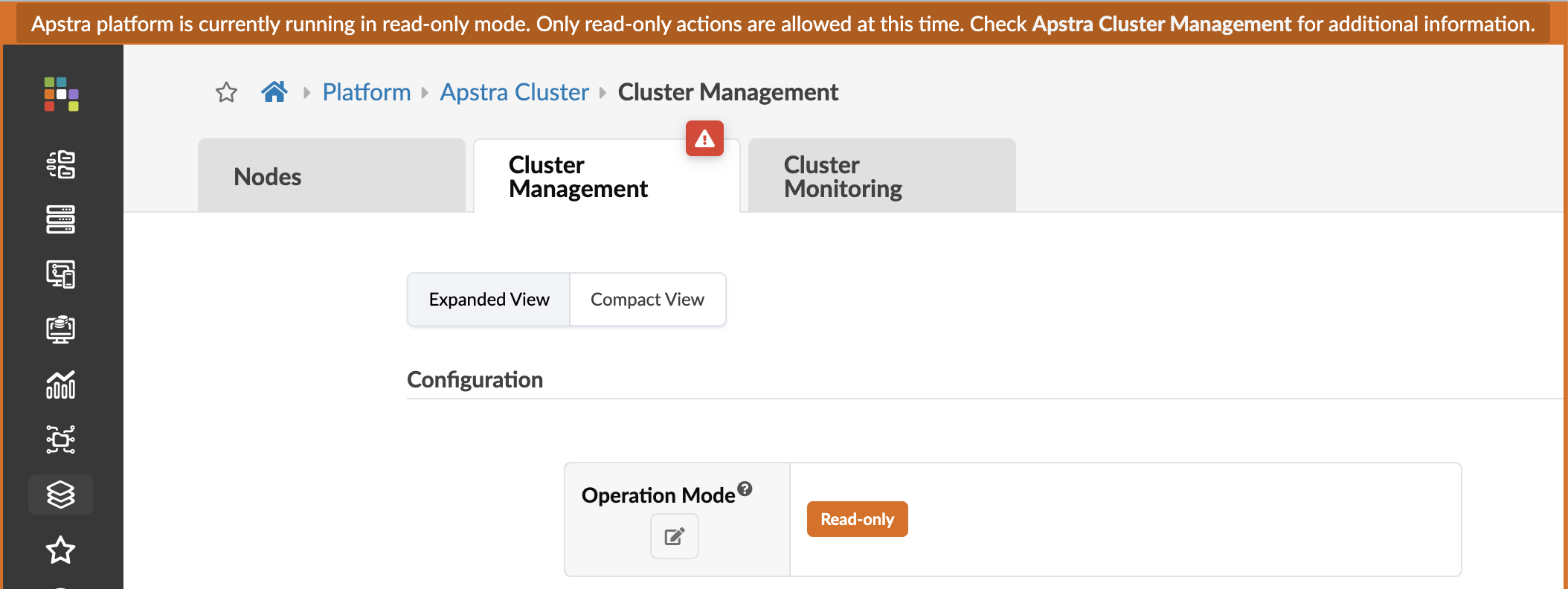
Apstra platform interface displaying Cluster Management section in read-only mode with navigation tabs, configuration options, and sidebar icons.

すべてのページの左下のセクションでは、プラットフォームの健全性を継続的に可視化できます。緑はアクティブな状態を示します。赤は、エージェントの欠落、ディスクの読み取り専用モード、エージェントの再起動(エージェントの再起動後、ステータスがアクティブに戻る)など、何らかの問題を示します。

ソフトウェア環境の任意のページから、ドットの1つをクリックし、詳細が必要なセクションをクリックします。 動作モードをクリックすると、 クラスター管理ページに移動します。(その他のいずれかをクリックすると、ノードページに移動します。
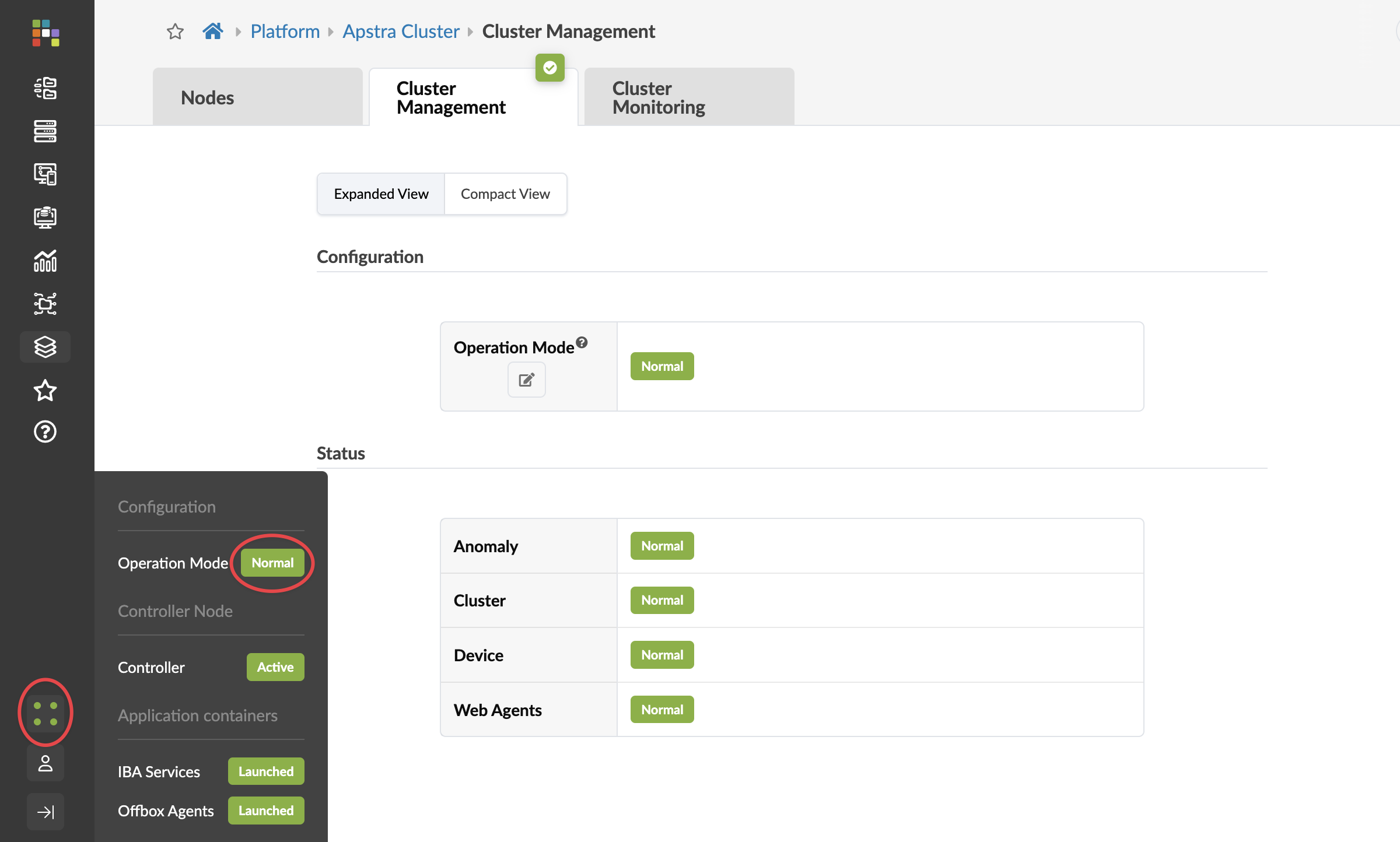
Screenshot of Apstra Cluster management interface showing Cluster Management tab selected. Operation Mode and all status components including Anomaly, Cluster, Device, and Web Agents are Normal. Controller Node is Active. Application Containers: IBA Services and Offbox Agents are Launched.