Help us improve your experience.

Let us know what you think.

Do you have time for a two-minute survey?


AP47に外部アンテナを取り付けます

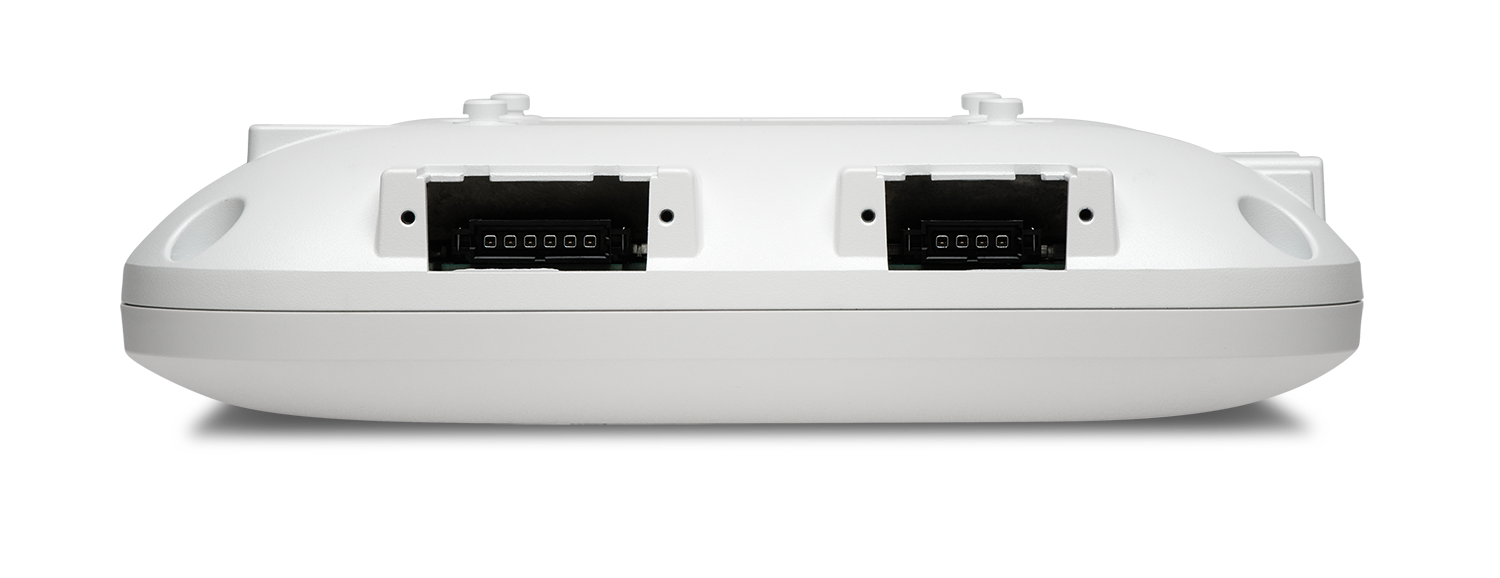
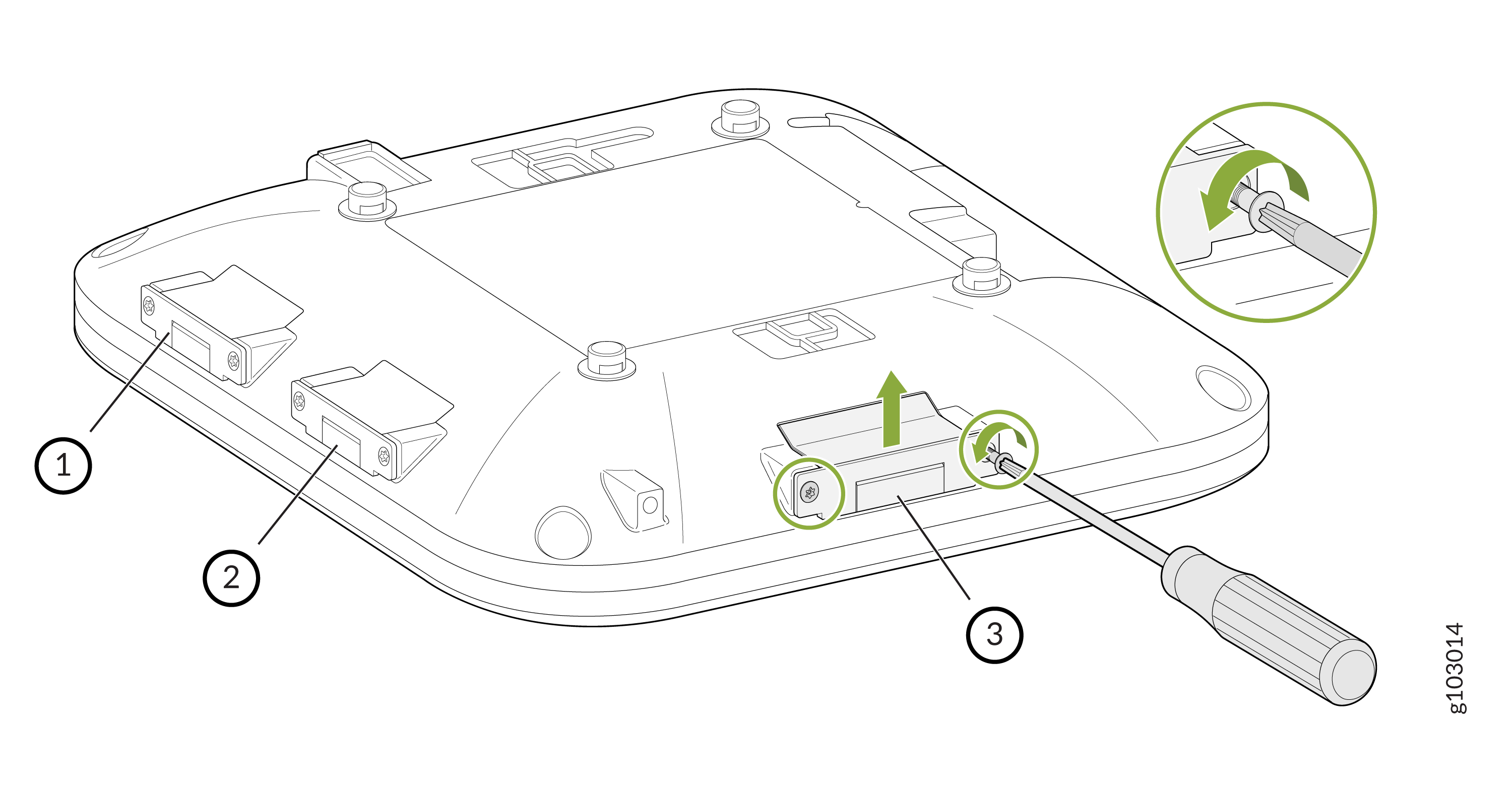
AP47Eモデルには、6ピン2個と4ピン1個の計、3つのプラガブルアンテナポートがあります。
図1:AP47EExternal Antenna Connectors on the AP47Eの外部アンテナコネクタ
アンテナを取り付けるには:

  1. T8セキュリティトルクスビットを使用して、アンテナポートカバーをAPに固定しているネジを外します。カバーを取り外します。
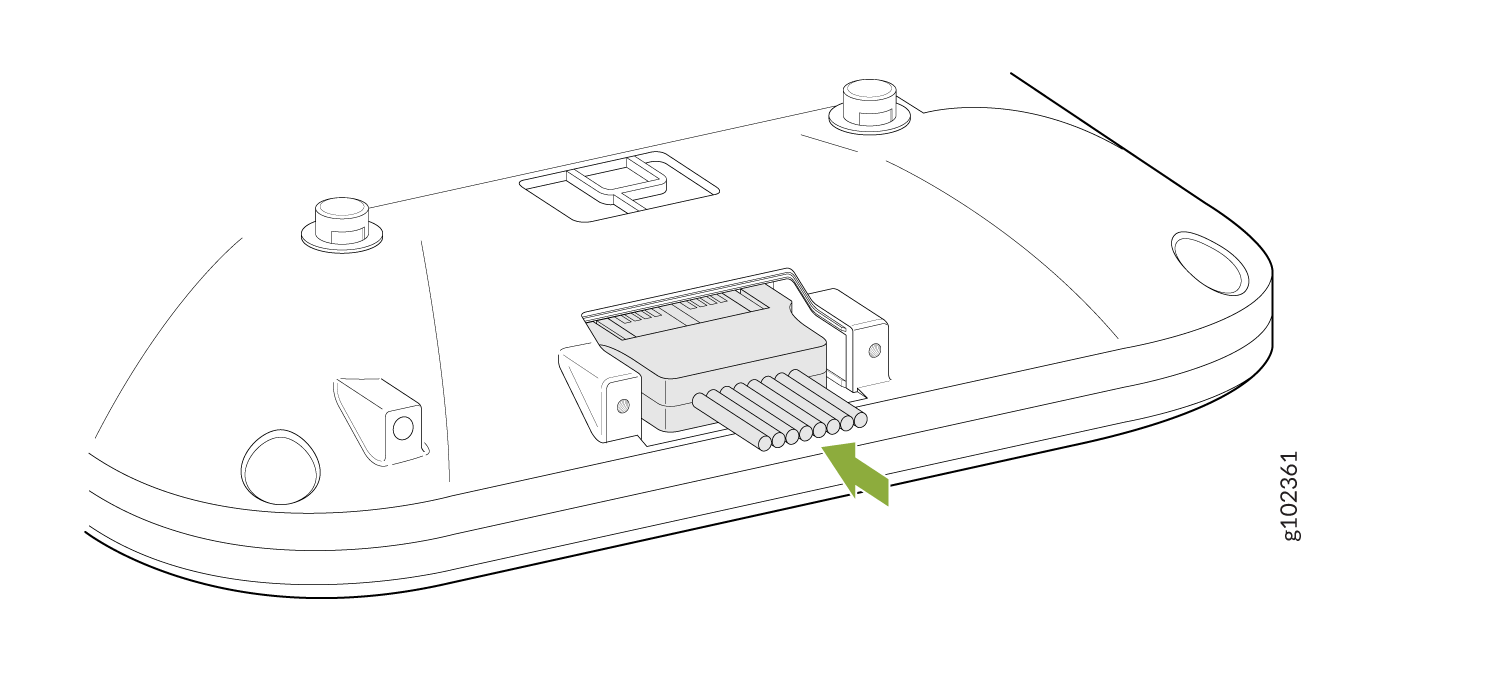
  2. アンテナを接続します。
    Connector assembly with green arrow pointing to wires or pins, suggesting it is part of an electronic system.
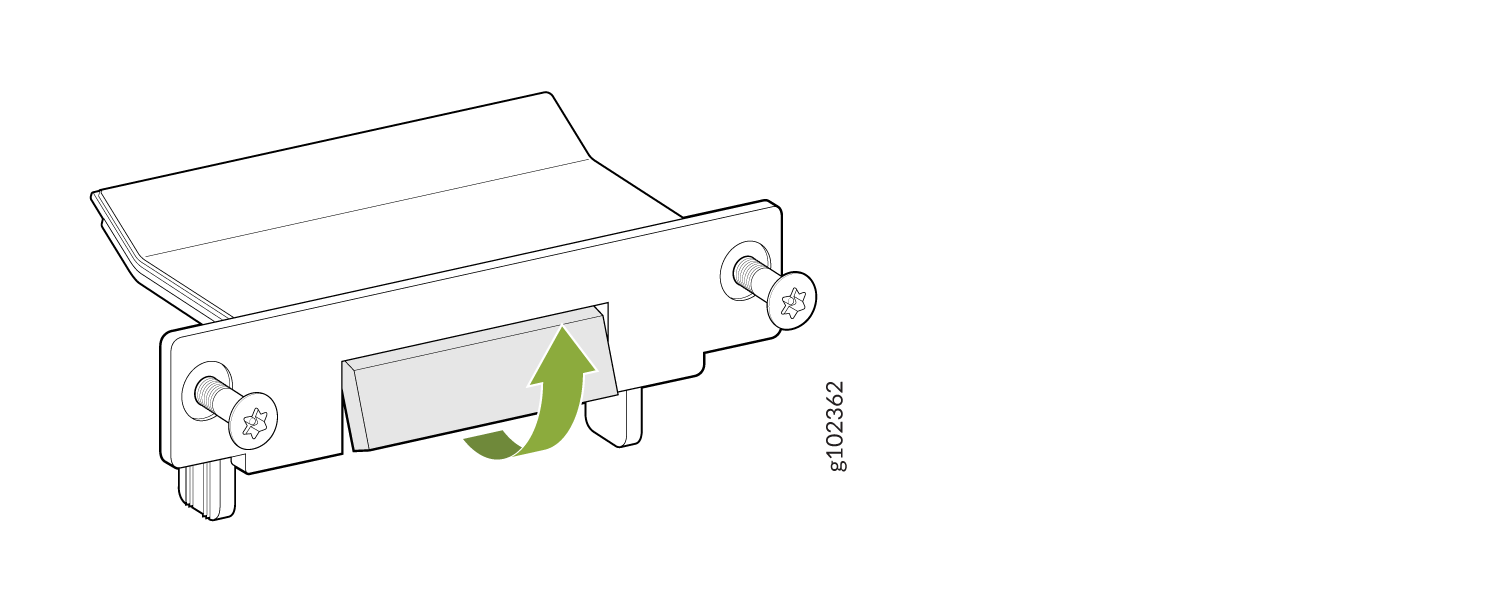
  3. アンテナポートカバーのブレークオフタブを曲げます。
    Mechanical bracket with screws on both sides and a central piece adjusting upward, indicated by a green arrow.
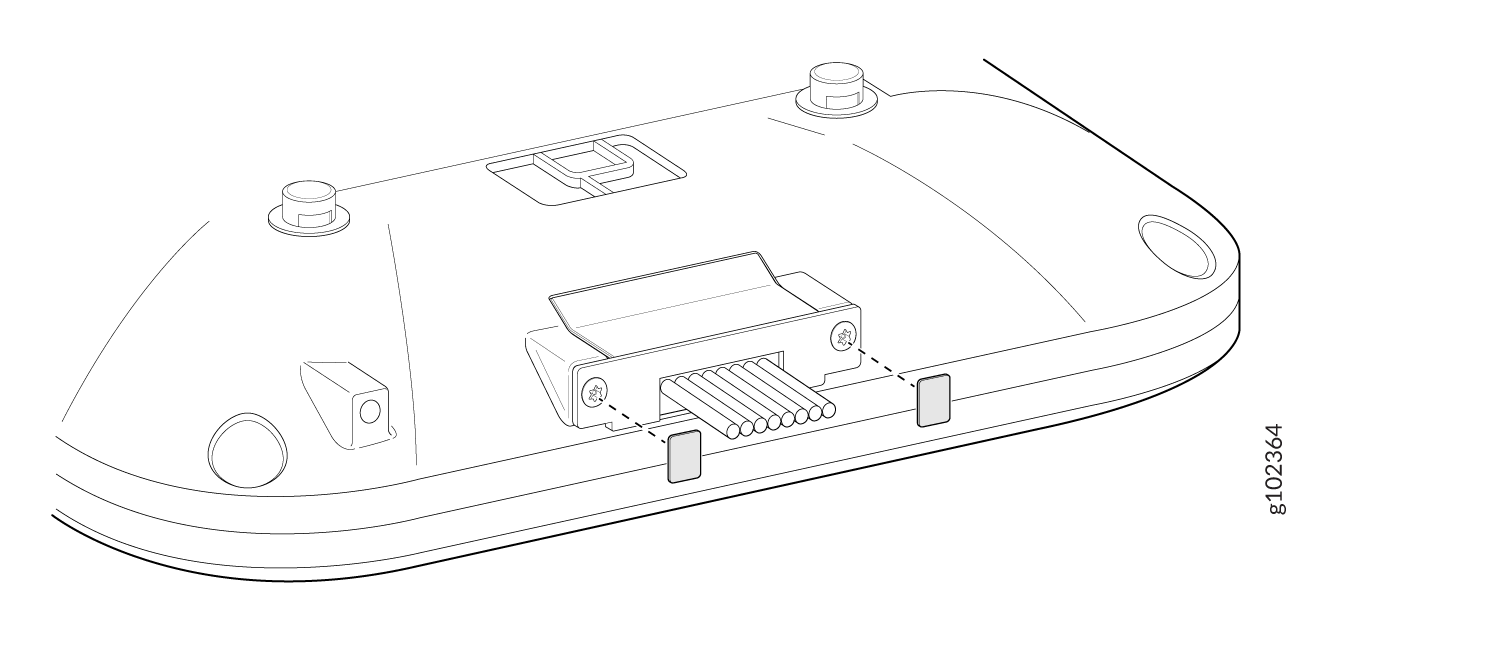
  4. ステップ1で取り外したネジを使用して、アンテナポートカバーをAPに取り付けます。T8 セキュリティ トルクス ビットを使用してネジを締めます。
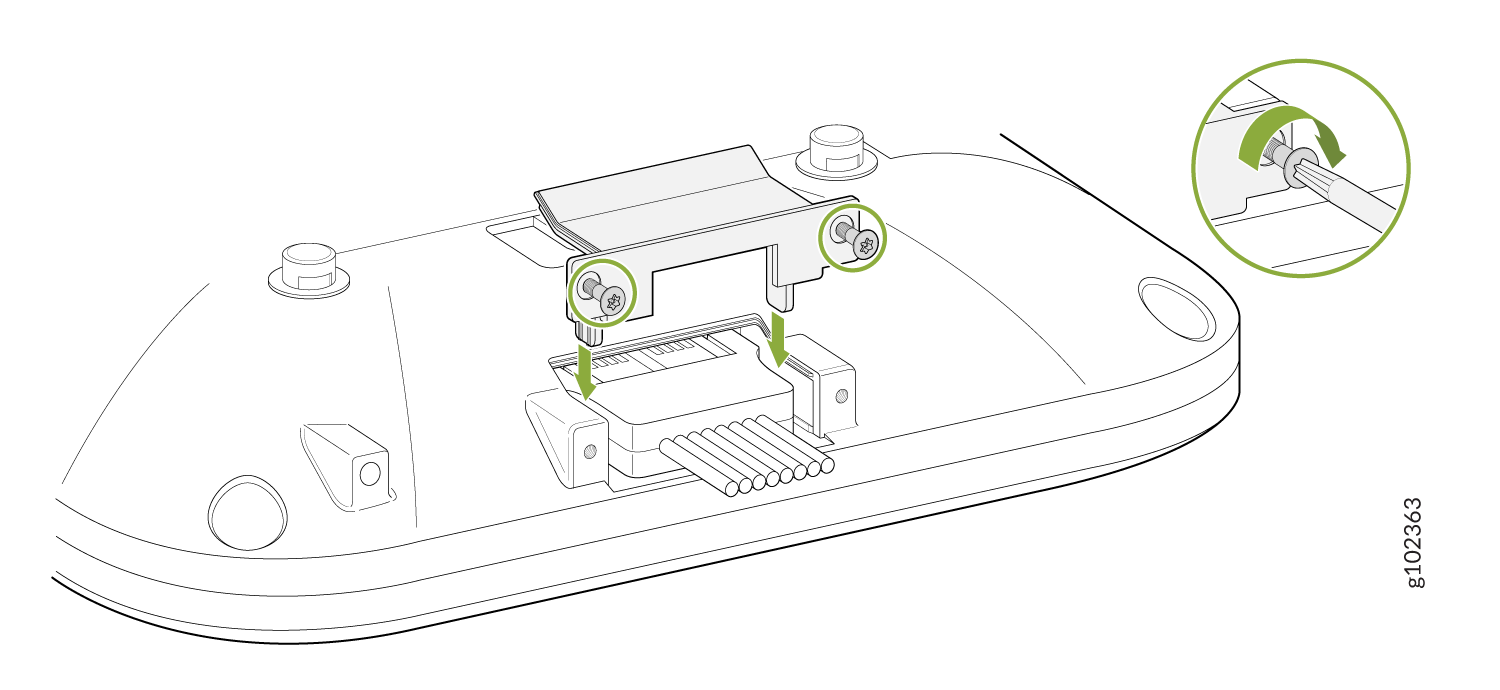
    Diagram showing cable installation to a base with screws and bracket; inset highlights screw tightening method.
  5. 付属の lexan ラベルをアンテナポートのカバーネジに貼り付けます。
    Technical diagram showing the underside of a device with a connector and pins for data connections, alignment points, and securing screws.