Help us improve your experience.

Let us know what you think.

Do you have time for a two-minute survey?


提取网络建模数据

位于 )。您可以使用位于 $WANDL_HOME/bin/getipconf (例如 /u/wandl/bin/getipconf )的 getipconf(“获取 IP 配置”)程序提取信息,以便为网络节点、链路、接口、隧道、bgp、vpn 等创建相应的Paragon Planner网络模型文件。

图形用户界面

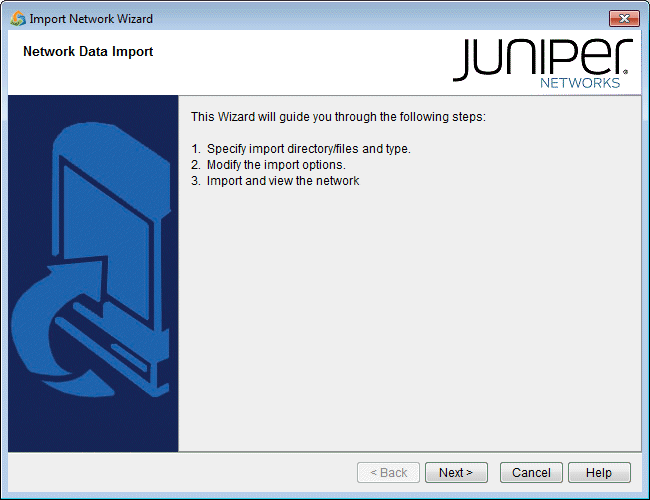
  1. 选择 “文件”>“从收集的数据创建网络> ”以打开“导入网络向导”。单击 “下一步”。
    图 1:导入网络向导 - 简介页面 Screenshot of Import Network Wizard from Juniper Networks guiding users to import network data with Juniper logo at top-right.
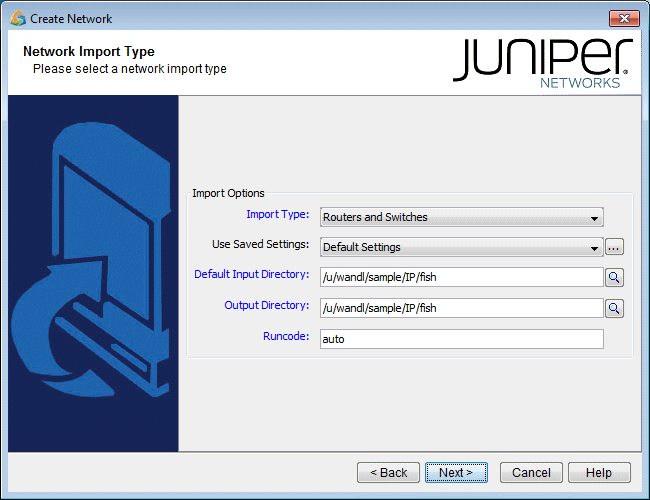
  2. 使用导入类型“路由器和交换机”。
    图 2:选择导入类型(选项各不相同) Juniper Networks interface displaying the Network Import Type step with options set for Routers and Switches and Default Settings.
  3. 默认导入目录是用于搜索配置、接口、网桥、tunnel_path、equipment_cli、tunnel_path、transit_tunnel等网络输入目录的默认目录。实时网络的默认目录是 /u/wandl/data/collection/。LiveNetwork
  4. 输入新项目的输出目录和运行代码。输出目录是在导入过程中创建网络项目的位置。建议使用与导入目录不同的目录。Runcode 是将附加到所有生成的 Paragon Planner 网络文件的文件扩展名标识符。(请注意,运行代码中不允许有空格。
  5. 单击 “下一步 ”继续。