Help us improve your experience.

Let us know what you think.

Do you have time for a two-minute survey?


VPLS-BGP VPN(适用于瞻博网络)

VPLS-BGP VPN 基于 IETF Kompella/Rekher 草案。要配置 VPLS-BGP VPN(仅由瞻博网络实施),用户需执行以下步骤序列:

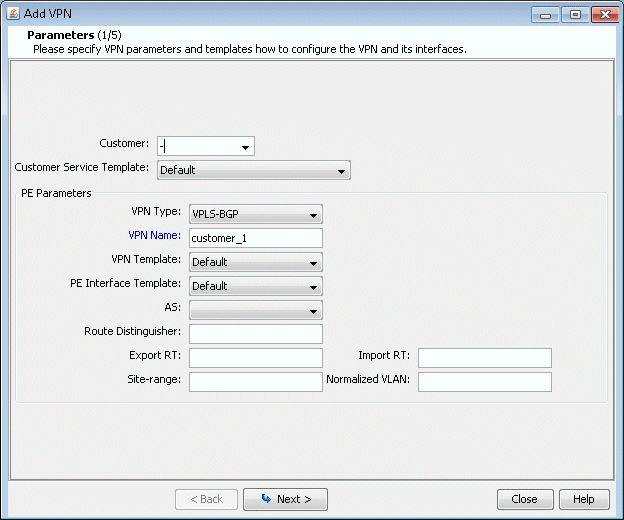
  1. 打开“添加 VPN”窗口,然后选择 VPLS-BGP VPN(适用于瞻博网络)。然后输入 VPN 的名称(例如 VPLS_4),如下图所示。
    图 1:VPLS-BGP VPN Add VPN configuration window showing step 1 of 5 with dropdowns for customer and service templates, text fields for VPN parameters, and navigation buttons.
  2. 单击下一步以显示窗口,您可以在其中选择 PE,并为所选 AS 分配路由识别符、路由目标导出和路由目标导入,如第 3 层(第 3 层)VPN 部分中所述)。该程序会自动推荐值,或者您可以提供自己的值。
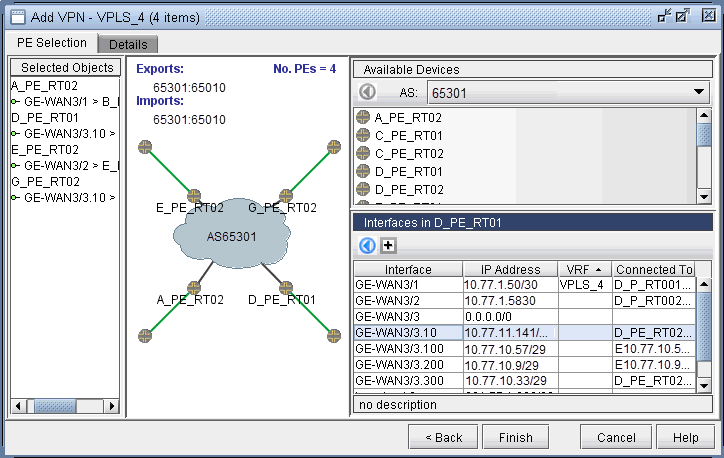
  3. 单击下一步以显示以下窗口,您可以在其中分配面向客户边缘的 PE 接口(采用与 L3(第 3 层)VPN 部分中所述的方式相同)。下图显示了接口分配的结果。
    图 2:分配给 PE Configuring VPLS instance VPLS_4 with PE devices A_PE_RT02, GE-WAN3/1, GE-WAN3/3, and D_PE_RT01 in AS65301. Network diagram shows connections. 的接口
  4. 接下来,单击“详细信息”选项卡以指定封装、站点、站点标识符。也可以根据需要指定 LSP。下图显示了三个节点的分配已完成,第四个节点的分配正在进行中。
    图 3:分配给 PE Network configuration interface for adding a VPLS VPN named VPLS_4 with nodes, interfaces, RD, site IDs, and encapsulation details. 的接口
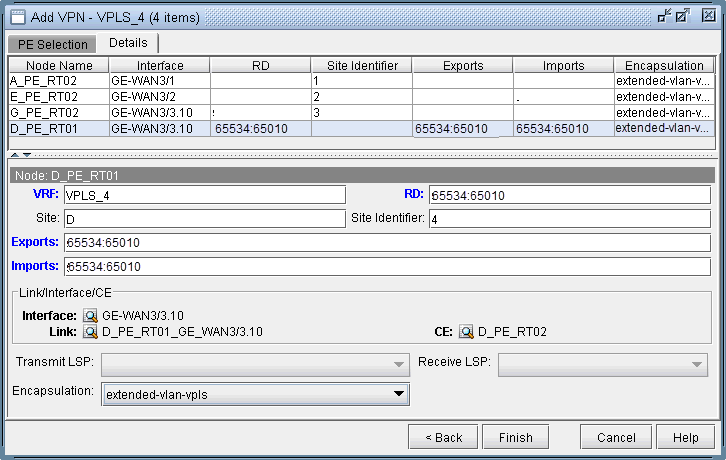
    封装 (Encapsulation) 下拉列表包含以下值,您可以从中进行选择:ethernet-vpls、ether-vpls-over-atm-llc、extended-vlan-vpls 和 vlan-vpls。

  5. 最后,单击“完成”以完成瞻博网络 VPLS VPN 的创建。