Help us improve your experience.

Let us know what you think.

Do you have time for a two-minute survey?


VPLS-LDP VPN

VPLS-LDP VPN 基于 IETF Lasserre/Kompella 草案,由思科和除瞻博网络以外的所有其他供应商实施。要配置 VPLS-LDP VPN,请执行以下步骤:

  1. 首先,对于 VPLS-LDP,确定一组具有可用 PE 面向客户边缘接口的 PE,可将其分配为 VPLS 连接电路。
  2. 接下来,打开 Add VPN 窗口并选择 VPLS-LDP VPN。在本例中,我们将配置一个名为 VPLS-LDP0 的 VPLS 实例。
    图 1:创建 VPLS-LDP VPN Add VPN configuration window showing step 1 of 5 with fields for Customer, Customer Service Template, VPN Type VPLS-LDP, VPN Name customer_1, VPN Template Default, PE Interface Template Default, and VPLS ID 11307. Options to proceed Next, go Back, Close, or access Help.
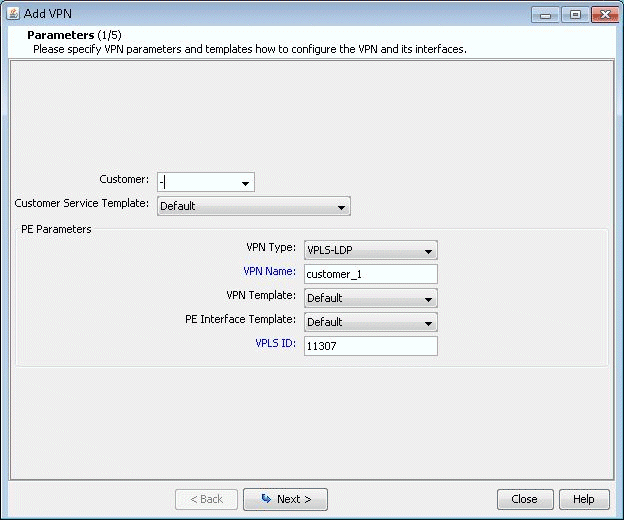
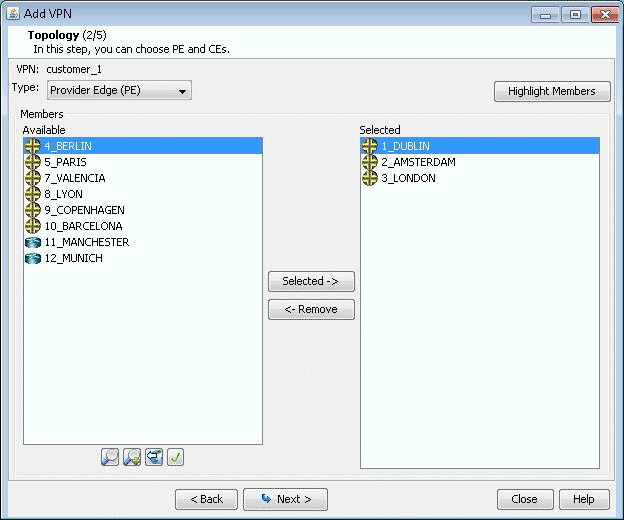
  3. 单击下一步,进入屏幕以指定 VCID 并为 VPLS 实例选择 PE,如下图所示。如果您愿意,可以在下一个屏幕的“PE 选择”选项卡中选择部分或全部 PE,如下一步所述。点击下一步继续。
    图 2:选择 PE 并指定 VCID Add VPN wizard step 2 of 5, Topology. VPN Name: customer_1. Type: Provider Edge. Available locations: Berlin, Paris. Selected locations: Dublin, Amsterdam, London.
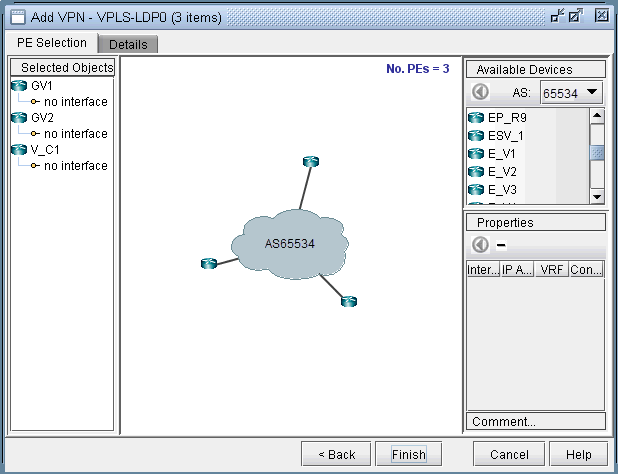
  4. 如上一步所述,您可以在“PE 选择”选项卡中选择 PE ,如以下屏幕所示。如果您已在上一步中选择了所有 PE,请单击详细信息选项卡继续。
    图 3:可以在 PE 选择选项卡Network configuration interface for setting up VPLS using LDP, showing AS65534 cloud connected to three routers, selected/available devices, and properties section.中选择其他 PE
  5. 接下来,您可以配置面向 PE 的客户边缘连接电路;这包括指定接口和电路 ID、带宽和封装。
    图 4:配置 VPLS-LDP 详细信息 VPN configuration interface for adding a Virtual Private Network using VPLS with LDP. Lists nodes GV1, GV2, V_C1 with VCID, link, encapsulation type, and bandwidth. Options to configure interfaces and remote peers. Buttons for navigation and help available.
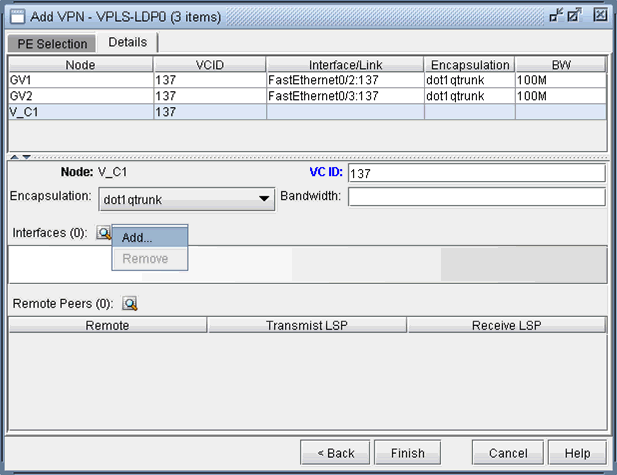
    各种供应商的封装类型包括:

    • 思科:dot1qaccess、dot1qtunnel、dot1qtrunk。

    • 铸造厂:已标记、未标记。

    • Tellabs,Riverstone:已标记、未标记、q-in-q。

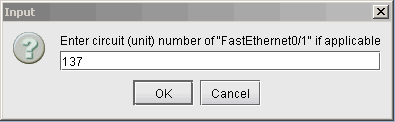
    下图显示了接口的分配方式: 首先,单击接口旁边的放大镜,然后选择 添加。然后在“选择 接口” 窗口中,选择一个可用的接口。最后,键入接口的 VCID

    图 5:选择接口 Graphical user interface for selecting and configuring network interfaces in a network simulation tool, showing interface list and properties panel.
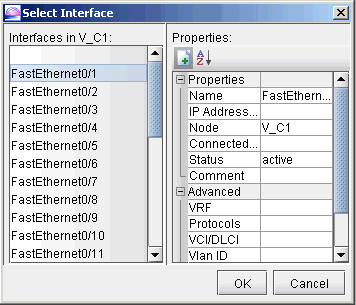
    图 6:为接口Dialog box titled Input prompting for circuit unit number FastEthernet0/1 with input 137 and OK and Cancel buttons.分配电路 ID
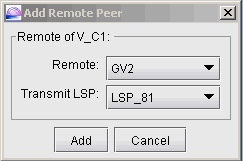
  6. 接下来,依次指定每个远程对等方和用于到达对等方的传输 LSP。单击“远程对等方”旁边的放大镜以调出“添加远程对等方”窗口,您可以在其中从下拉选择菜单中选择远程对等方和传输 LSP。
    图 7:配置 PE 对等方 Dialog box titled Add Remote Peer for network configuration with dropdowns for Remote GV2 and Transmit LSP LSP_81 plus Add and Cancel buttons.
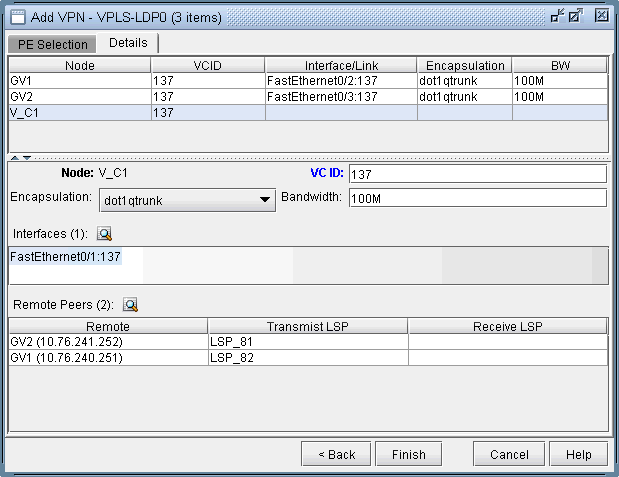
  7. 下图显示了为我们的 VPLS 实例 VPLS-LDP0 完成的分配详细信息。单击 Finish 将 VPLS 实例添加到模型中。
    图 8:配置VPN configuration interface for VPLS with LDP, showing nodes GV1, GV2, V_C1 with VCID 137, and details for node V_C1 with remote peers IPs 10.76.241.252, 10.76.240.251.的 VPLS-LDP 实例详细信息