查看您的支持工单
请按照以下步骤转到您的支持仪表板并查看工单的状态。
您可以从瞻博网络 Mist™ 门户查看您的支持工单。
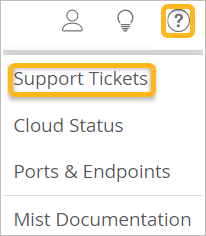
- 单击瞻博网络 Mist 门户右上角附近的问题图标,然后单击 支持工单。
- (可选)选择时间段。


Help us improve your experience.
Let us know what you think.
Do you have time for a two-minute survey?
请按照以下步骤转到您的支持仪表板并查看工单的状态。