查找您的组织 ID
查找您的组织 ID,瞻博网络 Mist™ 会在您创建新组织时自动分配该 ID。
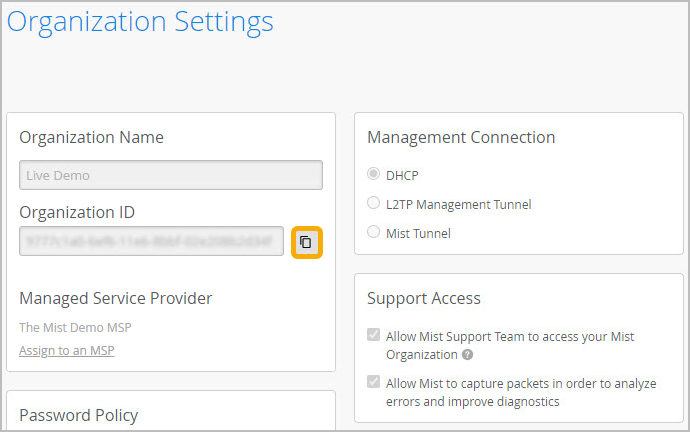
从左侧菜单中 ,选择组织 > 管理员 > 设置。组织 ID 显示在页面顶部附近。您可以使用复制按钮快速复制此长字符串。
注意:
此 ID 由瞻博网络 Mist 生成,您无法更改。

Help us improve your experience.
Let us know what you think.
Do you have time for a two-minute survey?
查找您的组织 ID,瞻博网络 Mist™ 会在您创建新组织时自动分配该 ID。
从左侧菜单中 ,选择组织 > 管理员 > 设置。组织 ID 显示在页面顶部附近。您可以使用复制按钮快速复制此长字符串。
此 ID 由瞻博网络 Mist 生成,您无法更改。