Help us improve your experience.

Let us know what you think.

Do you have time for a two-minute survey?


设备和接口配置文件概述

上线配置文件由设备和接口配置文件组成。设备载入配置文件定义与设备关联的以下参数:

  • IP地址

  • 协议 — BGP、IS-IS 和 OSPF

  • 交通工程 (TE)

  • 分段路由 (SR)

  • 相邻设备、DNS 服务器、互联网端点和云提供商端点,用于检查连接。

网络架构师根据设备在网络中的角色创建设备配置文件。例如,设备可以是提供商边缘 (PE) 设备,也可以是城域网路由器。对于 PE 路由器,您可以配置 BGP、IS-IS 并在设备配置文件中添加隧道,而对于城域网路由器,您只能配置 BGP 和 IS-IS 协议。有关添加设备配置文件的信息,请参阅 添加设备配置文件

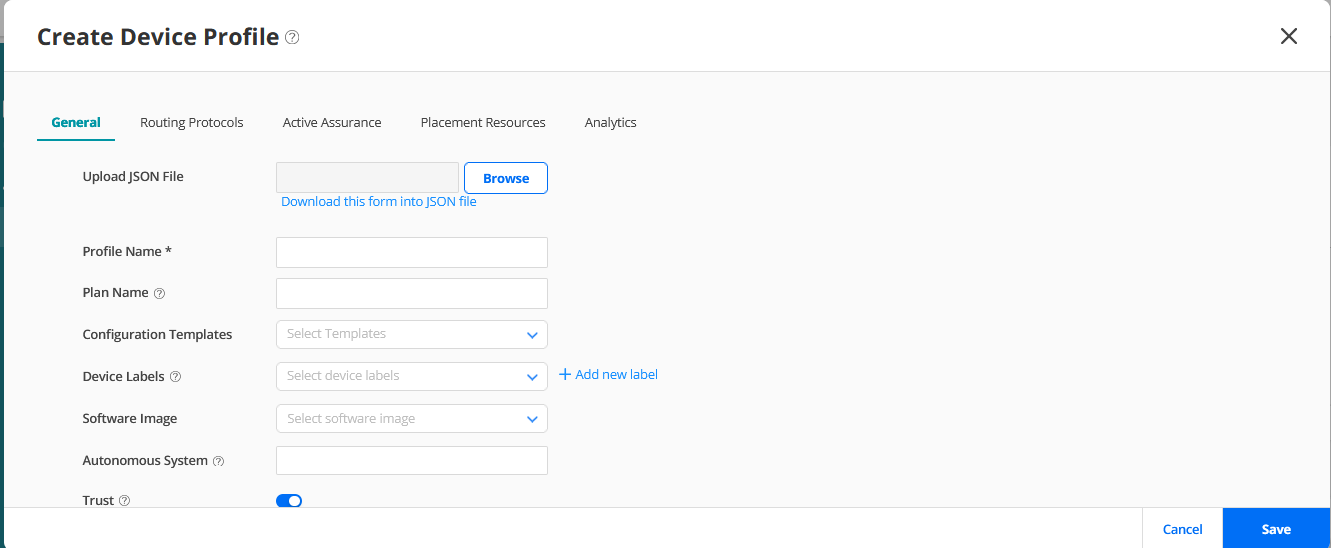
显示了“创建设备配置文件”页面。

图 1:添加设备配置文件页面 Device profile creation interface with tabs for General, Routing Protocols, Active Assurance, Placement Resources, Analytics. General tab selected showing fields for JSON file upload, Profile Name, Plan Name, Configuration Templates, Device Labels, Software Image, Autonomous System, Trust toggle, plus Cancel and Save buttons.

接口配置文件定义接口的 OSPF、IS-IS、LDP 和 RSVP 协议配置。您可以根据接口的角色创建接口配置文件。例如,面向核心或面向客户。有关添加接口配置文件的信息,请参阅 添加接口配置文件

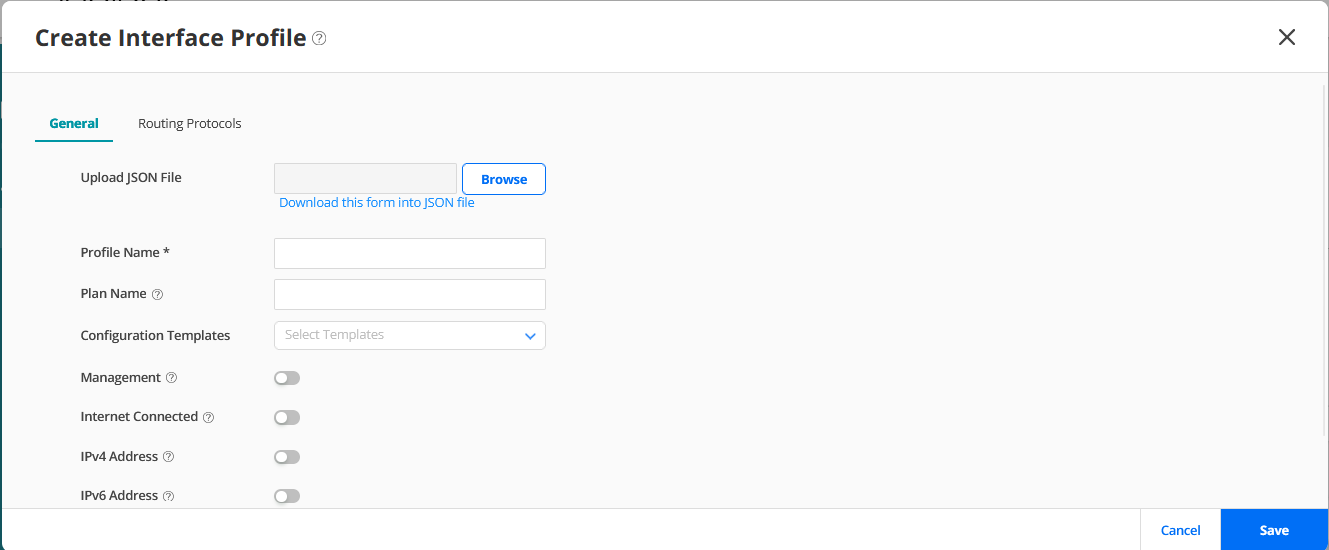
图 2 显示了 Create Interface Profile 页面。

图 2:添加接口配置文件页面 User interface for creating an Interface Profile in a network tool with fields to upload or download JSON files, input profile and plan names, select configuration templates, toggle management and internet settings, and enable IPv4 or IPv6 addresses. Includes Cancel and Save buttons, with tabs for General and Routing Protocols for further configuration.
您将配置文件分配给网络实施计划。在网络实施规划中,您可以指定必须应用于所有设备或端口或特定设备或端口的配置文件。Paragon Automation 会在设备上线期间提交配置文件和计划中定义的配置,以便在您上线设备后立即准备好服务。在设备上线并投入使用后,您还可以使用配置文件修改配置。有关网络实施计划的详细信息 ,请参阅网络实施计划概述