Help us improve your experience.

Let us know what you think.

Do you have time for a two-minute survey?


创建单体设备配置文件

设备配置文件包含大量硬件型号详细信息。确保配置文件准确描述所有硬件特征。如需帮助,请联系 瞻博网络支持。

  1. 从左侧导航菜单中,导航到 设备>设备配置文件 ,然后单击 创建设备配置文件。
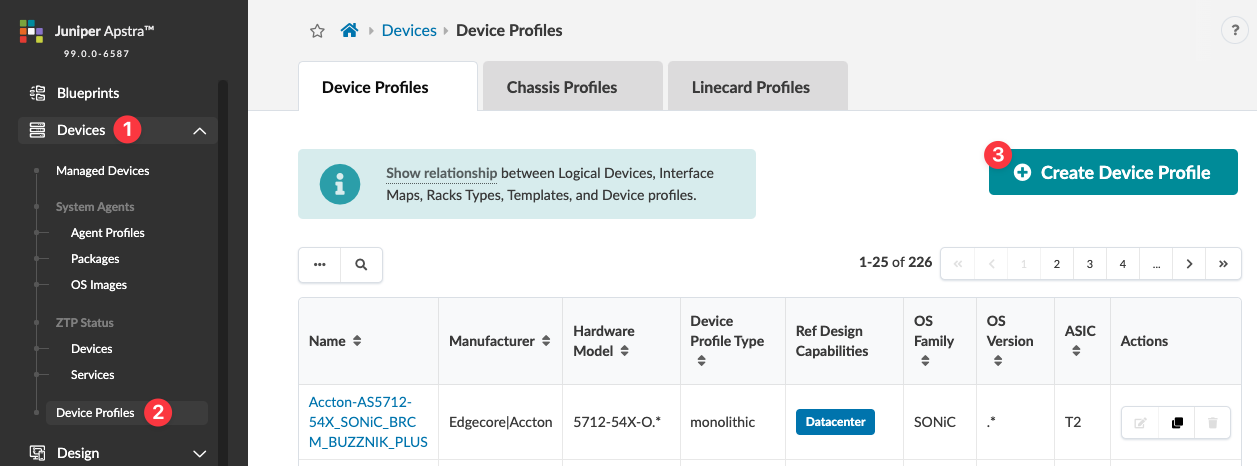
    Juniper Apstra interface showing Device Profiles section with navigation menu sidebar. Highlights include a Create Device Profile button and a table listing device profiles by name, manufacturer, hardware model, and more. Pagination shows 1-25 of 226 entries.
    Create Device Profile 对话框将在 Summary 部分上打开。
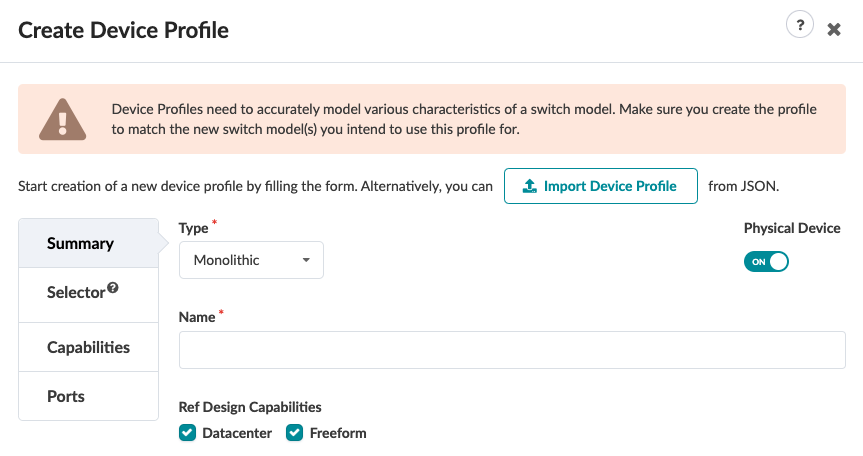
  2. 在摘要部分输入相关信息。
    Create Device Profile interface with a warning on switch model accuracy. Monolithic type selected. Name field, Physical Device toggle on. Tabs for Summary, Selector, Capabilities, and Ports. Ref Design Capabilities with Datacenter and Freeform checked. Options to fill form or import from JSON.
    1. 如果您已创建 JSON 有效负载,请单击“ 导入设备配置文件” 并选择要导入的文件。否则,请继续执行下一步。

    2. 将 类型 保留为“整体”。

    3. 如果您不使用物理设备,请关闭 物理设备。

    4. 输入唯一的设备配置文件名称。

    5. 选中“ 参考设计功能 ”(Apstra 5.0.0 版中的新功能)的相关复选框。

  3. 单击左侧面板中的 选择器 。
    创建设备配置文件对话框的选择器部分随即打开。
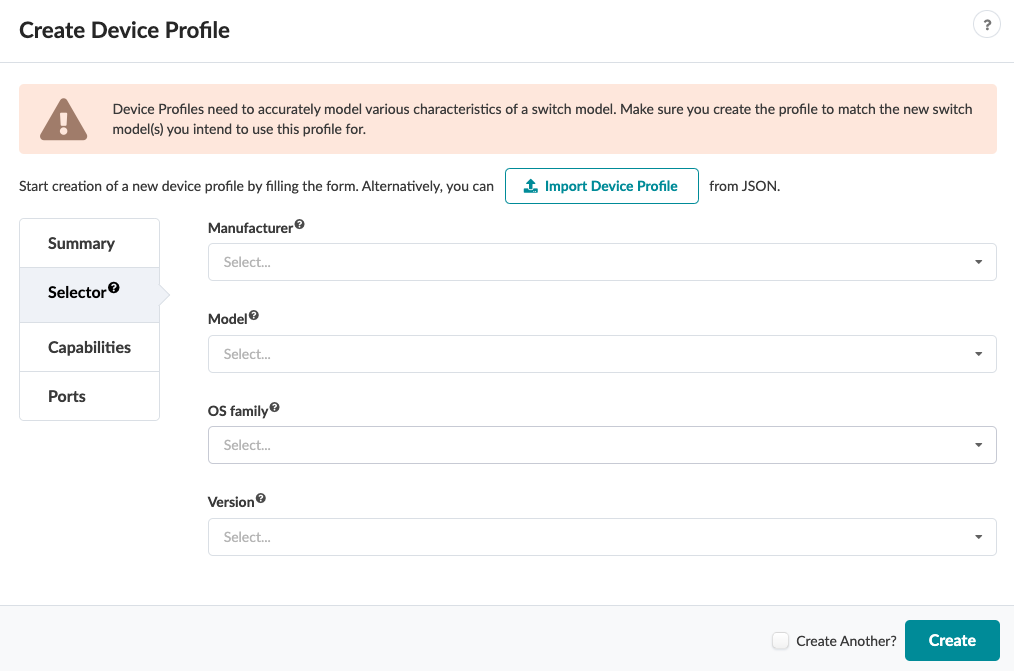
  4. 在 选择器 部分输入相关信息。
    User interface for creating a device profile with fields for Manufacturer, Model, OS family, and Version. Warning to model switch characteristics accurately. Option to import from JSON. Navigation menu with Summary, Selector, Capabilities, and Ports.
    1. 从 制造商下 拉列表中选择制造商。

    2. 从 “模型 ”下拉列表中选择型号。

    3. 从 “OS 系列 ”下拉列表中选择 OS 系列。

    4. 从 “版本” 下拉列表中选择操作系统版本。

  5. 单击左侧面板中的功能。
    创建设备配置文件对话框的功能部分随即打开。
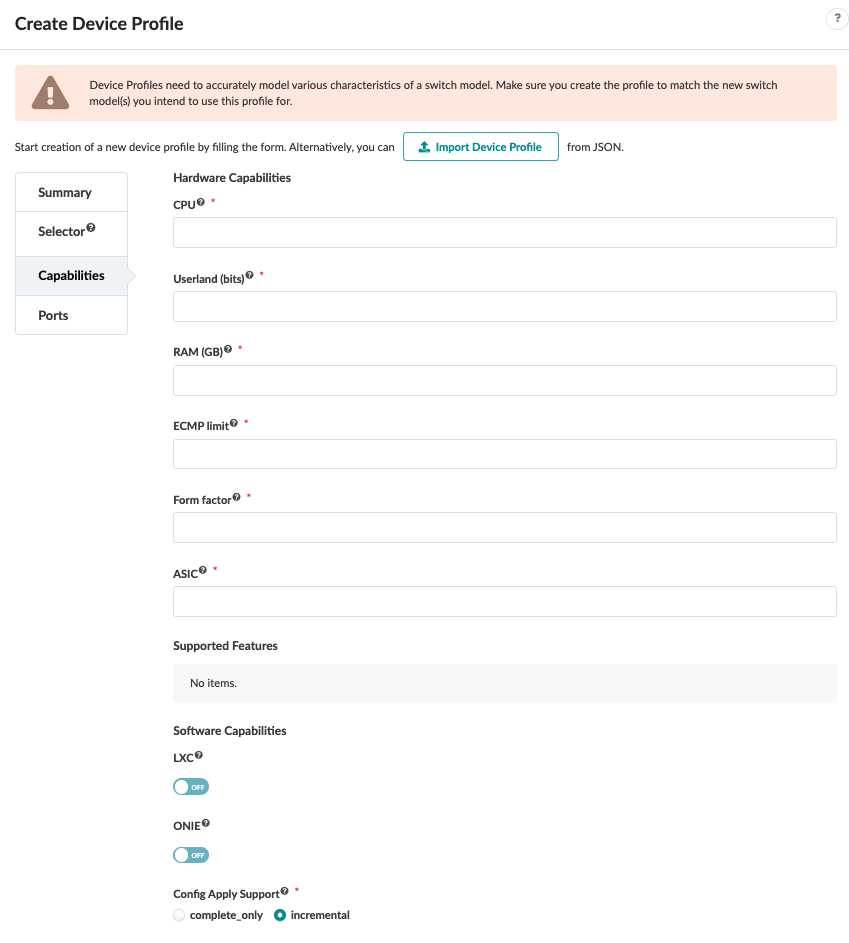
  6. 在功能部分输入相关信息。有关详细信息,请参阅什么是设备配置文件的功能部分。
    User interface for creating a device profile with fields for hardware and software capabilities. Key sections include Hardware Capabilities with options like CPU, RAM, ECMP limit, and ASIC, Supported Features showing no items, Software Capabilities with toggles for LXC and ONIE set to off, and Config Apply Support with complete_only and incremental options. Includes a JSON file import feature and a warning about accurate modeling. Navigation menu features tabs for Summary, Selector, Capabilities, and Ports.
  7. 单击左侧面板中的 端口 。
    此时将打开“创建设备配置文件”对话框的“端口”部分。
  8. 单击“添加面板”,然后在“端口”部分中输入相关信息。有关详细信息,请参阅什么是设备配置文件的端口部分。
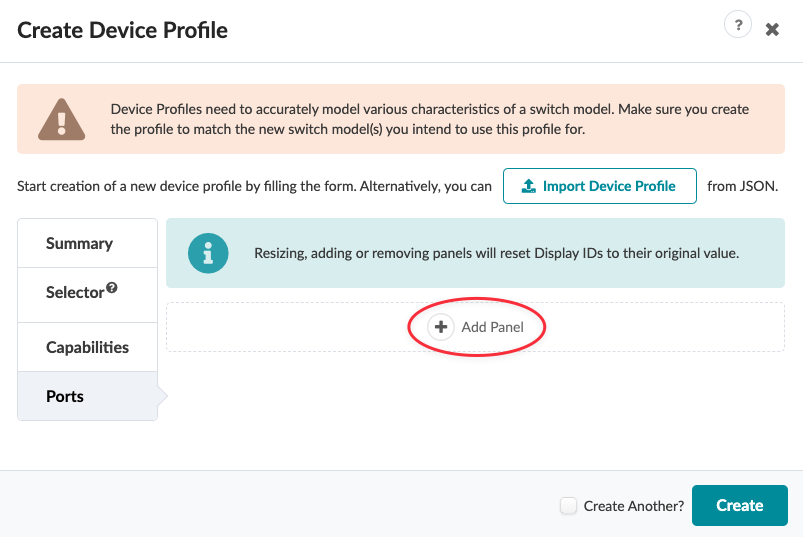
    User interface for creating a network switch profile with warning on accurate modeling. Import Device Profile button for JSON, tabs for configuration, Add Panel button with reset note, and Create button with Create Another checkbox.
  9. 单击 Create 以创建设备配置文件并返回到 Device Profiles 表格视图。